CreatorConfig is supported by its audience. We may earn commissions from qualifying purchases through affiliate links on this page. Full disclosure
Why the Switch needs a capture card at all
Nintendo put a capture button on both the Switch and the Switch 2, and both save the same thing: the last 30 seconds. That ceiling is the entire reason this page exists. A capture card removes the limit, sends gameplay into OBS, and gives you footage long enough to edit. One rule catches almost every buyer first, so here it is up front: capture only works with the console docked, because HDMI only leaves a Switch through the dock. Handheld play cannot be captured, and a Switch Lite cannot be captured at all.
The Ruling
What is the best capture card for Nintendo Switch?Get the Elgato Game Capture Neo.
The Elgato Game Capture Neo is the best capture card for Nintendo Switch for most people, because an original Switch outputs 1080p60 docked and nothing higher, so the Neo captures the console exactly at 119 dollars, and every extra dollar spent on 4K capture serves a Switch 1 owner not at all.

Unless…
- You play on a Switch 2 - get the Elgato 4K S.Its 4K60 capture matches the Switch 2 docked ceiling instead of downscaling it.
- You capture away from a desk - get the AVerMedia ELITE GO.It carries a 100W GaN charger inside it, so a portable console gets a portable rig.
The full ranking
- Best overall for Switch:Elgato Game Capture Neo, 1080p60 capture that matches the console
- Best for Switch 2:Elgato 4K S, records the console’s full 4K60 docked output
- Best multi-console:Elgato HD60 X, HDR10 passthrough for the PS5 or Xbox alongside it
- Best portable:AVerMedia ELITE GO GC313Pro, with a 100W GaN charger built in
- Cheapest way in:XIIXMASK HDMI capture card, under 40 dollars to test the workflow
This guide covers external capture cards that sit between a docked Switch and your display and send gameplay to a PC over USB. It is not about the console’s own capture button, and there is no capture path at all for handheld play or the Switch Lite.
At a Glance
How the three Elgato picks compare
Which console you own decides this purchase, and the shapes show why. The Neo owns the Switch 1 column outright and gives up everything above it. The 4K S buys Switch 2 headroom with money and setup effort. The HD60 X sits between them and earns its keep from consoles that are not a Switch at all.
Each spoke runs 0 at the center to 10 at the outer ring.
- Elgato Game Capture NeoOur pick. Matches an original Switch exactly.
- Elgato 4K STake it instead if you own a Switch 2.
- Elgato HD60 XTake it instead if a PS5 or Xbox shares the desk.
| Category | Elgato Game Capture Neo | Elgato 4K S | Elgato HD60 X |
|---|---|---|---|
| Switch 1 Fit | 10/10 | 6/10 | 8/10 |
| Switch 2 Fit | 6/10 | 10/10 | 7/10 |
| Recording Headroom | 4/10 | 10/10 | 4/10 |
| Value | 10/10 | 7/10 | 7/10 |
| Ease of Use | 10/10 | 7/10 | 9/10 |
Quick Comparison: Best Capture Cards for Nintendo Switch
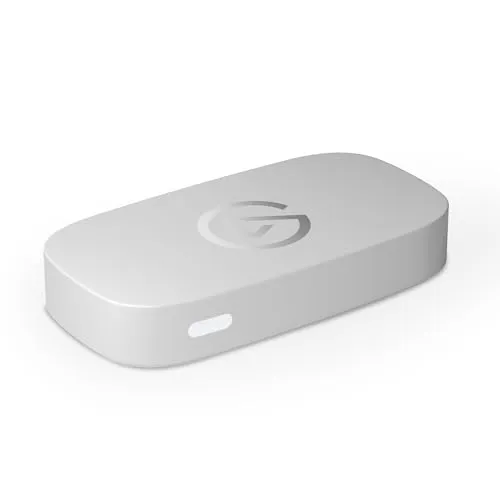
Elgato Game Capture Neo
Best for Switch
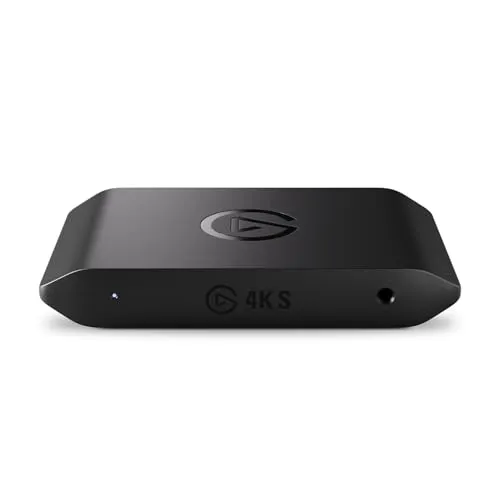
Elgato 4K S
Best for Switch 2
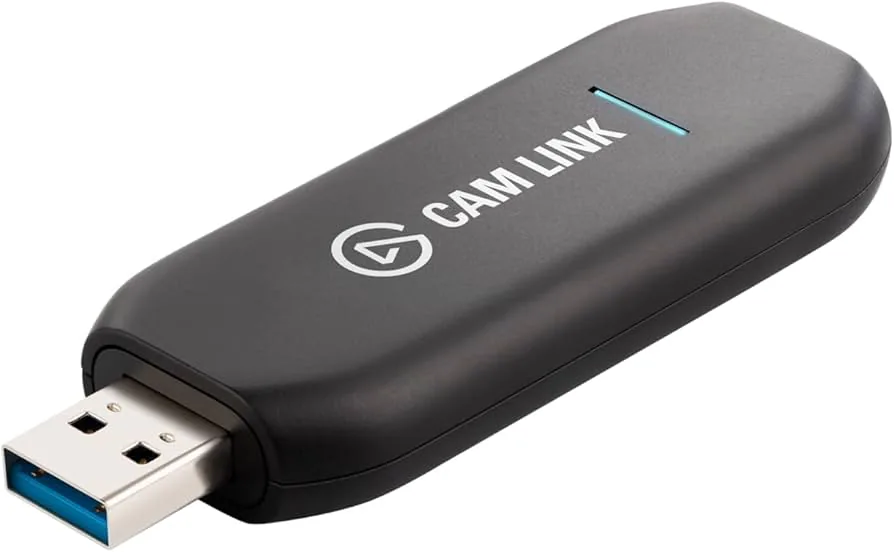
Elgato HD60 X
Multi-Console
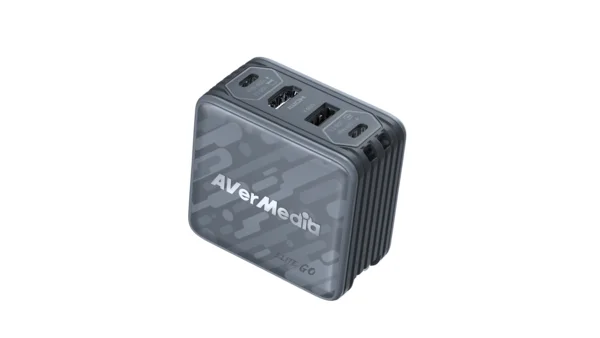
AVerMedia ELITE GO
Best Portable
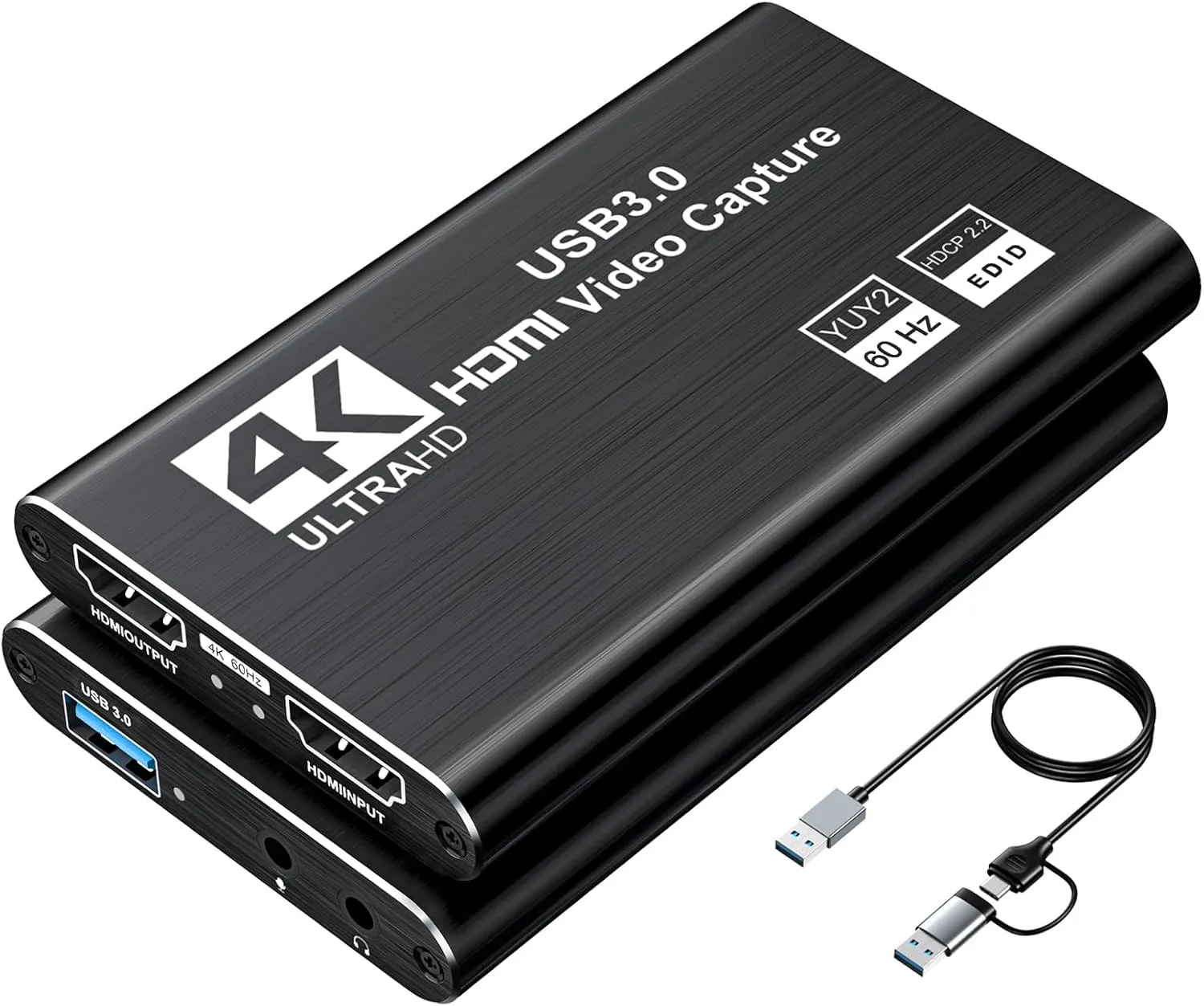
XIIXMASK Capture Card
Cheapest
The Reviews
Every pick in detail
Ranked in the order most Nintendo owners should consider them. Each card leads with what it wins on and what should send you elsewhere, so you can stop the moment one disqualifies itself.
Elgato Neo
Key Specifications
The Neo is the right card for an original Switch because of a number Nintendo publishes and most buyers skip past: TV mode tops out at 1080p, and 60fps is the ceiling above it. That is precisely what the Neo captures. Nothing in the chain is lost, and nothing is paid for twice.
That makes the 4K tier a straight overspend on Switch 1 hardware. A 4K card handed a 1080p60 signal records 1080p60, the same file the Neo produces, for 60 dollars more. The 4K60 passthrough still earns its place, because it lets the card stay in the chain when a 4K console shares the same television.
What you give up is future room. Put a Switch 2 in the dock and the Neo captures its 4K60 output at 1080p60, a real downgrade rather than a rounding error. If a Switch 2 is next on your list, skip down to the 4K S.
Why it wins
- Captures 1080p60, exactly what a docked Switch outputs
- The cheapest Elgato at 119 dollars, with real support
- Plug and play over USB-C, nothing to configure
Skip if
- You own a Switch 2 and want its full output
- You record 4K footage for YouTube
- You need to capture away from a desk
Elgato 4K S
Key Specifications
Nintendo lists the Switch 2 as outputting up to 4K at 60fps in TV mode, and the 4K S captures exactly that. It is the argument the Neo wins on Switch 1, moved up one tier: buy the card that matches the console rather than the card that flatters it.
One Nintendo detail shapes the setup. The Switch 2 reaches 120fps only at 1080p or 1440p, never at 4K, so the two are a choice rather than a stack. Stay at 4K60 for anything cinematic and let the 4K S record it natively, then drop to 1440p for the few games that support 120Hz, which this passthrough carries without complaint.
It asks more of you in return: genuine USB 3 bandwidth, and occasionally an EDID mode change before the console offers 4K through the card. On a Switch 1 none of that effort is repaid, which is why this is the second pick rather than the first.
Why it wins
- True 4K60 capture, matching the Switch 2 docked ceiling
- Passthrough carries 1440p120 for the 120Hz games
- The only pick here that does not downscale a Switch 2
Skip if
- You only own an original Switch or a Switch OLED
- Your PC or laptop has weak USB bandwidth
- You want the cheapest setup that works
Elgato HD60 X
Key Specifications
Nothing about the HD60 X is aimed at a Switch specifically, and that is the point. When one card has to serve a Switch plus a PS5 or an Xbox Series X, the HDR10 passthrough earns its money on the consoles that genuinely send HDR, while 1080p60 capture stays a perfect match for a docked Switch.
Two caveats keep it honest on Nintendo hardware. Elgato passes HDR through to your display but saves recordings in SDR, so a Switch 2 in HDR mode gives you a great picture on the TV and a flatter file in OBS. And an original Switch never sends HDR at all, so on a Switch 1 alone that 60 dollars buys a feature the console cannot use.
Buy it for the room rather than for the console: one card, one cable run, everything on the desk plugged into it in turn.
Why it wins
- HDR10 passthrough for the PS5 or Xbox on the same desk
- 1080p60 capture still matches a docked Switch exactly
- The most forgiving setup of the three Elgato cards
Skip if
- A Switch is the only console you own
- You want 4K recordings from a Switch 2
- You expected HDR recordings, not just passthrough
AVerMedia ELITE GO
Key Specifications
The Switch is the console people take places, and the ELITE GO is the only card here built to travel with it. A 100W GaN charger lives inside the body, so the thing powering your laptop and the thing capturing your gameplay are one object in the bag rather than two.
Capture is 1080p60 with 4K60 passthrough, the same headline pair as the Neo, so on an original Switch it concedes nothing. On a Switch 2 it records below the console ceiling, the trade you accept for a rig that fits in a backpack next to the dock you still have to bring.
At 199 dollars it is the most expensive 1080p60 card here, and the premium is the charger and the portability rather than the picture. If it will sit behind a television and never move again, the Neo does the identical capture job for 80 dollars less.
Why it wins
- Built-in 100W GaN charger, one brick instead of two
- 1080p60 capture with 4K60 passthrough in a travel body
- Built for a console people actually carry around
Skip if
- The card will never leave your desk
- You want 4K capture from a Switch 2
- You are counting every dollar
XIIXMASK Capture Card
Key Specifications
The XIIXMASK is here for one job: finding out whether streaming a docked Switch is actually your thing, for less than the price of a game. It is a generic UVC device, so there are no drivers, it appears in OBS like a webcam, it captures 1080p60 and it passes 4K60 through, at least on paper.
The honesty required at this price is that generic cards vary. Quality control is looser than the name brands, claimed specifications are optimistic on some units, and there is no software and no support to speak of. In exchange you get a working Switch to OBS pipeline for under 40 dollars.
Use it as a trial run. Stream twice, lose interest, and it saved you 80 dollars. Stream every week and you will know precisely which limitation annoys you, and which card above removes it.
Why it wins
- A complete Switch capture pipeline under 40 dollars
- Driverless UVC, appears in OBS immediately
- 1080p60 is all a docked original Switch can send anyway
Skip if
- You already know you will stream regularly
- You want a Switch 2 captured properly
- You want support when something goes wrong
Buying Guide
Switch vs Switch 2: what each console actually outputs
A capture card can never record more than the console hands it, so the console picks the tier. These are hardware ceilings from Nintendo’s own specifications rather than promises: most games sit below them.
| Console and mode | What it sends out | Card tier it deserves |
|---|---|---|
| Switch or Switch OLED, docked | Up to 1080p over HDMI, 60fps ceiling, no HDR | A 1080p60 card, and nothing more |
| Switch, handheld or tabletop | Built-in screen only, no HDMI output at all | None, this cannot be captured |
| Switch Lite | No TV mode and no video output hardware | None, at any price |
| Switch 2, docked | Up to 4K60, or 120fps at 1080p or 1440p, never both. HDR10 supported | A 4K60 card to keep the full picture |
| Switch 2, handheld | 7.9-inch 1080p HDR screen, up to 120Hz with VRR, no output | None, this cannot be captured |
Buying Guide
The dock rule, and what it means for Switch Lite owners
Capture is docked-only. Video leaves a Switch through the HDMI port on the dock and nowhere else, so an HDMI capture card for Nintendo Switch has nothing to read while the console is in your hands. Undock part way through a stream and the capture goes black. No adapter, dongle or setting changes this on either generation.
A Switch Lite cannot be captured at all. It has no TV mode and no video output path in the hardware, which is why no dock and no third-party accessory unlocks one. If the Lite is your only console, nothing on this page will help.
On Switch 2 the official dock is the only route. Nintendo added a proprietary handshake over the USB-C port, so direct USB-C to a monitor and effectively every third-party dock fail the check. A few workarounds get reported, none reliably, and firmware can end them. Plan on dock HDMI out into card HDMI in.
Buying Guide
Buying a capture card for Switch 2
4K and 120fps are a choice, not a stack. Nintendo caps the Switch 2 at 4K60 in TV mode and offers 120fps only when 1080p or 1440p is selected. A Switch 2 capture card sold on a 4K120 headline is advertising a mode the console does not have.
Ignore the VRR marketing. Nintendo clarified after launch that the Switch 2 supports variable refresh rate in handheld mode only, not when docked. Cards advertised as passing VRR through from a Switch 2 describe something a docked console never outputs, so judge passthrough on resolution and refresh rate instead.
The setup itself is the easy part. Elgato and AVerMedia both document Switch 2 capture as dock, card, display, with no copy-protection step to work around, so it works out of the box in a way a PlayStation does not. The same holds for original Switch gameplay, although HDCP does engage inside media apps such as Netflix, so a black screen during a film is expected rather than a fault.
Setup
The four things that go wrong
No signal, or 1440p and 4K greyed out. Use the HDMI cable that came with the console, then turn off 120Hz output, Match TV Power State and Auto Low-Latency Mode until a picture appears. If the higher resolutions are selectable with the console plugged straight into the display but not through the card, the card EDID is the culprit: update its firmware and change the EDID mode.
Picture but no sound. Set the console audio output to Stereo, and unplug any headset. A headset in the 3.5mm jack, or a USB-C audio device, takes the audio off the HDMI feed and leaves your capture silent.
Washed-out colours on Switch 2. Turn HDR off in system settings, or set it to compatible software only so the console switches modes per game. SDR forced through HDR is the usual reason footage looks wrong in OBS.
GameChat is the one to test. Nintendo is explicit that the console capture function excludes it: only your gameplay is captured, and audio, shared screens and video feeds from friends are not included. Whether a capture card hears chat over HDMI is documented by nobody, so record a private session and listen back before you go live with friends on the call.
Sanity Check
Before you spend anything
Be sure a card is solving your actual problem. If your OBS output stutters or looks blocky, that is nearly always encoder settings rather than capture hardware, and our OBS settings guide costs nothing to apply.
If the Switch shares a desk with other hardware, the decision changes shape. Our best capture cards for PS5 and Xbox Series X guides cover the copy-protection and passthrough details those consoles add, and PC streamers at high refresh should read the 1440p 144Hz guide instead. If the goal is streaming to friends in a Discord voice channel rather than to Twitch, our Switch to Discord walkthrough uses these same cards. To put two of these cards side by side on specifications, the comparison tool does it from the catalog, and the setup builder checks the whole setup works together before you buy any of it.
FAQ
Frequently asked questions
Does the Nintendo Switch need a capture card to stream?
To stream, yes. Neither the original Switch nor the Switch 2 can broadcast to Twitch or YouTube on its own, and the built-in capture button saves only the last 30 seconds of gameplay, with some games and system screens blocking capture entirely by design. A capture card is the only way to go live, to record anything longer than half a minute, or to put Switch gameplay into OBS with overlays and a camera. If all you ever want is a short clip to send to a friend, the capture button already does that and you can save your money.
Can you capture Nintendo Switch gameplay in handheld mode?
No. Capturing Nintendo Switch gameplay requires the console to be docked, because video only leaves the system through the HDMI port on the dock and there is no video output at all while you are holding the console. Nintendo lists handheld and tabletop mode as the built-in screen only. This applies to the original Switch, the Switch OLED and the Switch 2 alike, so undocking part way through a stream ends the capture. The built-in 30-second capture button still works in handheld mode, and it remains the only way to record anything away from the dock.
Does a capture card work with the Nintendo Switch Lite?
No, and no accessory changes that. The Nintendo Switch Lite has no TV mode and no video output hardware, so it cannot be docked and cannot send a picture to a capture card of any kind. That is a hardware limitation rather than a missing feature, which is why no dock, adapter or third-party device unlocks it. If you own a Switch Lite and want to stream Nintendo games, you need an original Switch, a Switch OLED or a Switch 2, all of which output over HDMI once they are docked.
Do you need a different capture card for the Switch 2?
Only if you want the console at its full quality. A 1080p60 capture card works with a Switch 2 and simply records at 1080p60, which is the same footage an original Switch would have given you. What it costs you is the ceiling: the Switch 2 outputs up to 4K at 60fps when docked, so a 4K60 card records what the console actually sends. Note that the Switch 2 reaches 120fps only at 1080p or 1440p and never alongside 4K, so a capture card sold on a 4K120 claim is offering a mode the console does not have.
Does a capture card record Switch 2 GameChat audio?
Nobody has documented it, so test it before you go live. Nintendo states plainly that the console's own capture function excludes GameChat: only your gameplay is captured, and audio, shared screens and video feeds from friends are not included. That statement covers the built-in capture button rather than the HDMI output a capture card reads, and neither Nintendo nor the capture card makers say where chat audio goes in TV mode. Record a short private session with a friend, play it back, and find out before an audience does.