CreatorConfig is supported by its audience. We may earn commissions from qualifying purchases through affiliate links on this page. Full disclosure
Why this guide exists
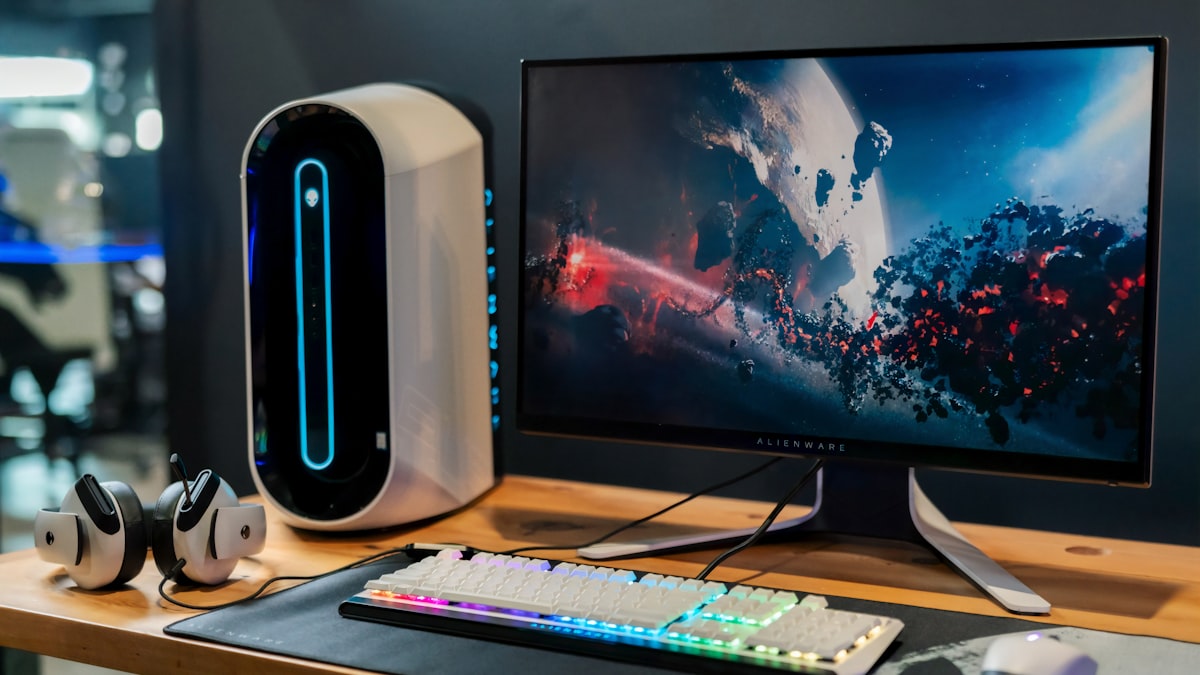
1440p at 144Hz is the sweet spot for competitive and high-fidelity PC gaming. You get the sharpness of QHD with the responsiveness of a high refresh rate, which is why most serious gamers have moved to 1440p 144Hz monitors. Streaming at this resolution and framerate is harder than 1080p 60fps because the capture card needs to handle significantly more bandwidth while keeping passthrough latency low enough that your gameplay is not affected. This guide covers the best capture cards for 1440p 144Hz streaming, chosen for their passthrough quality, capture reliability, HDMI bandwidth, and value. Every pick works with CreatorConfig so you can compare parts side by side and build your full streaming setup.
The Ruling
What is the best capture card for 1440p 144Hz?Get the AVerMedia Live Gamer ULTRA 2.1.
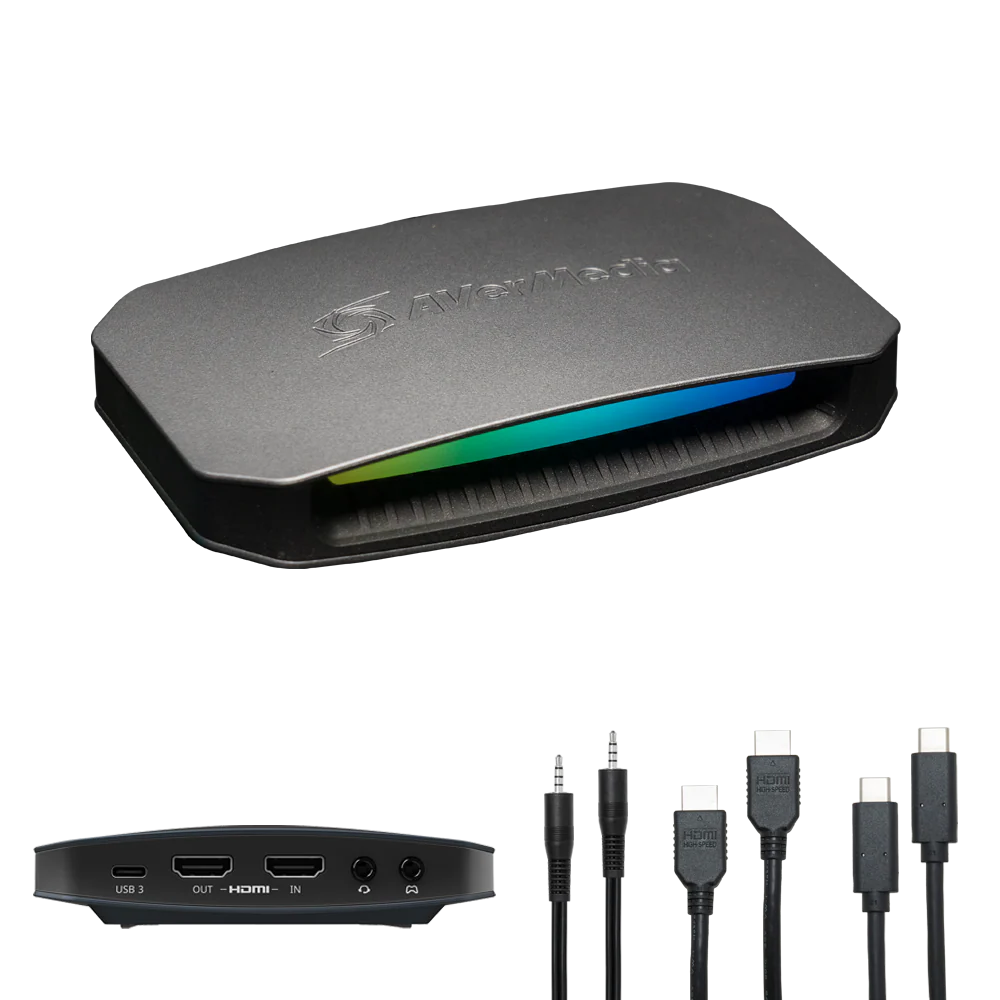
The AVerMedia Live Gamer ULTRA 2.1 is the best capture card for 1440p 144Hz, because its HDMI 2.1 in and out ports make it the only external card here that passes 1440p 144Hz through to your monitor with VRR intact, and it still captures up to 4K144 in MJPEG over USB-C 3.2 Gen 2.
Unless…
- 1440p 120Hz is close enough — get the Elgato 4K S.120Hz is visually indistinguishable from 144Hz for most players, and this is $120 less for the same 1440p120 capture.
- You only need 1440p 60fps — get the AVerMedia Live Gamer Ultra S.It captures 4K60 and does 1440p 60Hz passthrough natively over plain HDMI 2.0.
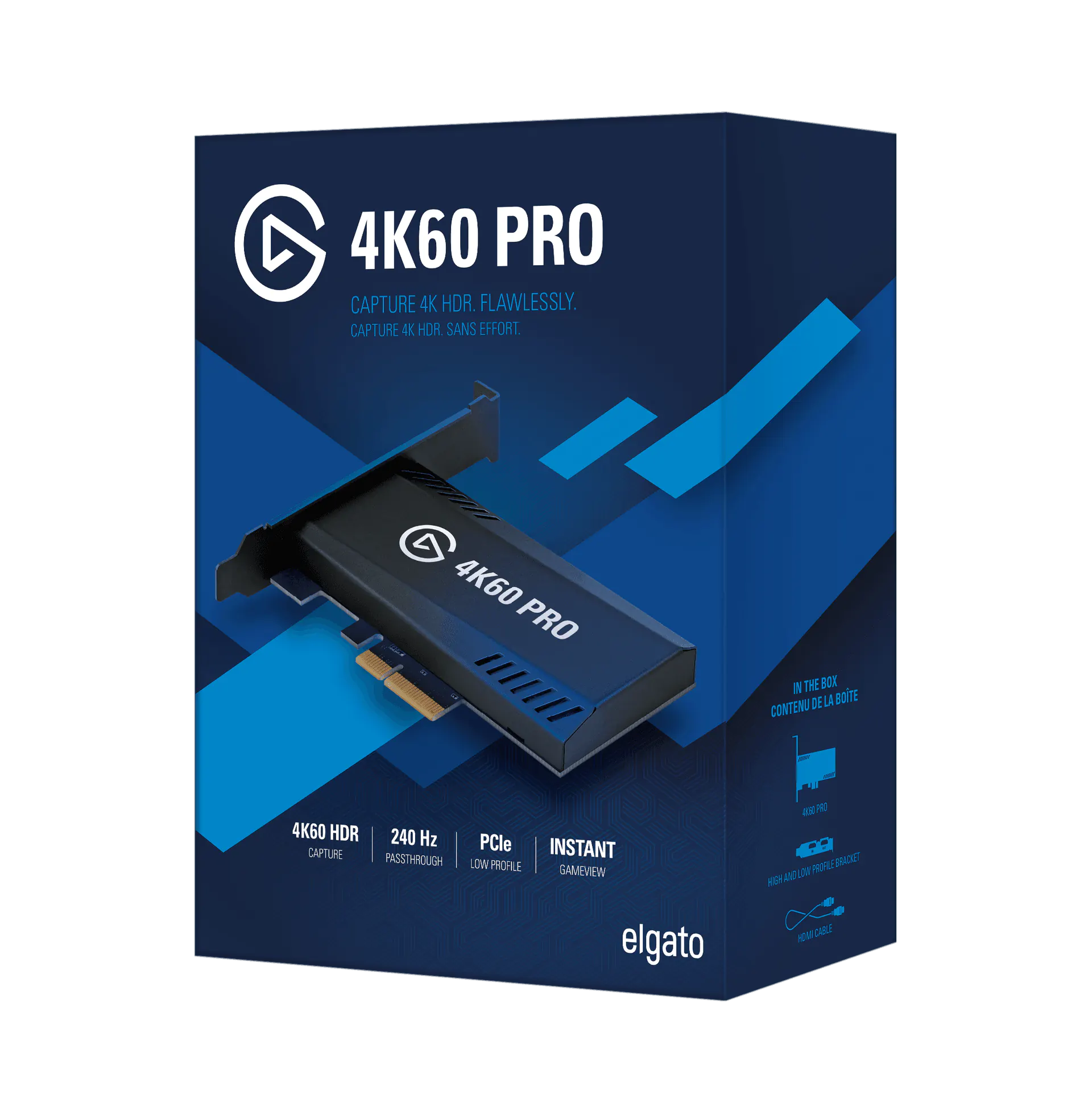
- You have a desktop with a free PCIe x4 slot — get the Elgato 4K60 Pro MK.2.The PCIe bus removes USB bandwidth limits entirely and gives true zero-latency 1440p120 passthrough.
The full ranking
- Best overall for 1440p 144Hz:AVerMedia Live Gamer ULTRA 2.1, HDMI 2.1 with 4K144 HDR + VRR passthrough
- Best value:Elgato 4K S, 1440p 120Hz passthrough and 1440p120 capture for $179.99
- Best for 1440p 60fps:AVerMedia Live Gamer Ultra S, 4K60 capture with native 1440p 60Hz passthrough
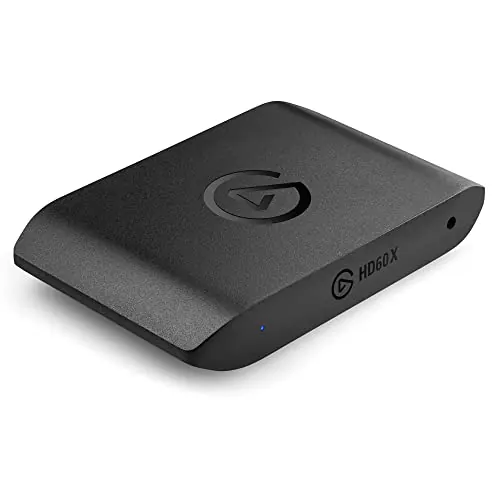
- Best budget:Elgato HD60 X, 1440p 120Hz HDR10 passthrough while capturing 1080p60
- Best internal card:Elgato 4K60 Pro MK.2, PCIe x4 with true zero-latency 1440p120 passthrough
At a Glance
How the three real contenders compare
At 1440p the cards separate on what they let through, not on what they record. The ULTRA 2.1 is the only shape with nothing collapsed, and it pays for that in price. The 4K S gives up 24Hz of passthrough and VRR to win value outright; the MK.2 matches it on capture and then asks for your case to be open and a PCIe slot free.
Each spoke runs 0 at the center to 10 at the outer ring.
- AVerMedia ULTRA 2.1Our pick. The only true 1440p 144Hz passthrough.
- Elgato 4K STake it instead if 1440p 120Hz is close enough.
- Elgato 4K60 Pro MK.2Take it instead for a desktop or dual-PC build.
| Category | AVerMedia ULTRA 2.1 | Elgato 4K S | Elgato 4K60 Pro MK.2 |
|---|---|---|---|
| Passthrough Ceiling | 10/10 | 8/10 | 8/10 |
| Capture Quality | 10/10 | 8/10 | 8/10 |
| VRR & HDR | 10/10 | 5/10 | 3/10 |
| Value | 4/10 | 10/10 | 8/10 |
| Setup Simplicity | 8/10 | 9/10 | 4/10 |
Quick Comparison: Best Capture Cards for 1440p 144Hz Streaming
AVerMedia ULTRA 2.1
Best Overall
Elgato 4K S
Best Value
AVerMedia Ultra S
High-Refresh Pick
Elgato HD60 X
Budget Pick
Elgato 4K60 Pro MK.2
Internal / Pro Pick
AVerMedia ULTRA 2.1
Key Specifications
The AVerMedia Live Gamer ULTRA 2.1 is the only external capture card with HDMI 2.1 that handles 1440p 144Hz passthrough properly. If you game on a 1440p 144Hz monitor and want your stream to capture that gameplay without downgrading your display, this is the card to get. The HDMI 2.1 ports carry enough bandwidth for uncompressed 4K144 signals, and the passthrough supports VRR so your adaptive sync keeps working while the card sits between your GPU and your monitor.
The ULTRA 2.1 captures up to 4K144 in MJPEG format, which is more than enough for 1440p 144Hz streaming. In OBS you will typically set the capture resolution to 1440p at your target bitrate. The USB-C 3.2 Gen 2 connection provides the bandwidth needed for high-resolution capture without compression artifacts. AVerMedia's RECentral software handles recording and basic color adjustments, but as a standard UVC device it works with OBS and Streamlabs without any proprietary software running.
Build quality is excellent. The aluminum housing dissipates heat effectively during marathon sessions, and the card stays cool even after hours of continuous 4K passthrough. The 5.1 channel audio passthrough and capture is a bonus for streamers who want surround sound from their console on stream.
Why it wins
- • Only HDMI 2.1 card with 1440p 144Hz passthrough
- • VRR passthrough keeps your gaming smooth
- • 4K144 MJPEG capture future-proofs your setup
Skip if
- • You only need 1440p 60fps passthrough
- • Your budget is under $200
- • You prefer Elgato's software ecosystem
Elgato 4K S
Key Specifications
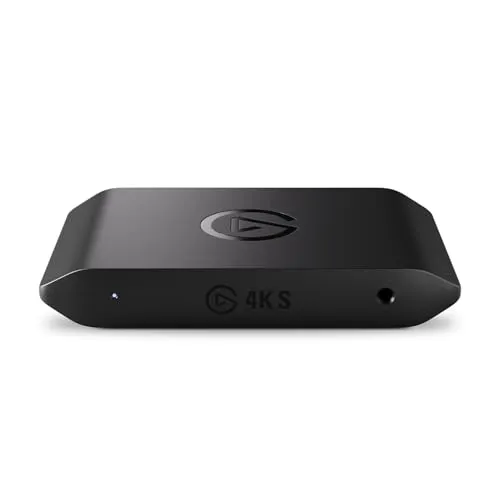
The Elgato 4K S is the best value capture card for 1440p gaming because it supports 1440p 120Hz passthrough at under $180. While it does not reach the full 144Hz of the ULTRA 2.1, 120Hz is visually indistinguishable from 144Hz for most players, and the $120 price difference is hard to ignore. If your 1440p monitor is 120Hz or you simply do not notice the difference between 120Hz and 144Hz passthrough, the 4K S delivers nearly the same experience for significantly less money.
On the capture side, the 4K S handles 4K60 and 1440p120 recording, which means you can capture your 1440p gameplay at up to 120fps for high-quality local recordings or downscale to 1080p for streaming. The USB-C connection uses USB 3.2 Gen 2, providing enough bandwidth for uncompressed 1440p video. Elgato's Signal Boost technology automatically optimizes the capture signal to reduce artifacts and maintain color accuracy.
The software experience is where Elgato differentiates itself. Camera Hub gives you fine-grained control over brightness, contrast, saturation, and sharpness without touching OBS. The 4K S is also recognized as a standard UVC device, so it works with OBS, Streamlabs, XSplit, and Discord without proprietary drivers. For a streaming setup that balances price and performance at 1440p, the 4K S is the smartest purchase.
Why it wins
- • 1440p 120Hz passthrough for under $180
- • Elgato software and ecosystem support
- • USB-C with Signal Boost technology
Skip if
- • You need true 144Hz passthrough
- • You want HDMI 2.1 and VRR support
- • You need MJPEG 4K144 capture
AVerMedia Ultra S
Key Specifications
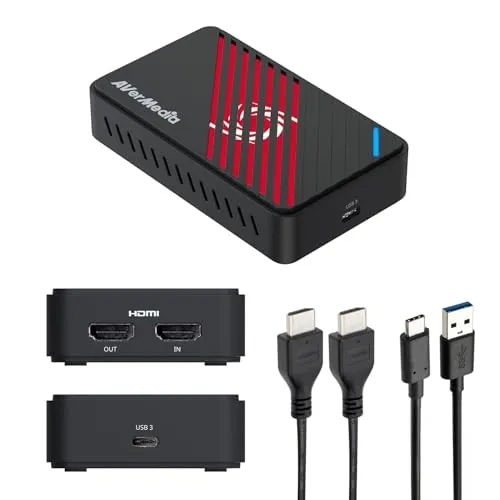
The AVerMedia Live Gamer ULTRA S captures 4K60 video over USB-C and passes 4K60 HDR through to your display. While it does not have the HDMI 2.1 port of the ULTRA 2.1, it still handles 1440p gaming well through its HDMI 2.0 connection, supporting 1440p 60Hz passthrough natively. For streamers who capture at 1440p but do not need 144Hz passthrough, the Ultra S is a reliable workhorse that delivers clean uncompressed video.
The USB-C connection uses USB 3.2 Gen 2 for maximum bandwidth, and the aluminum housing stays cool during long capture sessions. AVerMedia's RECentral software provides recording tools and basic color correction, but OBS handles everything you need for streaming. The Ultra S is a standard UVC device, so setup is plug-and-play on Windows 10 and 11 with no driver installation required.
Where the Ultra S earns its place in this guide is versatility. It captures 4K60 for local recording, 1440p 60Hz for streaming, and 1080p 240Hz for high-frame-rate content. If your streaming workflow involves switching between capture resolutions depending on the content type, the Ultra S handles all of them without compromise. Use the setup builder to plan a complete configuration around it.
Why it wins
- • 4K60 capture for local recordings
- • USB 3.2 Gen 2 for uncompressed video
- • Plug-and-play with no driver install
Skip if
- • You need 1440p 120Hz+ passthrough
- • You want HDMI 2.1 and VRR support
- • The Elgato 4K S at a lower price fits your needs
Elgato HD60 X
Key Specifications
The Elgato HD60 X is the budget-friendly option for 1440p gaming because it offers 1440p 120Hz passthrough while capturing 1080p 60fps. If your primary goal is playing at 1440p on your monitor while streaming at 1080p to Twitch or YouTube, the HD60 X handles that perfectly. The passthrough supports HDR10, so your gaming monitor displays the full HDR signal while the card captures at a lower resolution for the stream.
The capture resolution is limited to 1080p 60fps, which is actually fine for most streaming platforms. Twitch limits most partners to 1080p 60fps anyway, and YouTube handles 1080p60 streams well. You are not losing anything by capturing at 1080p while your passthrough runs at 1440p 120Hz. The USB-C connection is reliable, and the card works with OBS, Streamlabs, and XSplit as a standard UVC device.
Elgato's Camera Hub software lets you fine-tune brightness, contrast, and saturation without adding OBS filters. The HD60 X is compact, well-built, and draws power from the USB port so there is no external power adapter to manage. For streamers who want to compare capture cards and find the cheapest way to play at 1440p while streaming, this is the answer.
Why it wins
- • 1440p 120Hz passthrough at a low price
- • HDR10 passthrough support
- • Compact, USB-powered, no adapter needed
Skip if
- • You want to capture at 1440p, not just passthrough
- • You need 4K capture capability
- • You want HDMI 2.1 features
Elgato 4K60 Pro MK.2
Key Specifications
The Elgato 4K60 Pro MK.2 is an internal PCIe capture card that sits inside your PC and connects directly to the motherboard. This eliminates USB bandwidth limitations entirely, giving you true zero-latency passthrough at 1440p 120Hz. If you are building a dedicated streaming PC or a dual-PC setup, the MK.2 is the most efficient way to capture 1440p gameplay because the PCIe bus moves video data far faster than any USB connection.
The MK.2 captures at 4K60, 1440p120, or 1080p240, making it the most flexible capture option in this guide for resolution switching. The passthrough loop supports 1440p 120Hz and 4K60, so your gaming monitor gets the full signal. Because the card is internal, there is no external device on your desk, no USB cable to manage, and no dongle to knock over during a stream.
The trade-off is that it only works in desktop PCs with a free PCIe x4 slot. Laptop users and anyone without an internal slot cannot use it. Installation requires opening your case and seating the card, though the process is straightforward. For professional streamers running dual-PC setups or anyone who wants the lowest possible latency and highest capture quality, the 4K60 Pro MK.2 delivers the best raw performance of any card in this guide. Browse completed setups to see how other creators integrate internal capture cards.
Why it wins
- • PCIe bus eliminates USB bandwidth limits
- • True zero-latency passthrough at 1440p120
- • Internal form factor keeps your desk clean
Skip if
- • You use a laptop or have no PCIe slot
- • You need portability or an external solution
- • You need HDMI 2.1 and VRR passthrough
How to Set Up a Capture Card for 1440p 144Hz Streaming
Streaming at 1440p 144Hz requires more from your capture hardware than 1080p 60fps. The higher resolution and refresh rate demand more HDMI bandwidth, faster USB throughput, and careful OBS configuration to maintain stream quality without frame drops. Compare these cards side by side to find the right one for your setup. Here is how to get the best results.
1. Match Your HDMI Version
1440p at 144Hz requires HDMI 2.0 at minimum, and ideally HDMI 2.1 for full bandwidth. HDMI 2.0 carries 1440p 144Hz in RGB 8-bit, which is sufficient for most streaming scenarios. HDMI 2.1 adds support for 1440p 144Hz in HDR with higher color depth and enables VRR passthrough. If your GPU and monitor both support HDMI 2.1, the AVerMedia ULTRA 2.1 is the only external card that preserves that full bandwidth through the capture chain. For a technical breakdown of HDMI bandwidth capabilities, see the HDMI 2.1 specification on Wikipedia.
2. Use a USB 3.2 Gen 2 Port
If you are using an external capture card, plug it into a USB 3.2 Gen 2 (10 Gbps) port for the best results. USB 3.2 Gen 1 (5 Gbps) can handle 1080p 60fps capture but may struggle with uncompressed 1440p video. On desktop PCs, connect directly to a motherboard USB-C or USB-A port. Avoid hubs unless they are externally powered USB 3.2 Gen 2 hubs. On laptops, verify your USB-C port supports 10 Gbps data transfer, not just charging.
3. Configure OBS for 1440p
In OBS, add your capture card as a Video Capture Device and set the resolution to 2560x1440. If you are streaming to Twitch at 1080p, downscale in OBS using Lanczos sharpening scaling for the best quality. Set your encoder to NVENC or x264 at 8000 to 10000 Kbps for 1440p 60fps on YouTube, or 6000 Kbps for 1080p 60fps downscaled on Twitch. Use CBR rate control for consistent stream quality.
For a complete streaming setup around your new capture card, use the Creator builder tool to find compatible cameras, microphones, and lighting, or check out our 1080p 60fps capture card guide if you are streaming at the standard resolution instead.
Frequently Asked Questions
What is the best capture card for 1440p 144Hz?
The AVerMedia Live Gamer ULTRA 2.1 is the best capture card for 1440p 144Hz. Its HDMI 2.1 in and out ports make it the only external card that passes 1440p 144Hz through to your monitor with VRR intact, and it captures up to 4K144 in MJPEG. At $179.99 the Elgato 4K S is the better value if 1440p 120Hz passthrough is enough, and the internal Elgato 4K60 Pro MK.2 is the pick for dual-PC setups with a free PCIe x4 slot.
Can a capture card record 1440p at 120Hz?
Yes, several capture cards record 1440p at 120Hz. The Elgato 4K S and the internal Elgato 4K60 Pro MK.2 both capture 4K60, 1440p120, and 1080p240, so you can record 1440p gameplay at up to 120fps locally or downscale it to 1080p for streaming. The Elgato HD60 X passes 1440p 120Hz through to your monitor but captures at 1080p 60fps only.
Which capture card is best for 1440p 60fps?
For 1440p 60fps the AVerMedia Live Gamer ULTRA S is the workhorse pick. It captures 4K60, supports 1440p 60Hz passthrough natively over its HDMI 2.0 connection, and also handles 1080p 240Hz for high-frame-rate content. If 60fps is your capture ceiling you do not need to spend $299.99, because the $179.99 Elgato 4K S captures 1440p at up to 120fps for less.
Do you need HDMI 2.1 for a 1440p 144Hz capture card?
You do not strictly need HDMI 2.1 for 1440p 144Hz. HDMI 2.0 is the minimum and carries 1440p 144Hz in RGB 8-bit, which is sufficient for most streaming scenarios. HDMI 2.1 adds 1440p 144Hz in HDR with higher color depth and enables VRR passthrough, and the AVerMedia Live Gamer ULTRA 2.1 is the only external card in this guide that preserves that full bandwidth through the capture chain.
Can you capture 1440p over a USB 3.2 Gen 1 port?
Capturing 1440p over USB 3.2 Gen 1 is not recommended. Gen 1 runs at 5 Gbps, which handles 1080p 60fps capture but may struggle with uncompressed 1440p video, so use a USB 3.2 Gen 2 (10 Gbps) port instead. On desktops connect straight to a motherboard USB-C or USB-A port and avoid hubs unless they are externally powered USB 3.2 Gen 2 hubs; on laptops confirm the USB-C port does 10 Gbps data, not just charging.
How do you set up OBS for 1440p capture?
To set up OBS for 1440p capture, add your capture card as a Video Capture Device and set the resolution to 2560x1440. If you are streaming to Twitch at 1080p, downscale inside OBS using Lanczos sharpening scaling for the cleanest result. Set NVENC or x264 to 8000 to 10000 Kbps for 1440p 60fps on YouTube, or 6000 Kbps for 1080p 60fps downscaled on Twitch, with CBR rate control for consistent quality.
Final Thoughts
The best capture card for 1440p 144Hz streaming depends on whether you need true 144Hz passthrough or can accept 120Hz, and whether you want an external or internal solution. The AVerMedia Live Gamer ULTRA 2.1 is our top pick because its HDMI 2.1 ports handle 1440p 144Hz passthrough with VRR, making it the only external card that preserves your full gaming experience.
If 120Hz passthrough is acceptable and you want to save $120, the Elgato 4K S delivers 1440p 120Hz passthrough with excellent software support. The AVerMedia Live Gamer ULTRA S is a strong alternative for 4K60 capture and 1440p 60Hz passthrough. For budget-conscious streamers who capture at 1080p while playing at 1440p, the Elgato HD60 X provides 1440p 120Hz passthrough at the same price. And for dual-PC or professional setups, the Elgato 4K60 Pro MK.2 delivers zero-latency PCIe capture that external USB cards simply cannot match.
All five cards work with OBS, Streamlabs, and every major streaming platform. Browse the parts database to build a complete setup around your new capture card, or check out completed setups from other creators for inspiration.