CreatorConfig is supported by its audience. We may earn commissions from qualifying purchases through affiliate links on this page. Full disclosure
Why this guide exists
An audio interface is the bridge between your XLR microphone and your PC, and the right one can dramatically improve your stream audio quality. This guide covers the best audio interfaces for streaming, focused on clean preamp gain, low-latency performance, driver reliability, and features that matter for live content creation.
The Ruling
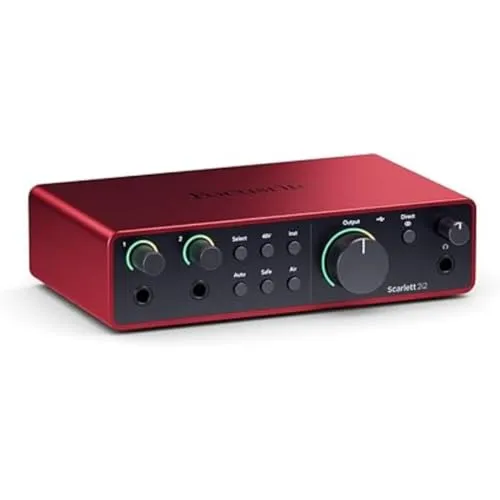
What is the best audio interface for streaming?Get the Focusrite Scarlett 2i2.
The Focusrite Scarlett 2i2 is the best audio interface for streaming for most people, because its fourth-generation preamps are lower-noise and higher-headroom than the already-excellent third generation, Air mode adds broadcast polish without a single plugin, and Focusrite’s driver support is the best in the industry — which is what “rock-solid with OBS Studio” actually costs you elsewhere.
Unless…
- This is your first XLR setup — get the Audient EVO 4.Smartgain sets your level for you and keeps it there, which is the single thing that trips up people coming off a USB mic.
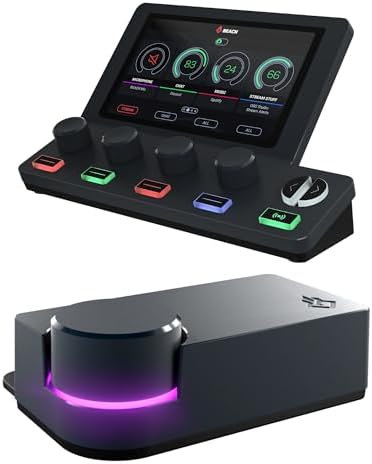
- You need onboard DSP or real routing — get the BEACN Studio.EQ, compression and a noise gate run on the interface, and the BEACN App segments your whole PC audio path for dual-PC work. The Scarlett does none of that.
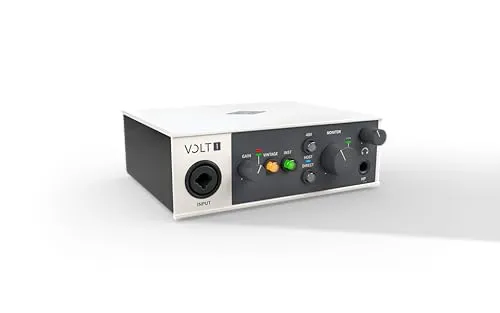
- You want a warm, broadcast-radio character — get the UA Volt 2.Its Vintage-mode 610-style circuit is a saturation you cannot easily replicate in software.
The full ranking
- Best for most streamers:Focusrite Scarlett 2i2, 192 kHz / 24-bit with Air mode, Auto Gain and Clip Safe
- Best first XLR setup:Audient EVO 4, studio-grade preamps with Smartgain doing the level-setting
- Best value and recording:Arturia MiniFuse 2, 192 kHz / 24-bit plus a genuine software bundle
- Best warm vocal tone:UA Volt 2, a Vintage 610-style preamp circuit at a streaming price
- Best stream audio control:BEACN Studio, one XLR with onboard DSP and full app-level routing
At a Glance
How the three real contenders compare
These three are not competing on the same thing, which is why the shapes barely overlap. The Scarlett is the widest polygon with one collapsed axis, and that axis is routing. The EVO 4 trades sample rate for the gentlest on-ramp here. The BEACN inverts the whole chart: it gives up inputs and resolution to own the one axis the other two concede.
Each spoke runs 0 at the center to 10 at the outer ring.
- Focusrite Scarlett 2i2Our pick. The default for good reason.
- Audient EVO 4Take it instead for your first XLR setup.
- BEACN StudioTake it instead if you need routing and DSP.
| Category | Focusrite Scarlett 2i2 | Audient EVO 4 | BEACN Studio |
|---|---|---|---|
| Preamp Quality | 9/10 | 8/10 | 8/10 |
| Recording Resolution | 10/10 | 5/10 | 6/10 |
| Beginner Friendliness | 8/10 | 10/10 | 4/10 |
| Routing & DSP | 2/10 | 2/10 | 10/10 |
| Inputs | 7/10 | 7/10 | 3/10 |
Quick Comparison: Best Audio Interfaces for Streaming
Focusrite Scarlett 2i2
Most Streamers
Audient EVO 4
First XLR Setup
Arturia MiniFuse 2
Value + Recording
UA Volt 2
Warm Vocal Tone
BEACN Studio
Stream Audio Control
Focusrite Scarlett 2i2
(4th Gen)
Key Specifications
The Focusrite Scarlett 2i2 has been the gold standard for entry-level and mid-range audio interfaces for over a decade, and the fourth generation continues that tradition with meaningful upgrades across the board. The revised preamps offer even lower noise and higher headroom than the already-excellent third generation.
Focusrite has added a built-in Air mode that adds subtle harmonic saturation inspired by their ISA console preamps. This gives your voice a warmer, more polished character that sounds excellent on stream without any post-processing.
The 48V phantom power switch is now a dedicated button on the front rather than a toggle on the back panel, a meaningful quality-of-life improvement for streamers. The auto-gain feature automatically sets your input level with a single button press. Focusrite's driver support is the best in the industry, making it rock-solid with OBS Studio and Streamlabs.
Why it wins
- • Industry-leading driver stability with OBS
- • Auto Gain and Clip Safe save time on stream
- • Air mode adds polish without plugins
Skip if
- • You need onboard DSP or hardware processing
- • You want more than two inputs
- • You need advanced audio routing features
Audient EVO 4
Key Specifications
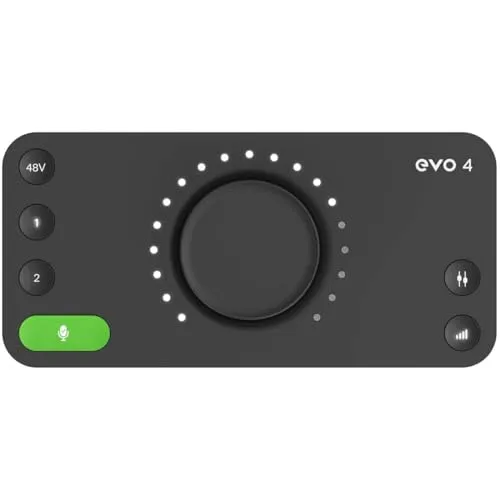
If you are making the jump from a USB microphone to your first XLR setup, the Audient EVO 4 is the most beginner-friendly audio interface for streaming on the market. Its standout feature is Smartgain, an automatic gain adjustment system that monitors your input level and keeps it in the optimal range without you touching a knob.
The EVO 4 offers two combo XLR/TRS inputs with Audient's EVO mic preamps, which is remarkable at this price point. Audient designs preamps used in professional recording studios, and that focus on clean gain carries over into this compact desktop unit.
Build quality is solid for the price. The compact chassis feels durable, the control wheel is easy to use, and the USB-C connection keeps cable management simple. It hits the sweet spot between price and performance for first-time XLR users.
Why it wins
- • Smartgain eliminates guesswork for beginners
- • Professional-grade preamps at a budget price
- • Compact, durable, and simple to set up
Skip if
- • You need 192 kHz recording capability
- • You want more than two inputs
- • You need advanced routing or DSP features
Arturia MiniFuse 2
Key Specifications
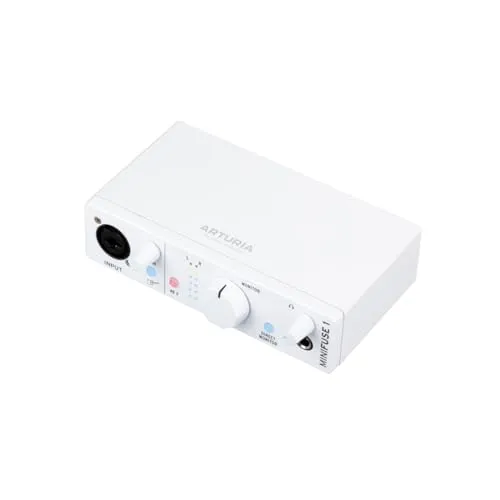
The Arturia MiniFuse 2 punches well above its weight class. It delivers 192kHz recording, two high-quality preamps, and a generous software bundle that includes Analog Lab Intro and multiple creative tools. For streamers who also record podcasts, voiceovers, or music offline, that bundle adds real value.
Hardware-wise, the MiniFuse 2 feels premium. The preamps are clean and quiet with enough gain for many dynamic microphones, though especially gain-hungry models may still benefit from an inline preamp. Direct monitoring is available via a front-panel headphone jack, which is essential for live streaming.
The combination of 192kHz recording capability, solid build quality, and an excellent software bundle makes it the best value on the market today.
Why it wins
- • Excellent software bundle included
- • 192 kHz recording at this price is rare
- • Premium build quality and clean preamps
Skip if
- • You need auto-gain or convenience features
- • Your mic needs very high gain
- • You want onboard DSP processing
UA Volt 2
Key Specifications
Universal Audio has been building professional audio equipment for decades, and the UA Volt 2 brings that studio heritage to a streaming-friendly price point. What sets the Volt 2 apart is its Vintage-mode preamp circuit, inspired by UA's classic 610 tube preamp.
Flipping the Vintage switch adds a subtle warmth and saturation to your input signal that makes your voice sound richer and more present on stream. It is not an effect you can easily replicate in software.
Beyond the vintage preamp, it offers 192kHz recording at 24-bit, and a direct monitoring switch. The build quality is excellent, with a rugged metal enclosure and vintage-styled design. If you care about audio quality above all else and want a warm, broadcast-radio character, the Volt 2 delivers.
Why it wins
- • Vintage 610 preamp warmth is unique at this price
- • Studio heritage from a legendary audio brand
- • Rugged metal build with classic design
Skip if
- • You want a clean, transparent signal path
- • You need auto-gain or convenience features
- • You want onboard DSP processing
BEACN Studio
Key Specifications
The BEACN Studio is not a typical multi-input interface. It is a single-XLR creator interface built around software-based routing for streamers who need tighter control over mic audio, app audio, and dual-PC workflows.
Its BEACN App handles routing, submixing, and device management, while the built-in DSP adds processing like EQ, compression, expander/gate, and noise suppression directly on the interface. If you pair it with a BEACN Mix or Mix Create, you get even more hands-on control.
BEACN lists USB output modes up to 96kHz, with PCM and 32-bit float support depending on system compatibility. If you are a serious streamer who wants segmented control over your entire PC audio path rather than multiple analog mic inputs, the BEACN Studio sits in a category of its own.
Why it wins
- • Onboard DSP handles EQ, compression, and noise gate
- • Creator-focused routing for dual-PC setups
- • Purpose-built for streaming workflows
Skip if
- • You need more than one XLR input
- • You want a transparent signal path for music recording
- • You are on a tighter budget
Key Specs to Compare: How to Choose
Before you choose an audio interface, it helps to understand the specifications that actually matter for streaming quality. You can also compare these interfaces side by side to see specs, pricing, and recommendations for any two products head to head. If you only need one voice on a PC stream and do not own an XLR mic yet, an interface may be more than you need: the best USB microphones for streaming plug straight into the computer.
Preamp Quality
The preamp amplifies the weak signal from your microphone. Better preamps produce less noise, provide more headroom, and deliver a cleaner reproduction of your voice. For dynamic microphones like the Shure SM7B that require a lot of gain, preamp quality is the single most important factor — our best audio interface for the Shure SM7B guide ranks interfaces on exactly that.
Sample Rate and Bit Depth
For streaming, 48kHz at 24-bit is the standard used by OBS Studio and most broadcasting platforms. Higher sample rates like 96kHz or 192kHz can be useful for recording and post-production workflows, but they do not automatically improve live stream audio quality. If your whole chain runs through OBS, our best audio interface for OBS guide covers sample-rate matching and the settings that stop crackling and drift.
Latency
Latency is the delay between when you speak and when you hear it. Low-latency interfaces are critical for streaming to avoid sync issues. All modern USB-C interfaces deliver low latency, but dedicated drivers (like Focusrite's) tend to perform slightly better than generic OS drivers.
Software Integration
An interface is only as good as its software. Look for dedicated driver packages and well-supported control apps, as they usually offer better stability and routing flexibility than generic drivers alone. Focusrite Control 2 and the BEACN App are strong examples.
Final Thoughts
Choosing the right audio interface depends on your experience level, budget, and how much control you want. The Focusrite Scarlett 2i2 (4th Gen) is the best all-around choice for the majority of streamers, offering excellent preamps and industry-leading support.
If you are on a tight budget, the Audient EVO 4 delivers professional quality with foolproof automation. For the best software value, the Arturia MiniFuse 2 is hard to beat. For vintage audio character, get the Universal Audio Volt 2. And for serious routing control, the BEACN Studio is worth a look.
Whatever you choose, upgrading to a dedicated audio interface is one of the most impactful improvements you can make. If you need hands-on control over multiple audio sources rather than a simple mic input, check out our best audio mixer for streaming guide for alternatives with physical faders and routing. If you are building a complete streaming setup from scratch, use our Creator builder tool, browse completed setups for inspiration, or read our streaming setup guide for a full walkthrough.
For neutral technical references, see the Audio interface overview on Wikipedia and the official OBS Studio knowledge base.