CreatorConfig is supported by its audience. We may earn commissions from qualifying purchases through affiliate links on this page. Full disclosure
Why this guide exists
The Shure SM7B is one of the most popular dynamic microphones for creators, but it is also one of the most demanding when it comes to clean gain. This guide focuses on interfaces that can drive it properly while still fitting real creator workflows like streaming, routing, comparing parts, and building out a complete setup.
The Ruling
What is the best audio interface for the Shure SM7B?Get the Focusrite Scarlett 2i2 (4th Gen).
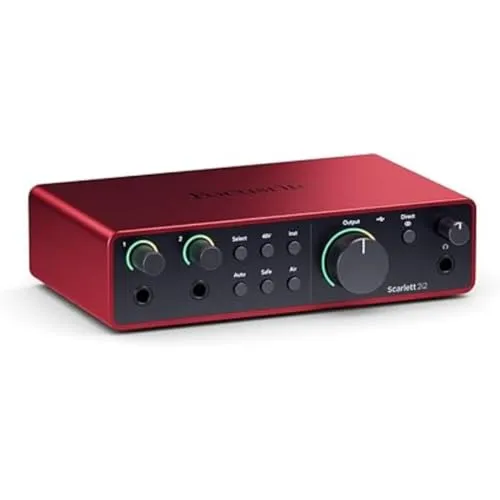
The Focusrite Scarlett 2i2 (4th Gen) is the best audio interface for the Shure SM7B, because it delivers up to 69 dB of clean gain, adds Auto Gain and Clip Safe so you are not chasing levels mid-stream, and has the most reliable driver support in its price class.

Unless…
- You need onboard DSP or hardware processing — get the BEACN Studio.EQ, compression and a noise gate run on the interface at zero CPU cost, which is what a streamer actually wants in front of an SM7B.
- You want more than two inputs or ADAT — get the Audient iD24.10-in / 14-out with ADAT optical expansion, console-grade preamps and the lowest noise floor in this guide.
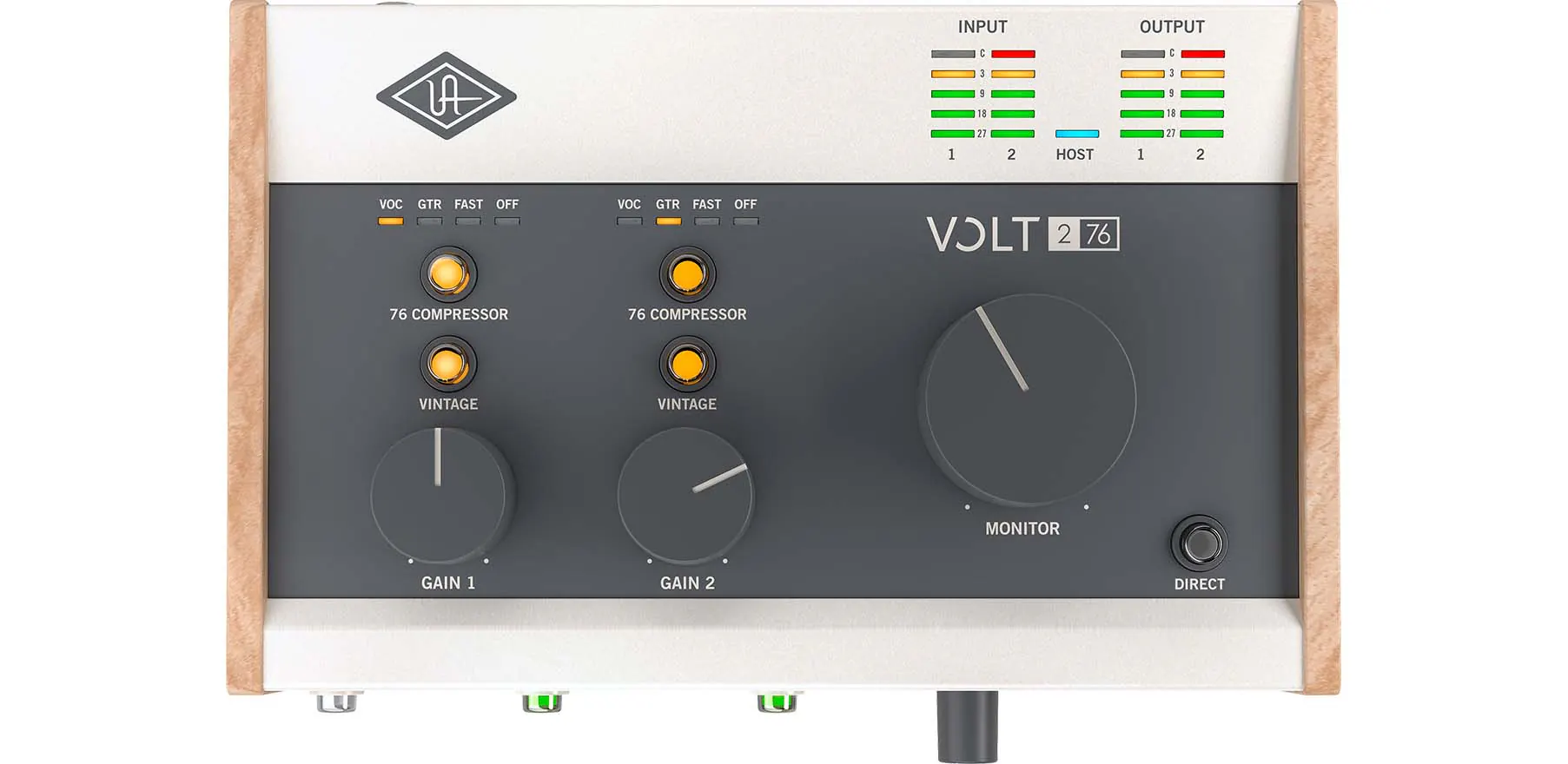
- You want a warm, worked vocal — get the UA Volt 276.Vintage 610 preamp mode plus a hardware 76-style compressor on the way in.
The full ranking
- Best overall for the SM7B:Focusrite Scarlett 2i2 (4th Gen), 69 dB of clean gain, Auto Gain, Clip Safe, Air mode
- Best for streamers:BEACN Studio, onboard EQ, compression, and noise gate with zero CPU overhead
- Best sound quality:Audient iD24, console-grade preamps and the lowest noise floor here
- Best value:MOTU M2, ESS Sabre32 conversion, LCD metering, and loopback under $200
- Best for vocals:UA Volt 276, Vintage 610 preamp mode and a hardware 76 Compressor
The SM7B performs best with at least 60 dB of clean gain, and all five interfaces below clear that threshold — so the real decision is features, sound character, and budget.
At a Glance
How the three real contenders compare
Gain is the axis people arrive worrying about, and it is the one where these barely differ — every interface here drives an SM7B. What separates them is everything else. The Scarlett wins by having no weak axis that a solo SM7B owner would notice. The BEACN spends its budget on processing and has one input; the iD24 spends it on the signal path and the patchbay, and charges accordingly.
Each spoke runs 0 at the center to 10 at the outer ring.
- Focusrite Scarlett 2i2Our pick. 69 dB with the levels set for you.
- BEACN StudioTake it instead if you stream more than you record.
- Audient iD24Take it instead if audio quality leads the brief.
| Category | Focusrite Scarlett 2i2 | BEACN Studio | Audient iD24 |
|---|---|---|---|
| Clean Gain | 10/10 | 10/10 | 7/10 |
| Onboard DSP | 1/10 | 10/10 | 1/10 |
| Sound Quality | 8/10 | 6/10 | 10/10 |
| I/O & Expansion | 3/10 | 2/10 | 10/10 |
| Value | 9/10 | 6/10 | 3/10 |
Quick Comparison: Best Audio Interfaces for Shure SM7B
Focusrite Scarlett 2i2
Most Users
BEACN Studio
Streamers
Audient iD24
Sound Quality
MOTU M2
Value
UA Volt 276
Vocals
Focusrite Scarlett 2i2
(4th Gen)
Key Specifications
The Focusrite Scarlett 2i2 is one of the most widely used audio interfaces paired with the Shure SM7B, and for good reason. The fourth generation delivers approximately 69 dB of clean gain through its revised Red Evolution preamps, which is enough to drive the SM7B at a healthy level without cranking the gain knob to its absolute maximum. That headroom matters because running any preamp near its ceiling introduces noise, and the 2i2 keeps you comfortably below that threshold.
Focusrite's Auto Gain feature is genuinely useful with the SM7B. You press one button, speak at your normal volume for a few seconds, and the interface sets your gain level automatically. The Clip Safe feature runs in the background during recording and pulls the level back if you get unexpectedly loud. For SM7B users who stream for hours at a time and cannot babysit their gain knob mid-broadcast, these two features alone justify choosing the 2i2 over cheaper alternatives.
The Air mode toggle adds high-frequency presence inspired by Focusrite's ISA console preamps. The SM7B has a naturally warm, somewhat dark character by design. Engaging Air mode brightens the high end in a way that makes your voice cut through a stream mix without reaching for an EQ plugin in OBS. It is a subtle but effective pairing that many SM7B owners appreciate once they try it.
Driver stability is where Focusrite separates itself from the rest of the market. The Scarlett range has the most mature, most widely tested USB audio drivers in this price class. That means fewer dropouts during long streaming sessions, instant recognition in OBS and every DAW on Windows and macOS, and consistent firmware updates from a company that has been building audio interfaces for over a decade. If you want one interface for your SM7B that works the first time and keeps working, the 2i2 is the safest pick.
Why it wins
- • 69 dB of clean gain
- • Auto Gain and Clip Safe are genuinely useful
- • Reliable drivers and easy CreatorConfig linking
Skip if
- • You need onboard DSP or hardware processing
- • You want more than two inputs
- • ADAT expansion matters for your studio
BEACN Studio
Key Specifications
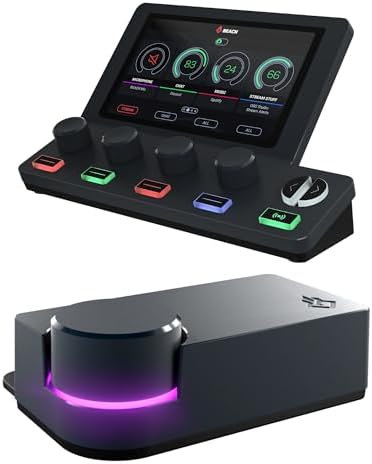
The BEACN Studio is the only interface in this guide designed from the ground up for streamers and content creators rather than musicians. Its DSP mic preamp delivers up to 69 dB of gain, which is right in the sweet spot for the SM7B. The onboard digital signal processing handles EQ, compression, expander gating, and noise suppression directly on the hardware before the audio ever reaches your computer. That means your SM7B signal is polished and broadcast-ready with zero CPU overhead in OBS.
For SM7B users who stream, the built-in processing chain replaces an entire stack of software plugins. The four-band EQ lets you shape the SM7B's warm character to your preference. The compressor keeps your levels consistent during loud moments. The expander gate cuts background noise when you are not speaking, which is one of the most common complaints SM7B owners have in untreated rooms. Getting all of this in hardware rather than burning CPU cycles on VST plugins is a genuine advantage during CPU-intensive streams.
The BEACN App handles routing, submixing, and device management. If you run a dual-PC streaming setup, the BEACN Studio gives you segmented control over mic audio, app audio, and chat audio that most traditional audio interfaces cannot match without additional software like Voicemeeter. Pairing it with a BEACN Mix or Mix Create adds physical faders for hands-on level control.
The BEACN Studio is not for everyone. It has a single XLR input, so multi-microphone setups are out. And at $249, it costs more than the Scarlett 2i2. But if you are a serious streamer who wants hardware-level processing on your SM7B signal and creator-focused audio routing without piling on third-party software, the BEACN Studio is purpose-built for exactly that workflow.
Why it wins
- • Built-in hardware DSP
- • Creator-focused routing
- • Fits streaming workflows better than generic interfaces
Skip if
- • You need more than one XLR input
- • You record music and want a transparent signal path
- • $249 is above your budget
Audient iD24
Key Specifications
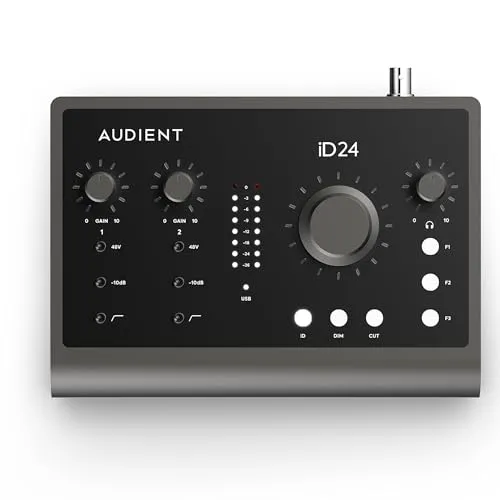
If you care about preamp quality above all else, the Audient iD24 delivers the cleanest, most transparent gain for the SM7B in this guide. Audient has been designing consoles for professional recording studios for decades, and those same console-grade preamp designs are what power the iD24's two XLR channels. The result is gain that is remarkably low-noise and high-headroom, which is exactly what the SM7B needs to sound its best.
The SM7B is notoriously gain-hungry. Many budget interfaces struggle to deliver enough clean amplification, resulting in a thin or noisy signal. The iD24 does not have that problem. Its preamps provide enough clean gain to drive the SM7B at a strong level with the gain knob well below maximum. That means less noise floor, more headroom for dynamic range, and a fuller representation of what the SM7B can actually sound like when properly driven.
Beyond the preamps, the iD24 offers 10-in / 14-out I/O with ADAT optical expansion. If your SM7B is part of a growing home studio that might eventually include additional microphones, external preamps, or hardware effects, the iD24 is the only interface here that can scale with you. The desktop monitor controller and scroll-to-zoom workflow make it feel more like a professional studio centerpiece than a desktop gadget.
The trade-off is price and features. At $399, the iD24 is the most expensive interface in this guide, and it does not include Auto Gain, Air mode, or built-in DSP effects. You are paying for preamp quality and expandability, not convenience features. If you want the absolute cleanest SM7B signal possible and are willing to handle gain staging and processing yourself, the iD24 is the best-sounding option available.
Why it wins
- • Studio-grade preamps
- • Excellent expansion path
- • Best fit for users prioritizing audio quality
Skip if
- • $399 is beyond your budget
- • You want convenience features like Auto Gain
- • You need onboard DSP or hardware effects
MOTU M2
Key Specifications
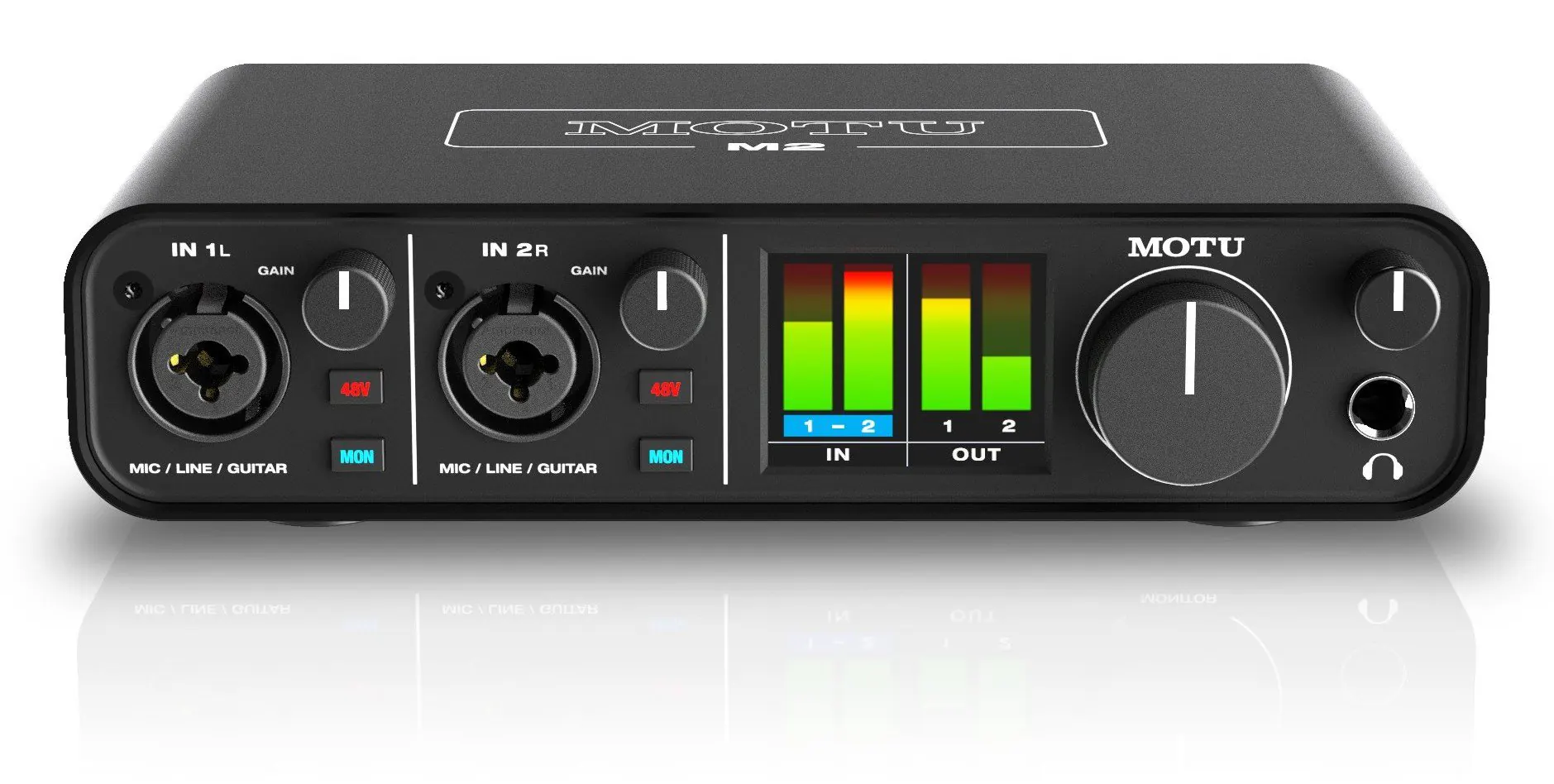
The MOTU M2 is the best value audio interface for the SM7B because it delivers conversion quality and metering that punches well above its $199 price tag. The ESS Sabre32 DAC technology is borrowed from interfaces that cost three times as much, and the front-panel LCD metering is the best visual feedback you will find at this price. For SM7B owners who want to set their gain precisely and hear every detail of what the microphone captures, the M2 makes that process straightforward.
Gain is sufficient for the SM7B at this price. The M2's preamps deliver enough clean amplification to drive the SM7B to a healthy recording level, though you will run the gain knob higher than you would on the Audient iD24. The LCD meter bridge is what makes this manageable. You can see your input level in real time on the front of the unit without switching to a software window, which makes gain staging with the SM7B faster and more accurate than guessing with a single LED.
Loopback support is another advantage that matters for SM7B users who stream. It lets you route desktop audio back through the interface for mixing with your microphone signal inside OBS. That eliminates the need for virtual audio cables or complex routing software, which is one less thing to troubleshoot when your stream audio does not sound right.
The M2 is the right pick if you want the best-sounding, best-metered interface for your SM7B without spending more than two hundred dollars. It does not have Auto Gain or Air mode like the Focusrite, and it does not have onboard DSP like the BEACN. But for raw conversion quality and practical workflow features at the lowest price in this guide, the MOTU M2 is a strong value pick.
Why it wins
- • Excellent metering for the price
- • Strong conversion quality
- • Easy fit for stream and recording setups
Skip if
- • You want Auto Gain or convenience features
- • You need onboard DSP processing
- • You prefer a colored or warm preamp sound
UA Volt 276
Key Specifications
The Universal Audio Volt 276 is the best audio interface for SM7B users who want their voice to sound warmer and more polished before it reaches their recording software. The Vintage Mic Preamp mode is inspired by UA's classic 610 tube console, and it adds harmonic saturation that gives the SM7B signal a richness and body that sounds distinctly different from the clean, uncolored output of the Focusrite or MOTU. If the SM7B's natural warmth appeals to you but you want even more analog character, the Volt 276 delivers it.
The built-in 76 Compressor is the other reason to choose the Volt 276 for your SM7B. Compression keeps your vocal levels consistent by reducing the volume of loud peaks and raising quieter passages. The SM7B captures a lot of dynamic range, which is great for professional voiceover work but can be a problem on a live stream where your voice needs to stay at a consistent volume. The 76 Compressor handles this in hardware, smoothing out your levels before OBS ever sees the signal.
At $189, the Volt 276 is the least expensive interface in this guide. It records at 24-bit / 192 kHz, and the USB-C connection keeps cable management simple. The two preamps mean you can run the SM7B alongside a second microphone if you occasionally record with a co-host. The build quality is solid with a rugged metal housing that feels like it belongs in a studio.
The Volt 276 is the right choice if your SM7B work is primarily vocal-focused and you want analog warmth and hardware compression without paying for features you will not use. It does not have the metering of the MOTU M2 or the convenience features of the Scarlett 2i2, but for vocal character at the lowest price, it is hard to beat.
Why it wins
- • Vintage tone shaping
- • Hardware compression
- • Strong vocal-focused option at a lower price
Skip if
- • You want a clean, transparent signal path
- • You need LCD metering like the MOTU M2
- • You want convenience features like Auto Gain
How to Choose the Best Audio Interface for Your SM7B
The Shure SM7B needs more gain than most condenser microphones. It is a dynamic microphone with a relatively low sensitivity rating, which means your audio interface needs strong, clean preamps to bring the signal up to a usable level. Not every interface can do this well. Compare these SM7B-ready interfaces side by side to see how their gain, features, and pricing stack up. Here is how to pick the right one for your situation.
1. Check the Gain Rating
The SM7B performs best with at least 60 dB of clean gain. All five interfaces in this guide meet that threshold, but they do so differently. The Focusrite 2i2 and BEACN Studio both deliver around 69 dB, which gives you comfortable headroom above the minimum. The Audient iD24 provides console-grade gain that stays clean even at higher settings. If an interface maxes out at 50 or 55 dB, you will hear noise when you push it hard enough to get a strong SM7B signal.
2. Decide Between Clean and Colored Sound
The SM7B already has a warm, slightly dark character. Some users prefer to keep their interface completely transparent and shape the tone in software. The MOTU M2 and Audient iD24 take this approach. Others want the interface to add its own flavor. The UA Volt 276 with its Vintage mode and 76 Compressor, or the Focusrite 2i2 with Air mode, give you hardware-level tone shaping that changes the SM7B's sound before it hits your DAW or streaming software.
3. Match Features to Your Workflow
Streamers benefit most from onboard DSP and audio routing features. The BEACN Studio with its built-in EQ, compression, and noise gate is ideal for live broadcasting where you cannot fix audio in post. Podcasters and musicians who record and edit later may prefer the cleaner signal path of the MOTU M2 or Audient iD24, which leaves processing decisions for the mixing stage.
4. Budget Versus Long-Term Value
The UA Volt 276 and MOTU M2 both come in under $200 and deliver excellent results with the SM7B. The Focusrite 2i2 at $199 adds convenience features that save time. The BEACN Studio at $249 adds hardware processing. The Audient iD24 at $399 adds studio-grade preamps and expansion. Pick based on what you actually need today, not what you think you might need later.
If you want to compare every compatible option for your SM7B setup, check out our best audio interface for streaming guide for a broader selection. If you want dynamic-microphone sound without an interface at all, our best dynamic USB microphones for streaming guide covers the USB route. For help choosing the right XLR cable, boom arm, and other SM7B accessories, use the Creator builder tool or browse the parts database.
Frequently Asked Questions
What is the best audio interface for the Shure SM7B?
The Focusrite Scarlett 2i2 (4th Gen) is the best audio interface for the Shure SM7B. It delivers up to 69 dB of clean gain, adds Auto Gain and Clip Safe so you are not babysitting a gain knob mid-stream, and has the most reliable driver support in its price class. If you stream full time the BEACN Studio is purpose-built for that workflow, and if you want the cleanest possible preamp the Audient iD24 is the best-sounding option in this guide.
What audio interface do you need for a Shure SM7B?
For a Shure SM7B you need an audio interface with strong, clean preamps, because the SM7B is a dynamic microphone with relatively low sensitivity and needs more gain than most condensers. The SM7B performs best with at least 60 dB of clean gain, so an interface that maxes out at 50 or 55 dB will get noisy once you push it hard enough for a strong signal. All five interfaces in this guide — the Focusrite Scarlett 2i2, BEACN Studio, Audient iD24, MOTU M2, and UA Volt 276 — clear that threshold.
How much gain does the SM7B need, and do you need a Cloudlifter or FetHead?
The Shure SM7B performs best with at least 60 dB of clean gain from your interface. Every interface in this guide meets that bar: the Focusrite Scarlett 2i2 and BEACN Studio both deliver around 69 dB, the Audient iD24 provides console-grade gain that stays clean at higher settings, and the MOTU M2 and UA Volt 276 supply enough clean amplification to reach a healthy level. Because all five drive the SM7B cleanly on their own, an inline preamp booster such as a Cloudlifter or FetHead is not required with any of them.
What is the best XLR interface for the Shure SM7B?
Every interface in this guide connects to the Shure SM7B over XLR, so the choice comes down to preamps and features rather than the connector. The Focusrite Scarlett 2i2 (4th Gen) is the best XLR interface for the SM7B overall with two XLR/TRS combo inputs and up to 69 dB of gain. The Audient iD24 offers the cleanest console-grade XLR preamps, while the BEACN Studio has a single XLR input, so it will not work for multi-microphone setups.
Which audio interface is best for the SM7B if you stream?
The BEACN Studio is the best interface for streaming with a Shure SM7B. It is the only option in this guide designed for creators rather than musicians, and its onboard DSP handles EQ, compression, expander gating, and noise suppression on the hardware before audio reaches your computer — no VST plugins and no CPU overhead in OBS. The MOTU M2 is a cheaper alternative for streamers thanks to its loopback support, which routes desktop audio back through the interface without virtual audio cables.
Is the Audient iD24 worth it over the Focusrite Scarlett 2i2 for an SM7B?
The Audient iD24 is worth it over the Focusrite Scarlett 2i2 only if preamp quality and expandability matter more to you than convenience. At $399 the iD24 gives the SM7B the cleanest, most transparent gain in this guide plus 10-in / 14-out I/O with ADAT expansion, but it has no Auto Gain, no Air mode, and no onboard DSP. At $199 the Scarlett 2i2 already delivers enough clean gain for the SM7B and adds the convenience features most owners actually use.
Final Thoughts
The Focusrite Scarlett 2i2 (4th Gen) is the best overall audio interface for the Shure SM7B because it delivers enough clean gain, adds useful convenience features like Auto Gain and Air mode, and has the most reliable driver support in its price class. It is the interface most SM7B owners end up with, and for good reason.
If you stream for a living and want hardware processing on your SM7B signal, the BEACN Studio is purpose-built for that workflow. For the cleanest possible preamp quality, the Audient iD24 delivers studio-grade gain with room to expand. For the best value, the MOTU M2 gives you outstanding conversion and metering for under two hundred dollars. And for vocal warmth at the lowest price, the UA Volt 276 adds analog character and a hardware compressor that flatter the SM7B naturally.
All five interfaces have enough gain to drive the SM7B cleanly. The difference comes down to features, sound character, and how much you want to spend. Pick the one that matches your workflow, and your SM7B will sound better than you thought possible. To plan the rest of your setup around it, browse the parts database or use the Creator builder tool.
For neutral technical references, see the Microphone overview on Wikipedia and the XLR connector overview on Wikipedia.