CreatorConfig is supported by its audience. We may earn commissions from qualifying purchases through affiliate links on this page. Full disclosure
Why this guide exists
Audio mixers give streamers something audio interfaces cannot: hands-on, real-time control over multiple audio sources with physical faders and knobs. Unlike a basic interface that simply converts your mic signal to digital, a mixer lets you balance game audio, chat, microphone, music, and sound effects live without opening software settings mid-broadcast. This guide covers the best audio mixers for streaming, chosen for their input flexibility, onboard processing, sound pad support, and overall value for creators who need tactile control over their audio mix.
The Ruling
What is the best audio mixer for streaming?Get the Yamaha ZG02.
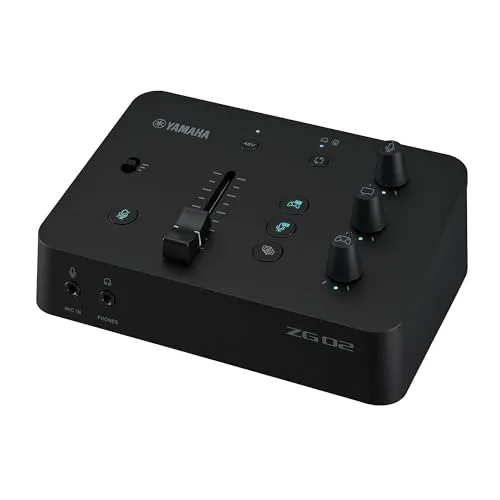
The Yamaha ZG02 is the best audio mixer for streaming for most creators, because its dedicated game, chat and voice controls let you rebalance sources instantly without opening any software mid-broadcast — you can turn down an annoying teammate without touching your game volume or your mic level — and it does that from a plug-and-play USB-C box small enough to sit under a monitor.

Unless…
- Budget is the whole constraint — get the Behringer 802S.It is one of the cheapest ways to get eight inputs and real faders, as long as you can live without DSP and with stereo-only USB.
- You want sound pads and multitrack — get the Zoom LiveTrak L-8.Six assignable pads, a 12-in / 4-out USB interface, and built-in mix-minus for call-in guests.
- You need more than one XLR input — get the Rode RODECaster Pro II.Four combo inputs at up to 76dB of gain each, with the full APHEX suite per channel — the only box here that replaces most of an audio chain.
The full ranking
- Best overall for most streamers:Yamaha ZG02, dedicated game, chat, and voice hardware controls
- Best budget:Behringer 802S, eight inputs, physical faders, and stereo USB for the least money
- Best value:Zoom LiveTrak L-8, six sound pads, 12-in / 4-out USB, mix-minus for guests
- Best premium compact:Rode RODECaster Duo, APHEX hardware processing and a color touchscreen
- Best for multi-person production:Rode RODECaster Pro II, four XLR inputs and eight SMART pads
This guide covers hardware audio mixers — physical desks and consoles with real faders and knobs that sit on your desk and connect to your PC over USB. It is not about mixing software such as OBS filters or Voicemeeter — our best audio mixer software for streaming guide covers those — and it is not about video mixers or switchers. Not sure a mixer belongs in your chain at all? Start with do you need an audio mixer for streaming. One voice on a PC stream needs neither: our best USB microphones for streaming guide covers the mics that plug straight in.
At a Glance
How the three real contenders compare
Mixers separate on how much of the audio chain they absorb, so the polygons here are nested rather than crossed. The Pro II covers everything and charges for it. The 802S wins value outright by having almost nothing on the processing and routing axes. The ZG02 is the small shape that is nonetheless the right one for a solo streamer with one mic, because the axes it gives up are the ones that workflow never touches.
Each spoke runs 0 at the center to 10 at the outer ring.
- Yamaha ZG02Our pick. Game, chat and voice on real knobs.
- Behringer 802STake it instead if budget is the whole constraint.
- Rode RODECaster Pro IITake it instead for multi-person production.
| Category | Yamaha ZG02 | Behringer 802S | Rode RODECaster Pro II |
|---|---|---|---|
| Mic Inputs | 3/10 | 6/10 | 10/10 |
| Hardware Processing | 4/10 | 1/10 | 10/10 |
| Live Mix Control | 8/10 | 8/10 | 10/10 |
| Recording & Routing | 4/10 | 2/10 | 10/10 |
| Value | 7/10 | 10/10 | 3/10 |
Quick Comparison: Best Audio Mixers for Streaming
Yamaha ZG02
Most Streamers
Behringer 802S
Budget Setup
Zoom LiveTrak L-8
Podcasting + Streaming
Rode RODECaster Duo
Premium Compact
Rode RODECaster Pro II
Ultimate Production
Yamaha ZG02
Key Specifications
The Yamaha ZG02 is purpose-built for content creators and gamers who need real-time audio mixing without the complexity of a full broadcast console. Unlike general-purpose audio interfaces, the ZG02 has dedicated hardware controls for balancing game audio, chat, and microphone levels independently. This means you can turn down an annoying teammate without touching your game volume or mic level.
It supports either a gaming headset mic or a dedicated mic through a single rear-panel XLR/TRS combo input with 48V phantom power. Yamaha also gives you a built-in USB interface, quick access to game, chat, and voice levels, plus voice effects and routing options in the ZG Controller app.
What makes the ZG02 our top pick is its balance of simplicity and purpose-built streaming features. It is compact enough to sit under a monitor, works well with modern streaming software, and gives you faster real-time control than a standard audio interface if your workflow revolves around game audio and voice chat.
Why it wins
- • Dedicated game / chat / voice mixing hardware
- • XLR/TRS combo input with 48V phantom power
- • Compact, plug-and-play USB-C setup
Skip if
- • You need more than one XLR input
- • You want sound pads or multitrack recording
- • You prefer software-based mixing control
Behringer 802S
Key Specifications
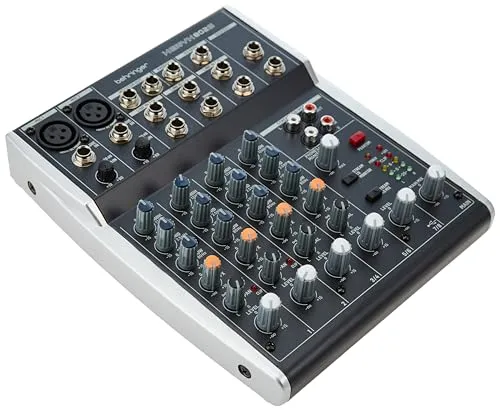
The Behringer 802S is one of the cheapest ways to get hands-on control over multiple audio sources for a stream. It gives you eight inputs across two mono mic/line channels and three stereo channels, with straightforward physical controls that are faster to adjust than software sliders mid-broadcast.
Unlike older budget analog mixers, the 802S does include USB audio. Behringer lists it as a class-compliant stereo in/out USB interface running at 48kHz/16-bit, which is enough for simple streaming setups but not the same as a multitrack mixer or a higher-end creator interface.
It also does not include built-in DSP effects. What you get instead is an FX send for connecting an external effects unit if you need one. For streamers on a tight budget who want simple routing and physical level control, the 802S still covers the basics well.
Why it wins
- • Eight inputs at a budget-friendly price
- • Physical faders and knobs for live mixing
- • USB stereo audio interface included
Skip if
- • You need built-in DSP or sound pads
- • You want multitrack USB recording
- • You need more than stereo USB output
Zoom LiveTrak L-8
Key Specifications
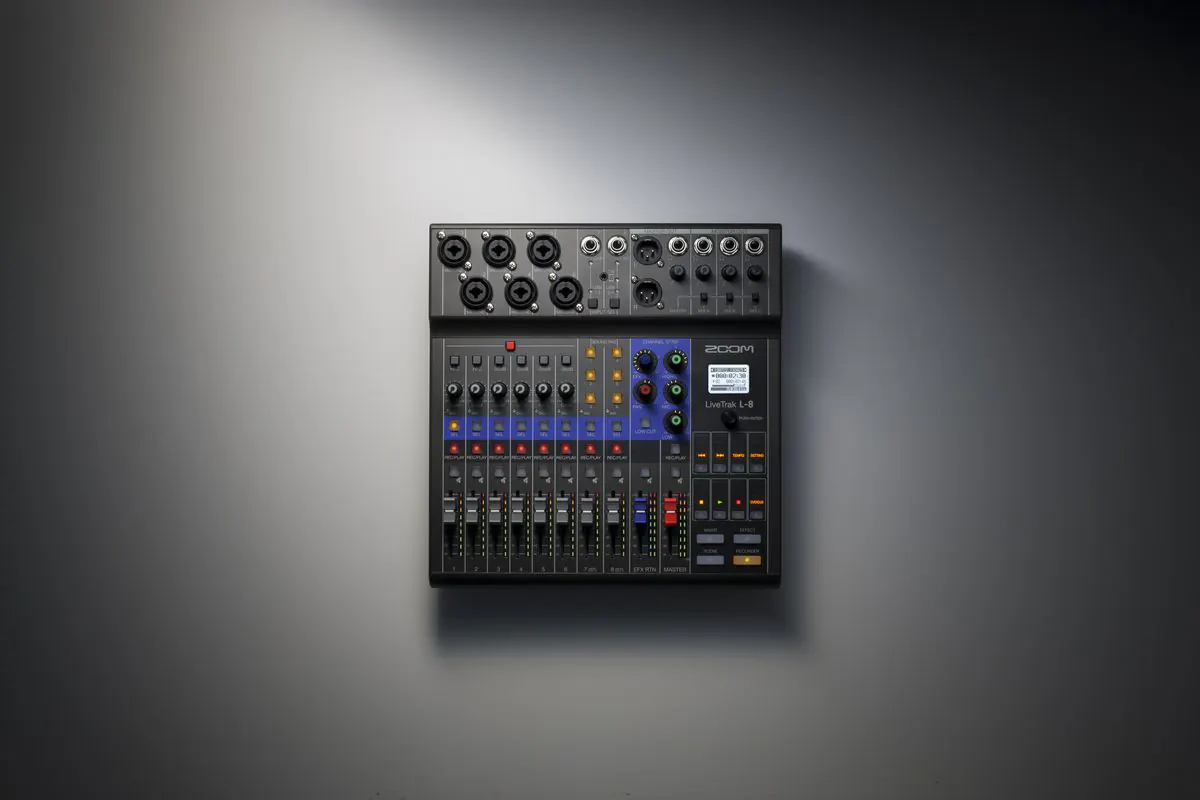
The Zoom LiveTrak L-8 bridges the gap between a compact mixer and a full podcast production console. Zoom lists it as an 8-channel mixer with six combo inputs, two additional TS inputs, and a 12-in / 4-out USB audio interface, which makes it far more flexible than most entry-level streaming mixers.
One standout feature for streamers is the set of six assignable sound pads. These let you trigger intros, outros, ads, or sound effects on the fly without touching your keyboard or OBS scene editor. The L-8 also includes built-in mix-minus support for remote guests over TRRS or USB, which is genuinely useful for call-in shows and podcasts.
Monitoring is more limited than the original copy implied, but still strong for a small mixer: you get four headphone outputs with three custom monitor mixes plus the main mix. That combination of USB connectivity, recording flexibility, and creator-focused features is why the L-8 remains one of the most useful hybrid options in this category.
Why it wins
- • Six assignable sound pads for live production
- • 12-in / 4-out USB interface with multitrack routing
- • Built-in mix-minus for remote guests
Skip if
- • You only need one or two inputs
- • You want premium APHEX-style processing
- • You prefer a more compact desktop form factor
Rode RODECaster Duo
Key Specifications
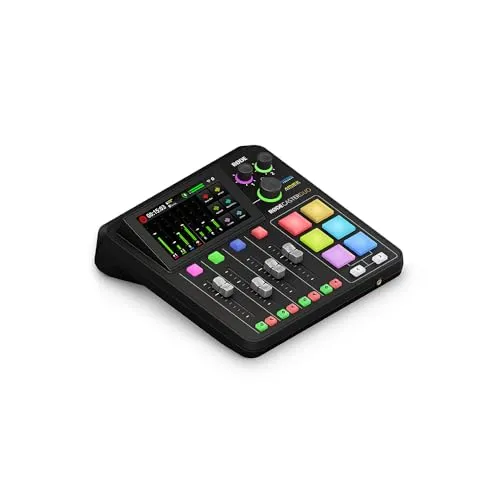
The Rode RODECaster Duo is the compact version of Rode's flagship broadcast production mixer, delivering nearly all the power of the Pro II in a smaller, more desk-friendly footprint. It features two combo XLR/TRS inputs with high-gain Revolution Preamps that work well with most dynamic microphones without requiring a separate inline booster. The built-in APHEX audio processing gives your voice studio-grade compression, de-essing, noise gate, and exciter effects entirely in hardware.
The color touchscreen makes it easy to configure effects, adjust levels, and trigger sound pads without needing a computer. The six programmable sound pads can be loaded with your own audio files or assigned to MIDI commands for controlling OBS scenes and transitions. This level of hardware-software integration is rare in mixers at any price point.
As a USB audio interface, the Duo handles 24-bit recording at up to 48kHz and appears as a multichannel device in OBS, meaning you can route microphone, sound pads, and Bluetooth audio as separate audio sources. The built-in Bluetooth input lets you wirelessly pipe in phone audio for call-in guests or background music. It is a serious investment, but for streamers who want broadcast-quality processing and a professional workflow in a single box, the RODECaster Duo justifies it.
Why it wins
- • Broadcast-grade APHEX processing in hardware
- • Color touchscreen and programmable SMART pads
- • Multichannel USB with Bluetooth input
Skip if
- • You need more than two XLR inputs
- • You are on a tight budget
- • You do not need hardware processing
Rode RODECaster Pro II
Key Specifications
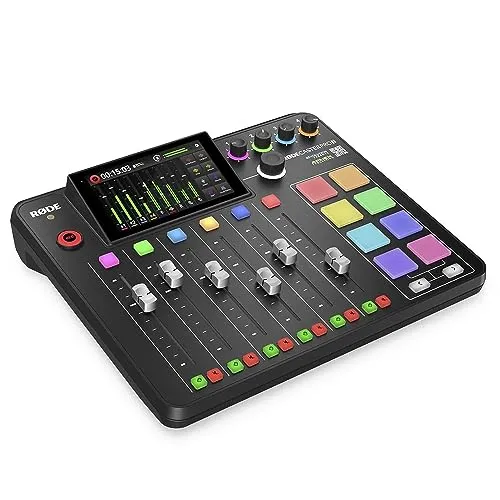
The Rode RODECaster Pro II is the most capable all-in-one production mixer built for content creators. It expands on the Duo with four combo XLR/TRS inputs, eight programmable SMART pads, and a larger control surface that makes routing and show control faster in multi-person setups.
The four high-gain preamps each deliver up to 76dB of gain, enough to drive any dynamic microphone on the market at full volume with crystal clarity. The onboard APHEX processing suite includes a four-channel equalizer, compressor, noise gate, de-esser, and the signature Aphex Aural Exciter and Big Bottom processors that give your voice a rich, broadcast-ready character without any software plugins. Every effect can be saved as a preset and recalled instantly.
For streamers who run multi-person setups or podcasts, the four microphone inputs and eight SMART pads make the Pro II a true production console. It supports Bluetooth input for wireless audio, has dual USB-C interfaces, and can record directly to a microSD card or USB storage as a backup. It is the most expensive mixer in this guide, but it is also the only one here that can replace most of an entire creator audio chain in a single device.
Why it wins
- • Four XLR inputs with full APHEX processing per channel
- • Eight programmable SMART pads
- • Complete production hub replacing an entire audio chain
Skip if
- • You only need one or two XLR inputs
- • The price is beyond your budget
- • You do not need hardware processing or multitrack
Audio Mixer vs Audio Interface: Which Do You Need?
Before choosing a mixer, it helps to understand how mixers differ from audio interfaces. An audio interface converts analog audio to digital and sends it to your computer. It usually has one or two inputs and minimal onboard controls. A mixer combines multiple audio sources, lets you adjust levels in real time with physical faders and knobs, and often includes a USB audio interface as well. Compare these mixers side by side to see specs, pricing, and our verdict on any two options head to head.
When to Choose a Mixer
If you have multiple audio sources (microphone, game console, phone calls, music player) and want to balance them live without opening software settings mid-stream, a mixer is the right choice. Mixers give you tactile, instant control over every audio channel with physical knobs and faders.
When an Interface Is Enough
If you only have one microphone and route everything else through software (OBS filters, Voicemeeter, or system audio settings), an audio interface like the Focusrite Scarlett 2i2 may be all you need, and our best audio interface for streaming guide covers those options. Interfaces are simpler, cheaper, and deliver equivalent audio quality for single-mic setups. For a deeper look at XLR-specific mixing with multiple microphones, our best mixer for XLR mics guide covers that use case in detail.
Sound Pads and Effects
Many mixers designed for streaming include programmable sound pads that let you trigger effects, transitions, and alerts with a physical tap. If you use a lot of sound effects during your streams, a mixer with built-in pads (like the Zoom LiveTrak L-8 or RODECaster) is far more reliable than keyboard shortcuts or on-screen buttons.
USB Connectivity
Not all mixers handle USB audio the same way. Some, like the Behringer 802S, offer simple stereo USB in/out, while others like the Yamaha ZG02, Zoom LiveTrak L-8, and RODECaster line provide deeper routing or multichannel workflows. If you want to separate sources cleanly inside OBS, that distinction matters.
Frequently Asked Questions
What is the best audio mixer for streaming?
The Yamaha ZG02 is the best audio mixer for streaming for most creators. It is a compact hardware mixer with dedicated game, chat, and voice controls plus an XLR/TRS combo input with 48V phantom power, so you can rebalance sources without opening software mid-broadcast. On a budget the Behringer 802S covers the basics, while the Zoom LiveTrak L-8 offers the best overall mix of features and value.
Do you need an audio mixer for streaming?
No, you do not need an audio mixer for streaming. If you run a single microphone and route everything else through software such as OBS filters, Voicemeeter, or your system audio settings, an audio interface is simpler and cheaper and delivers equivalent audio quality. A mixer is worth it when you juggle several sources at once — microphone, game console, phone calls, music — and want physical faders and knobs to balance them in real time instead of opening settings mid-stream.
What is the difference between a hardware audio mixer and mixing software?
A hardware audio mixer is a physical desk or console that sits on your desk and combines multiple audio sources through real knobs and faders, usually sending the result to your PC over USB. Mixing software — OBS audio filters, Voicemeeter, and similar PC tools — does the same routing entirely inside your computer with no physical controls. Every pick in this guide is hardware; software mixers are a separate category and are not covered here.
Do audio mixers work as USB audio interfaces?
Most streaming audio mixers include a USB audio interface, but they do not all handle it the same way. The Behringer 802S offers simple class-compliant stereo USB in/out at 48kHz/16-bit, the Zoom LiveTrak L-8 provides a 12-in / 4-out interface with multitrack routing, and the Yamaha ZG02 and RODECaster models offer deeper routing or multichannel workflows. If you want to separate sources cleanly inside OBS, that distinction matters.
What is the best budget audio mixer for streaming?
The Behringer 802S is the best budget audio mixer for streaming. It gives you eight inputs across two mono mic/line channels and three stereo channels, physical faders and knobs for live level control, 48V phantom power, and a stereo USB interface at 48kHz/16-bit. It has no built-in DSP effects, only an external FX send, so skip it if you want sound pads or multitrack USB recording.
Final Thoughts
Choosing the right audio mixer depends on how many audio sources you manage and how much real-time control you want during your streams. The Yamaha ZG02 is our top pick for most streamers because it offers dedicated game, chat, and voice control in a compact, plug-and-play package.
On a budget, the Behringer 802S gives you simple physical control and stereo USB connectivity — our best budget audio mixer for streaming guide ranks the full under-$250 field. For the best mix of features and value, the Zoom LiveTrak L-8 adds sound pads, recording flexibility, and useful podcast features. For broadcast-quality processing, the Rode RODECaster Duo delivers studio sound in hardware. And for the ultimate production console, the Rode RODECaster Pro II handles everything a professional streaming studio needs.
If you are building a complete setup from scratch, use our Creator builder tool to put together a compatible system, or browse completed setups from other streamers for inspiration. If you are streaming from a PS5, our best audio mixer for PS5 guide covers console-specific routing in more detail.
For neutral technical references, see the Mixing console overview on Wikipedia and the official OBS Studio knowledge base.