CreatorConfig is supported by its audience. We may earn commissions from qualifying purchases through affiliate links on this page. Full disclosure
What is the best USB microphone for podcasting?
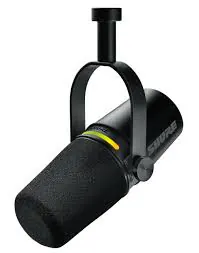
The Shure MV7+ is the best USB microphone for podcasting for most shows: a cardioid dynamic recording 24-bit at 48kHz over USB-C, with onboard auto-level, denoising and pop filtering, plus a passive XLR output Shure says runs at the same time for a clean safety take. Cheaper answer: the Samson Q2U at 79.99 dollars at time of writing.
The Ruling
Which USB podcast mic should you actually buy?Get the Shure MV7+.
A published episode is the one recording you cannot redo, and the MV7+ is the only mic here that gives you two versions of it at once: a processed take over USB and an untouched analog take out of the XLR port at the same moment. At 299 dollars at time of writing it is also the most expensive pick, which is why the two exits below exist.

Unless…
- You need two microphones out of one budget - buy two Samson Q2Us.A pair costs 159.98 dollars at time of writing and both keep the XLR port.
- Two of you have to share one mic - get the Blue Yeti.Its figure-8 pattern is the only two-person option here, with a real cost.
The full ranking
- Best overall:Shure MV7+, a processed take and a safety take together
- Best value:Samson Q2U, the cheapest way for two hosts to own XLR ports
- Best onboard processing:Rode PodMic USB, the APHEX chain runs on the microphone
- Best for two on one mic:Blue Yeti, four patterns including figure-8 for interviews
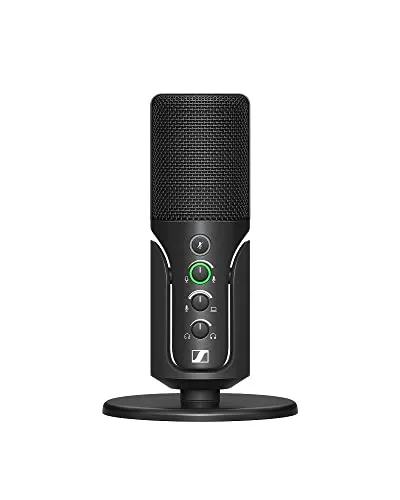
- Best condenser:Sennheiser Profile, three knobs and no software at all
This guide covers microphones that plug straight into a computer over USB. Prices move constantly, so treat every figure here as the level at the time of writing.
At a Glance
The pick, the finished-file option and the budget pair
Three shapes, three arguments. The MV7+ gives up almost nothing except money. The PodMic USB buys the most finished recording here and pays for it with the XLR port. The Q2U concedes the spec sheet and wins on value, which is what a two-host show is shopping for.
Each spoke runs 0 at the center to 10 at the outer ring.
- Shure MV7+Our pick. A processed USB take and a clean XLR safety take at once.
- Rode PodMic USBTake it instead if you want the file finished on the way in.
- Samson Q2UTake it instead if you are buying two mics on one budget.
| Category | Shure MV7+ | Rode PodMic USB | Samson Q2U |
|---|---|---|---|
| Voice Quality | 9/10 | 9/10 | 6/10 |
| Onboard Processing | 9/10 | 10/10 | 1/10 |
| XLR Upgrade Path | 10/10 | 3/10 | 9/10 |
| Room Tolerance | 9/10 | 8/10 | 7/10 |
| Value | 5/10 | 6/10 | 10/10 |
Quick Comparison: Best USB Microphones for Podcasting
Shure MV7+
Best Overall
Samson Q2U
Best Value
Rode PodMic USB
Best Processing
Blue Yeti
Two On One Mic
Sennheiser Profile
Best Condenser
The Reviews
Every pick in detail
Ranked in the order most podcasters should consider them. Each mic leads with what it wins on and what should send you elsewhere.
Shure MV7+
Key Specifications
The MV7+ is the only mic here that can hand you two recordings of the same sentence. Shure publishes a support note saying the XLR and USB outputs run at the same time, and the user guide is blunt about the difference: XLR audio is not affected by software settings. The USB stream carries whatever processing you set up, while an interface on the passive XLR output captures the raw capsule as a safety take.
The DSP list reads like it was written from the things that ruin spoken word: Auto-Level Mode, a Digital Popper Stopper on top of the physical filter, a real-time Denoiser, a compressor, a limiter and a high-pass filter. Shure credits the mic voice isolation to the cardioid pattern working with that DSP rather than to the capsule type. The published adjustable gain range is 0 to +36 dB, the only gain figure any manufacturer on this page prints.
Two practical notes. The DSP is set up in the Shure MOTIV Mix desktop app, so the box alone does not give you the processing, and anything baked in over USB cannot be lifted back out in the edit. The 50Hz to 16kHz response is a speech tuning rather than a full-range one. At 299 dollars at time of writing it is the most expensive pick, and the LED touch panel mutes on a tap with a Mute Lock option against accidents.
Why it wins
- USB and XLR live together: processed take plus safety take
- Auto-Level, Denoiser and Popper Stopper aimed at speech
- Tap-to-mute LED panel with Mute Lock against accidents
Skip if
- You want the processing without installing a desktop app
- You need response above 16kHz for music or sound design
- 299 dollars is most of a two-microphone budget on its own
Samson Q2U
Key Specifications
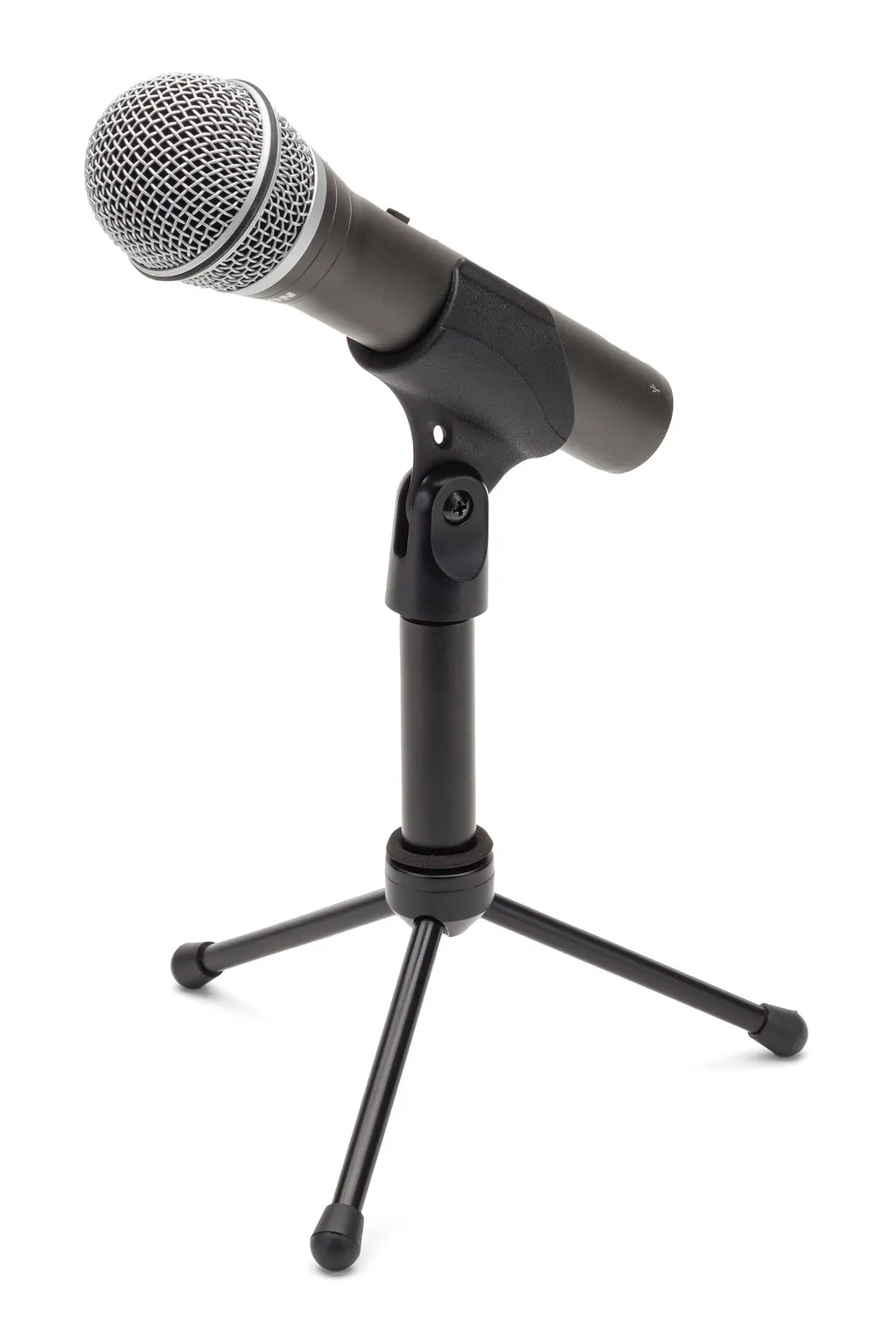
Two Q2Us cost 159.98 dollars at time of writing, which is the entire reason this mic ranks second. Samson states outright that both connections can be used at the same time, so USB gets your first episodes recorded and the XLR port is what lets two of them eventually share one clock on a single interface. For a co-hosted show that second port is not a nice extra, it is the plan.
The concessions are real. It converts at up to 16-bit, the lowest resolution here, and Samson publishes a 50Hz to 15kHz response, shorter than anything else on this page. There is no onboard processing and no app, so a bad room stays a bad room until a plugin deals with it. Samson own copy calls the mic less sensitive to background noise and other distracting sounds, making it great for untreated rooms: a manufacturer claim, not a measurement.
Samson lists a mic clip, a tripod stand with an extension, a foam windscreen and both cables in the box, so there is nothing else to buy until you want a boom arm. One thing to check before you order a cable: Samson currently specifies USB-C, but older units in circulation used mini-USB.
Why it wins
- Two of them cost around half the price of one MV7+
- Samson confirms USB and XLR can be used simultaneously
- Clip, stand, windscreen and both cables listed in the box
Skip if
- 16-bit and 50Hz to 15kHz is the thinnest spec here
- No onboard processing, so software has to do all of it
- You want something that sits on the desk without a stand
Rode PodMic USB
Key Specifications
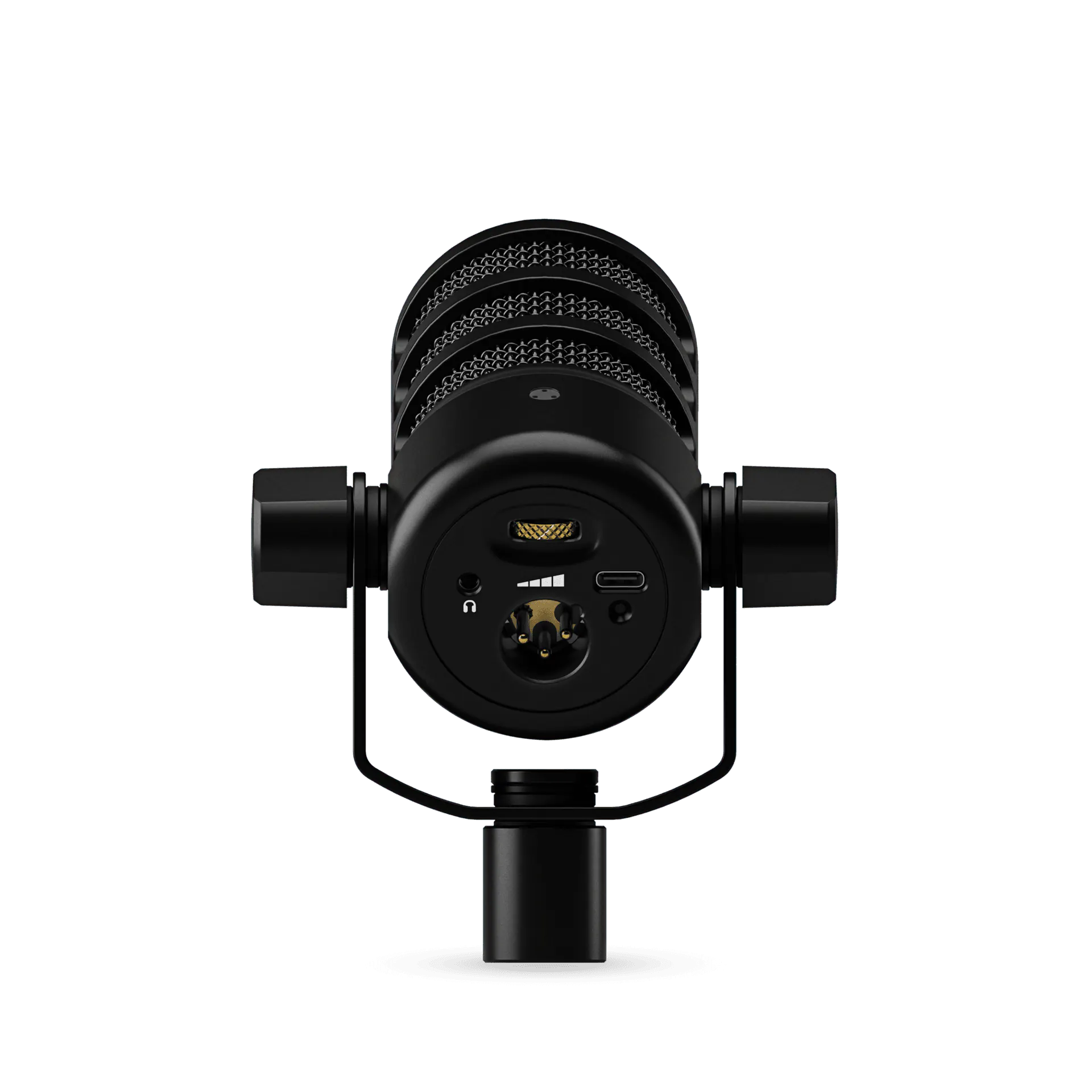
Take the PodMic USB if you want the recording to arrive finished. Rode runs its APHEX processing on the microphone itself: a high-pass filter, a noise gate, a compressor, and the Aural Exciter and Big Bottom effects, with VoxLab presets on top and granular controls underneath. Open a plain recorder, hit record, and what lands on disk already has all of it applied. For a published episode that matters more than it does for a live stream.
It is also the most podcast-shaped object here. Rode fits a high-power neodymium capsule into an end-address broadcast body with an internal pop filter and shockmount, includes an external pop filter, and gives it a zero-latency headphone output with its own level control. The converter runs 24-bit at 48kHz across 20Hz to 20kHz.
Now the part the retail copy tends to imply the other way. There is a 3-pin XLR connector on the body, but independent bench testing by Podcastage found it goes inactive whenever the mic is connected over USB, and Rode own pages do not address it either way. Both cables can be plugged in while audio leaves through only one. This is a mic you can convert to XLR later, not one that gives you a live safety take. At 900 grams it also wants a real boom arm.
Why it wins
- APHEX processing runs on the mic, not on your computer
- 24-bit at 48kHz across a 20Hz to 20kHz range
- Internal pop filter and shockmount, external filter included
Skip if
- You want a simultaneous XLR safety take, testing says no
- At 900 grams a light desk stand will not hold it steady
- You would rather not install software to shape the DSP
Blue Yeti
Key Specifications
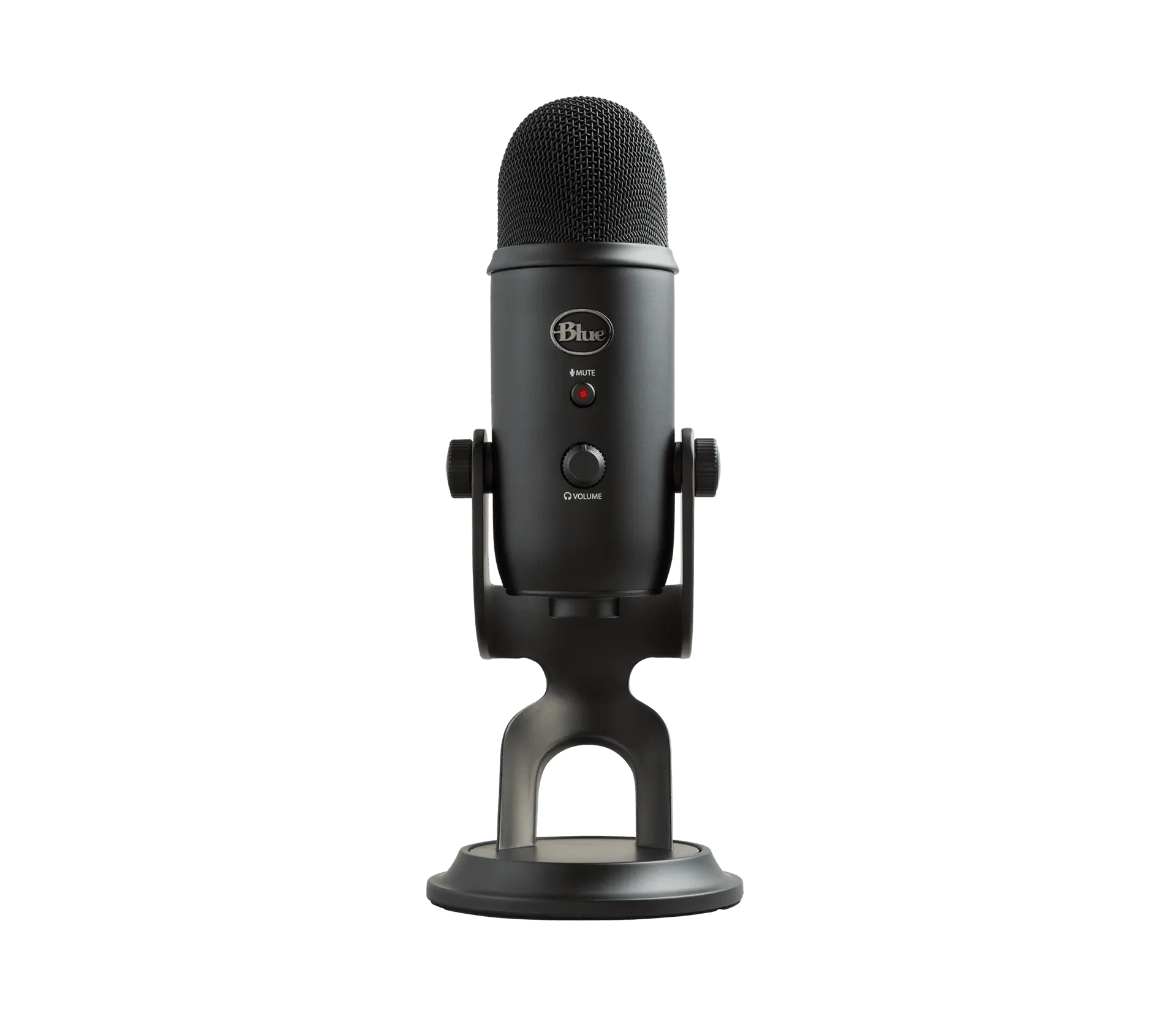
The Yeti is here for exactly one job: putting two people on one microphone when buying two is not happening. Three 14mm condenser capsules give it four patterns, and Logitech positions the bidirectional, or figure-8, setting specifically for recording a two-person interview, with the omnidirectional setting aimed at a roundtable. Nothing else in this guide can do that at all.
Understand what it costs before you build a show on it. Both voices arrive on one channel, so neither host can be levelled, gated or edited separately, which is precisely why Zoom and Zencastr both document per-participant tracks. Shure supplies the acoustic half of the warning: a figure-8 collects the same ambient pickup as a cardioid, with useful pickup only in roughly a 90 degree arc front and rear. Two people sharing it have to sit opposite each other and stay there.
The rest is familiar. Logitech publishes 16-bit at 48kHz across 20Hz to 20kHz, with gain, mute, pattern selection and headphone level as physical controls. It connects over USB and Logitech does not list the connector on its specification page, so check which cable your unit ships with. Note as well that the Yeti X and the Yeti Nano are separate models with different numbers.
Why it wins
- Four patterns, including the figure-8 aimed at interviews
- Gain, mute, pattern and headphone level as real controls
- 20Hz to 20kHz from three condenser capsules
Skip if
- Two hosts land on one channel you cannot edit apart
- A condenser hears more of an untreated room than a dynamic
- There is no XLR port, so this purchase ends where it starts
Sennheiser Profile
Key Specifications
Take the Profile if your recording space is genuinely quiet and you would rather turn a knob than open an app. It is a pre-polarized condenser with a cardioid pattern, running up to 24-bit at 44.1 or 48kHz across 20 to 20,000Hz, and it needs nothing installed: Sennheiser lists support for Windows 10, macOS 10.15, Android 9 and iPadOS 14 upward, with no companion software in the requirements.
Sennheiser builds the product around three controls and says so. A gain knob with an LED ring that doubles as a clipping warning, a mix control that balances your voice against playback from the computer, and a headphone volume, with a mute button and its own LED ring above them. The housing is metal with a self-locking tilt joint, and the table stand carries 3/8 inch and 5/8 inch mounting.
The condenser part cuts both ways, and this is the honest counterweight to a list that is otherwise four dynamics. Sennheiser publishes an equivalent noise level of 34 dB(A) SPL at minimum gain and 28 dB(A) at maximum, and a condenser higher sensitivity is exactly what makes it hear a fridge, a laptop fan or a bare wall. In a quiet room it gives you more detail than the dynamics here. There is no XLR output, so this is a terminal purchase rather than a first step.
Why it wins
- Up to 24-bit at 48kHz across 20 to 20,000Hz
- Gain, mix, headphone level and mute as physical controls
- Metal body and tilting table stand, no software required
Skip if
- Your room is noisy, a cardioid dynamic will flatter it more
- You want an XLR port to grow into later on
- You need processing baked into the recording itself
Two Hosts
Recording two people in one room, and the two USB mic problem
A microphone each, on its own track, is the standard. The documented reason is editing control. Zoom help text explains that separate files let you edit or apply filters to just one participant audio, and Zencastr gives the same rationale. One host chair creaks through an answer, and you fix it without touching the other host speech.
Then you hit what nobody mentions when they sell you two USB mics. Two USB microphones are two devices with two clocks, and most software records from only one of them. The Audacity manual says it plainly: it can record from one sound device at a time, and it warns that two USB mics have separate clock speeds so the inputs may drift apart over a session.
On macOS there is an official answer. Audio MIDI Setup can combine devices into an Aggregate Device, and Apple tells you to set every device to the same sample rate, choose the one with the most reliable clock as the sync source, and switch on drift correction when the devices are not synchronized in hardware. The label has moved between Clock Source and Sync Source across versions. On Windows there is no native equivalent. ASIO addresses one device at a time, as Sound On Sound puts it, and WASAPI opens streams per endpoint. ASIO4ALL can aggregate, but requires every device to run from the same clock source and spells out the cost when they do not: a 100 PPM difference means two recordings diverge by 360 milliseconds every hour.
So the professional advice is consistent: do not do it. Sound On Sound prefers a single interface with two inputs. Descript says most computers will not record two USB microphones at once without an aggregate device, that even then the clocks drift, and recommends XLR mics into one interface instead. That is the real reason a two-host show should buy microphones with XLR ports. The MV7+, the Q2U and the catalog Samson Q9U all have one: USB gets your first episodes recorded, and the XLR port is what lets both mics eventually share one clock through an audio interface or a podcast mixer. The last resort is an in-person double-ender: each host records on their own device and you line the files up afterwards.
Remote Guests
Recording someone who is not in the room
For a remote guest, their microphone and their recording method matter far more than yours. The technique to ask for is the double-ender: each person records locally and the tracks are synced afterwards, so the audio never depends on the connection. A cheap USB mic recorded locally beats an expensive one squeezed through a call.
The platforms that automate this do it in the browser. Riverside records each participant audio and video directly on their own device and advertises uncompressed 48kHz WAV with up to ten people on separate tracks. Zencastr also records locally to per-participant files, with paid plans producing 16-bit 48kHz WAV. Descript Rooms records double-ended tracks, and SquadCast remains a separate product included with paid Descript plans. Zoom can save separate audio files per participant for local recordings, but that audio still crossed the call first, so it is only ever as good as the connection was.
Buying Guide
Dynamic or condenser for an untreated room
The shorthand is that a dynamic capsule rejects room noise. It does not, and no manufacturer claims it does. Shure attributes ambient rejection to the polar pattern: a cardioid picks up around one third as much ambient sound as an omnidirectional mic, with maximum rejection directly behind it. A cardioid condenser has that same pattern advantage.
What being dynamic buys you is lower sensitivity, which pushes you closer to the grille, and close working distance is what lifts a voice above a room. The honest counterweight is that lower sensitivity demands more gain from a preamp, so a condenser can end up with a lower noise floor in a genuinely quiet space. If your room is quiet, the Sennheiser Profile will reward it. If a neighbour dog is a recurring guest on your show, a cardioid dynamic close to your mouth is the fix, and our dynamic USB microphone guide goes deeper into that category.
Publishing
Getting the episode to publishing loudness
A podcast has a delivery target, which a live stream never has. Apple Podcasts asks for loudness around -16 dB LKFS with a plus or minus 1 dB tolerance and a true peak no higher than -1 dB FS, measured per ITU-R BS.1770-5. Spotify normalizes playback to -14 LUFS and advises masters below -1 dBTP, although that guidance sits on its music pages rather than a podcast-specific one. AESTD1008, which superseded TD1004, puts speech content at -18 LUFS with the same -1 dBTP ceiling. Aim for roughly -16 LUFS integrated with peaks under -1 dBTP and all three are satisfied.
The microphone part of this is the level going in. A take recorded too hot cannot be normalized back down cleanly, and one recorded far too quietly brings the room up with it when you lift it. That is the practical argument for a mic that controls level on the way in, such as the MV7+ Auto-Level mode or the PodMic USB compressor.
Software
What to record into
All five picks are class-compliant according to their manufacturers, so there are no drivers and any of these sees them as an input immediately. Audacity is free and open source on Windows, macOS and Linux, currently at version 4.0.0, and it is enough to record and publish an episode. Reaper asks 60 dollars for the discounted personal, education and non-profit licence or 225 dollars commercially, with a 60-day full-function evaluation. GarageBand is Apple platforms only, listed free on the App Store, and handles up to 255 audio tracks. Adobe Audition is 22.99 US dollars a month as a single app on an annual plan billed monthly. Descript has a free plan and then 16, 24 and 50 dollars a month billed annually. All software prices are at time of writing.
Buying Guide
Which mic for which show
Every mic here can record a publishable episode. Find the row that sounds like your show.
| If this is you | Buy | Because |
|---|---|---|
| Solo host, and the episode has to be right first time | Shure MV7+ | A processed USB take and an untouched XLR safety take together |
| Two hosts in one room, one modest budget | Two Samson Q2Us | Cheapest pair that keeps the XLR ports you will need for one clock |
| You edit as little as humanly possible | Rode PodMic USB | The APHEX chain runs on the mic, so the recorded file is finished |
| Two of you, and only one microphone is being bought | Blue Yeti | Figure-8 is built for interviews, at the cost of one shared channel |
| Quiet room, and you hate opening apps to fix audio | Sennheiser Profile | Gain, mix and headphone knobs on a condenser that needs no software |
| You already own a two-input interface or a mixer | None of these | Buy XLR mics and put the saving into the preamps feeding them |
Skip This
What not to buy for a podcast
The Amazon Basics USB condenser sells for 40.84 dollars at time of writing, and our catalog lists it as USB-A, 16-bit at 48kHz, cardioid, with a 100Hz to 10kHz response. Amazon Basics does not publish a full specification sheet, so treat those figures as catalog-sourced rather than manufacturer-confirmed. Taken at face value, a response that stops at 10kHz removes the air at the top of a voice and a 100Hz floor removes the weight underneath, and nothing in editing puts back a range that was never captured. Buy it to find out whether you will publish episodes, not to build a show on.
One more to watch for. The Audio-Technica AT2020USB+ is still widely listed at 149 dollars at time of writing, but B&H names the AT2020USB-X as its replacement, so check which model is in the box.
Sanity Check
Before you spend anything
Distance, a quiet hour of the day and a rug on a hard floor are free, and they change a recording more than a hundred dollars of upgrade does. If you also stream, the wider best USB microphones for streaming guide covers the mics built around that job instead.
If the XLR port is the reason you are buying, plan the other half now. Our audio interface guide covers the two-input box that puts both hosts on one clock, and the mixer guide covers the route that adds faders instead. The comparison tool puts two catalog mics side by side on specifications, the setup builder checks the whole chain works together, and our studio build guide covers the rest of the desk.
FAQ
Frequently asked questions
What is the best USB microphone for podcasting?
The Shure MV7+ for most podcasters. It is a cardioid dynamic that records 24-bit at 48kHz over USB-C across a 50Hz to 16kHz range, with Auto-Level, a Digital Popper Stopper and a real-time Denoiser on board, plus a passive XLR output Shure says can run at the same time as USB. That gives you a processed take on the computer and an untouched analog safety take from the same sentence. The cheaper answer is the Samson Q2U at 79.99 dollars at time of writing.
Do I need a dynamic microphone for podcasting?
A dynamic helps in an untreated room, but not for the reason usually given. Shure attributes ambient rejection to the polar pattern rather than the capsule: a cardioid picks up around one third as much ambient sound as an omnidirectional mic, and a cardioid condenser has that same advantage. What being dynamic adds is lower sensitivity, so you work closer to the grille, and close working distance is what lifts a voice above a room. In a quiet room a condenser will give you more detail.
Can two people record a podcast on one USB microphone?
Yes, with a multi-pattern mic. Logitech positions the Blue Yeti bidirectional, or figure-8, pattern specifically for recording a two-person interview. The catch is that both voices land on one channel, so neither host can be levelled, gated or edited separately, which is why Zoom and Zencastr document per-participant tracks. Shure adds the acoustic caveat: a figure-8 collects the same ambient pickup as a cardioid, with useful pickup only in roughly a 90 degree arc front and rear. A mic each on its own track is better wherever possible.
Can you use two USB microphones on one computer?
On macOS yes, officially. Audio MIDI Setup combines devices into an Aggregate Device, and Apple tells you to match sample rates, pick the device with the most reliable clock as the sync source, and enable drift correction. On Windows there is no native equivalent: ASIO addresses one device at a time, and Audacity says outright that it can only record from one sound device at a time. ASIO4ALL can aggregate but requires a shared clock, and notes that a 100 PPM difference diverges by 360 milliseconds an hour. The reliable fix is two XLR mics into one interface.
Do you need an audio interface for a USB podcast mic?
No. A USB microphone already contains the capsule, the preamp and the converter, which is the job an external interface does for an XLR mic, so it appears as an input the moment you plug it in. All five picks here are class-compliant with no driver install according to their manufacturers. An interface becomes worth buying when you need two microphones running on one clock, or hardware processing, or a mixer for routing.
Is a USB-C podcast microphone better than USB-A?
The connector says nothing about how a microphone sounds. It is a physical plug, not an audio specification, and what matters is the converter and the capsule behind it. The Sennheiser Profile is USB-C and runs up to 24-bit at 48kHz; the Samson Q9U is USB-C at 24-bit and up to 96kHz; the Blue Yeti is 16-bit at 48kHz. Buy on resolution, pattern and whether there is an XLR port, then check which cable the mic actually ships with.
How loud should a podcast episode be?
Apple Podcasts asks for loudness around -16 dB LKFS with a plus or minus 1 dB tolerance, and a true peak no higher than -1 dB FS, measured per ITU-R BS.1770-5. Spotify normalizes playback to -14 LUFS and advises masters below -1 dBTP, though that guidance sits on its music and artist pages rather than a podcast-specific one. The AES recommendation that superseded TD1004, AESTD1008, puts speech at -18 LUFS with the same -1 dBTP ceiling. Aim for roughly -16 LUFS with peaks under -1 dBTP and you satisfy all three.
What is the best way to record a remote podcast guest?
Record each person locally instead of recording the call. Riverside records each participant audio and video directly on their own device and advertises uncompressed 48kHz WAV for up to ten people on separate tracks. Zencastr records locally in the browser to per-participant files, with paid plans producing 16-bit 48kHz WAV. Descript Rooms records double-ended tracks. Zoom can save separate audio files per participant for local recordings, but that audio still crossed the call before it hit the disk, so it is only as good as the connection was.