CreatorConfig is supported by its audience. We may earn commissions from qualifying purchases through affiliate links on this page. Full disclosure
Why streamers buy dynamics, and what they actually fix
Streaming rooms are noisy, and a dynamic microphone is the standard answer. The reason it works is duller than the marketing. Most of the benefit comes from the pickup pattern and from sitting close, not from the capsule being dynamic. Shure puts a cardioid mic at roughly a third of the ambient sound an omnidirectional one collects, and that is a property of the pattern. What being dynamic adds is lower output, which pushes you close to the grille, and close working distance is what lifts your voice above the room. Buy a usb dynamic microphone for streaming because it makes good technique easy, not because it deletes your room.
The Ruling
What are the best dynamic USB microphones for streaming?Get the Shure MV7+.
The Shure MV7+ is the best dynamic USB microphone for streaming for most people, because at 179 dollars it runs USB-C and XLR at the same time and puts a different signal on each one, sending a processed digital stream to your PC while the XLR hands an unprocessed analog signal to an interface or a recorder.

Unless…
- You want the room cleaned up with no software running - get the BEACN Mic.Its whole processing suite runs on the mic, and BEACN says the app is not required.
- This is your first microphone - get the Samson Q2U.It gives up resolution and keeps the XLR port, which is the part that matters later.
The full ranking
- Best overall:Shure MV7+, USB-C and XLR running live together
- Best built-in processing:BEACN Mic, the whole DSP suite runs on the microphone
- Best hardware controls:Samson Q9U, real switches and a mute that kills both outputs
- Cheapest hybrid:Samson Q2U, the cheapest way to own an XLR port
- Best focused pickup:Audio-Technica AT2040USB, hypercardioid for a noisy room
This guide covers dynamic microphones that plug straight into a computer over USB. Pure XLR mics need an interface or a mixer before they make a sound, which is a different purchase. Prices move constantly, so treat every figure here as the level at the time of writing.
At a Glance
The pick, the premium option and the budget anchor
Three shapes, three different arguments. The MV7+ is the balanced polygon because it gives up almost nothing. The BEACN buys the best processing on the page with money and with the entire upgrade path. The Q2U concedes the spec sheet and wins the value axis outright.
Each spoke runs 0 at the center to 10 at the outer ring.
- Shure MV7+Our pick. Both outputs at once, one processed, one clean.
- BEACN MicTake it instead if you want the room fixed in hardware.
- Samson Q2UTake it instead if this is your first microphone.
| Category | Shure MV7+ | BEACN Mic | Samson Q2U |
|---|---|---|---|
| Voice Quality | 9/10 | 9/10 | 6/10 |
| Processing & Software | 8/10 | 10/10 | 1/10 |
| Upgrade Path | 10/10 | 1/10 | 10/10 |
| Ease of Use | 8/10 | 9/10 | 8/10 |
| Value | 8/10 | 4/10 | 10/10 |
Quick Comparison: Best Dynamic USB Microphones for Streaming
Shure MV7+
Best Overall
BEACN Mic
Best Processing
Samson Q9U
Best Controls
Samson Q2U
Cheapest Hybrid
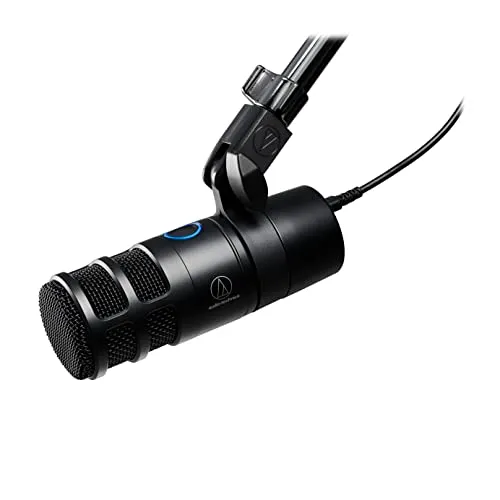
Audio-Technica AT2040USB
Focused Pickup
The Reviews
Every pick in detail
Ranked in the order most streamers should consider them. Each mic leads with what it wins on and what should send you elsewhere, so you can stop the moment one disqualifies itself.
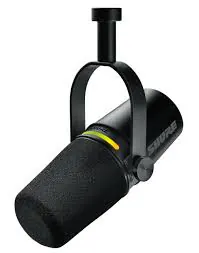
Shure MV7+
Key Specifications
The MV7+ wins on a detail most hybrid listings gloss over: both outputs are live at once and they do not carry the same signal. Shure sends a processed digital stream out of the USB-C port while the XLR carries the unprocessed analog signal, at the same time. The mic feeding your PC today can feed a mixer or a recorder tomorrow with nothing unplugged.
The software lives on the USB path. Auto Level Mode sets gain from your distance and volume, the Digital Popper Stopper catches plosives on top of the physical filter, a real-time Denoiser works on room noise, and there are three reverbs if you want them. All of it is configured in Shure's desktop app and all of it applies to USB only. Plug into XLR and you get the capsule alone, which is correct for anyone running an interface and a surprise if you expected the processing to follow.
At 179 dollars it undercuts every hybrid that does the same trick, and the LED touch panel doubles as a live meter and a tap-to-mute pad. One thing to check before you buy: Shure is folding its MOTIV desktop software into Shure Mix, so the name on the download page may not match the one in older reviews.
Why it wins
- Runs USB-C and XLR simultaneously, processed and clean
- Auto Level, Denoiser and Popper Stopper on the USB path
- 179 dollars for the most flexible microphone here
Skip if
- You expected the DSP to work over XLR too
- You will never own an interface or a mixer
- You want processing with nothing installed on the PC
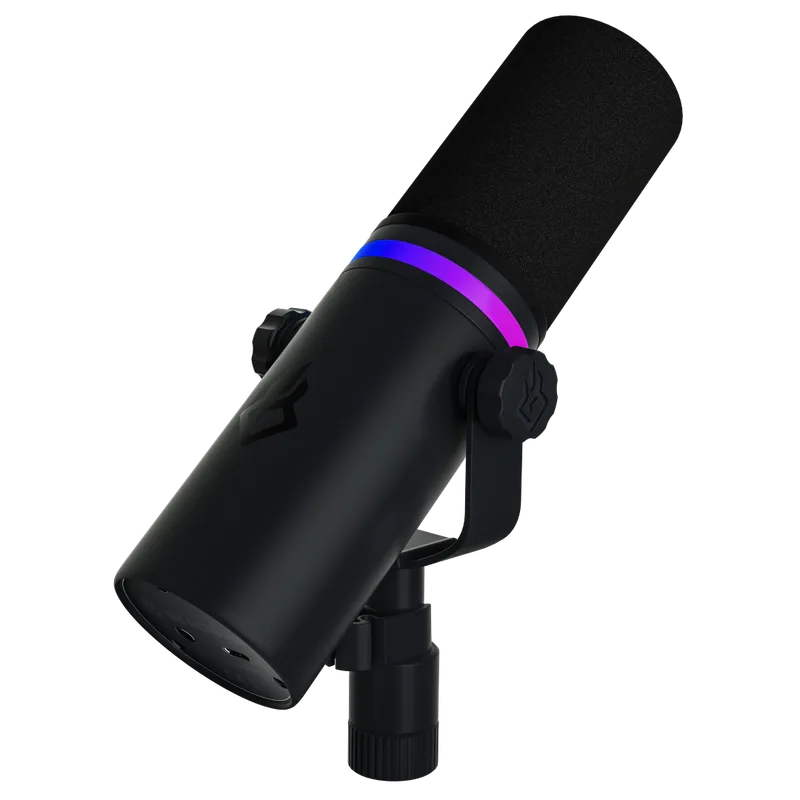
BEACN Mic
Key Specifications
Every other mic here treats processing as something a computer does. The BEACN Mic treats it as hardware. Noise suppression, a compressor, EQ, a limiter and an expander all run inside the microphone body, and BEACN is explicit that you get the effects out of the box without running the BEACN App at all. The app customises them; it does not switch them on.
That architecture is worth more than it sounds. Processing that lives on the mic keeps working on a second PC, on a laptop at an event, and in the ten minutes after a Windows update eats your audio utilities. It runs 32-bit float at 96kHz as well, which is a great deal of headroom for a voice, and the practical version of that is a scream into the grille having somewhere to go.
The bill is 349 dollars, the most expensive mic on this page by a wide margin, and it is USB-C only. There is no XLR port, so the escape hatch every hybrid here gives you does not exist: buy an interface later and this mic does not come with you. Take it if you want the room problem solved permanently and you are certain USB is where you are staying.
Why it wins
- All the DSP runs on the mic, the app is not required
- 32-bit float at 96kHz, with room for the loud moments
- The most complete fix for an untreated room here
Skip if
- You might buy an interface or a mixer later
- There is no XLR port as insurance, at any price
- 349 dollars is a large share of most desk budgets
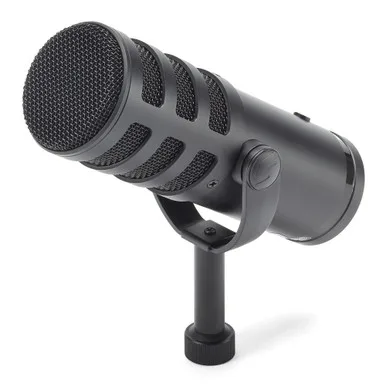
Samson Q9U
Key Specifications
The Q9U is what you buy when you want to reach out and touch the controls. A low-cut slide switch trims the low end by 3dB at 200Hz, which is the range a desk boom and a rumbling PC live in, and a mid-presence switch lifts the band that carries speech. Both are physical positions, not a setting in an app you have to remember to load.
The mute button is the detail that matters on stream. Samson's manual says it mutes the signal sent to both the analog XLR and the USB output jacks, so one press silences everything the mic is feeding rather than the one channel you were thinking about. That wording is also the strongest evidence that both outputs run live together, though Samson never uses the word simultaneous, so treat it as very likely rather than promised.
The rest is straightforward: 24-bit at up to 96kHz over USB-C, a cardioid dynamic capsule with a published 50Hz to 20kHz response, and a headphone jack for latency-free monitoring. At 199.99 dollars it asks more than the MV7+ and gives you no onboard processing in return. That is the trade on offer: hardware switches instead of software features.
Why it wins
- Low-cut at 200Hz and mid-presence as real switches
- One mute button silences the XLR and USB outputs together
- 24-bit at up to 96kHz with latency-free monitoring
Skip if
- You want denoising and a compressor built in
- You would rather set everything from an app
- The MV7+ costs less and does more with it
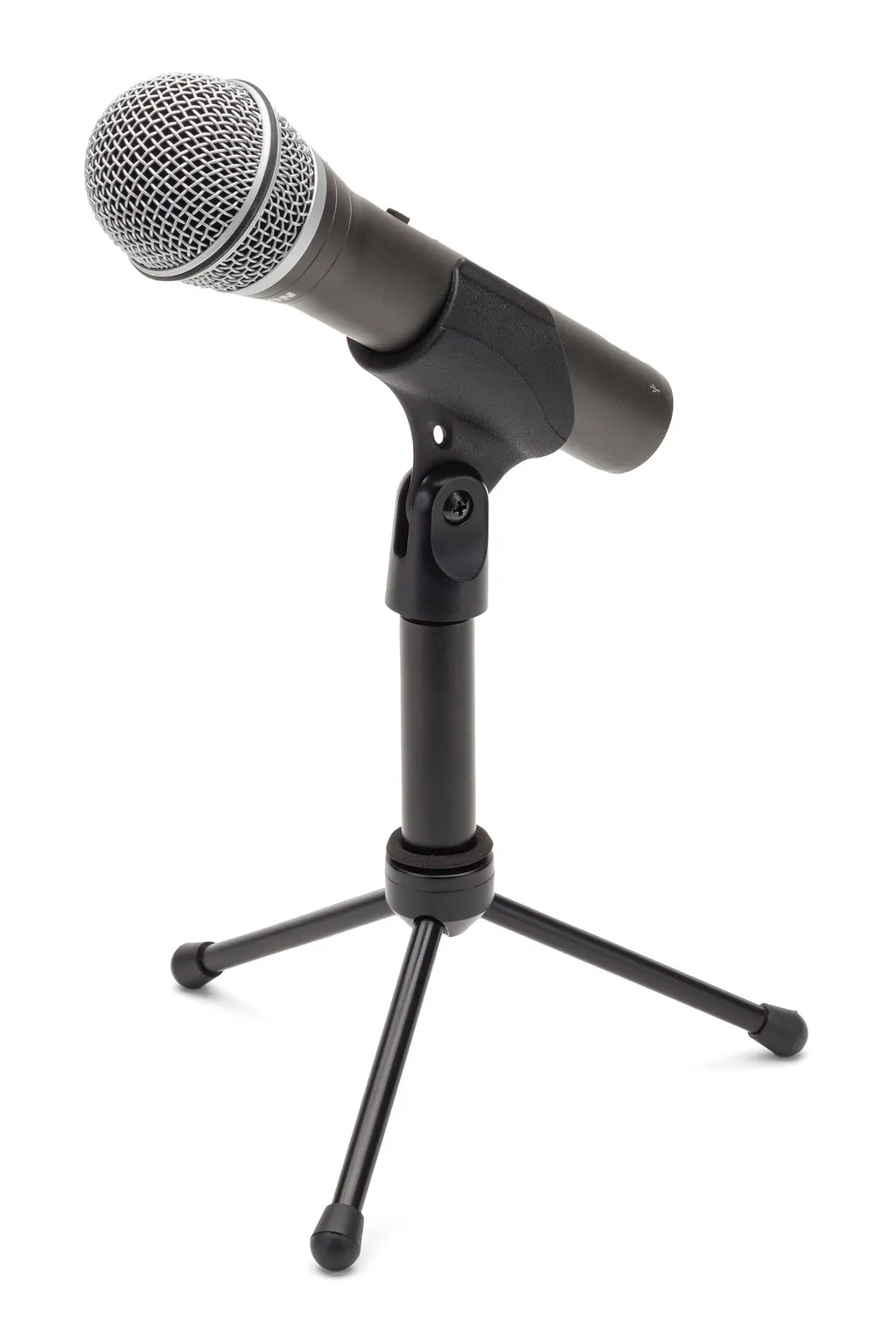
Samson Q2U
Key Specifications
The Q2U has launched more streams and podcasts than anything else on this list, and it earns that on a single argument: it is the cheapest way to own a microphone with an XLR port on it. Everything else about the spec sheet is a concession, and the concessions are real.
It converts at 16-bit and 48kHz, genuinely the lowest resolution on this page, and Samson publishes its response as 50Hz to 15kHz, which stops well short of the 20kHz the Q9U above it reaches. For a compressed voice stream, neither number is what a viewer will notice, and your technique and your room will decide how you sound long before the converter does. The numbers are still the numbers, and every other mic here beats them.
What you are actually buying is the port. Stream over USB now, and the day an interface arrives the same mic plugs into it and becomes an XLR mic. Samson also states that both connections can be used at the same time, so a USB stream and an XLR feed to a recorder can run together on the cheapest hybrid here. What you should not expect is onboard processing, because there is none.
Why it wins
- The cheapest route to a mic with an XLR port on it
- The XLR path survives every future upgrade you make
- Nothing to configure, it works the moment it is plugged in
Skip if
- The resolution is the lowest on this page
- There is no onboard processing of any kind
- You already own an interface, buy a pure XLR mic
Audio-Technica AT2040USB
Key Specifications
Audio-Technica puts the differentiator in the product title: this is a hypercardioid dynamic USB microphone, and hypercardioid is a tighter pattern than the cardioid every other mic here uses. Narrower pickup at the front, more rejection of what sits beside and behind it. If your problem is a housemate on a call or a fan two feet to the left, the pattern is a far more honest fix than any claim about the capsule.
Tighter pickup has a cost, and the cost is you. A hypercardioid is less forgiving of drifting off-axis, so leaning back to read chat takes more of your voice with it than it would on a cardioid. Aim it at your mouth and stay there and it rewards you; treat it casually and it punishes you harder than a cardioid would.
The rest is solid: 24-bit at 96kHz, an integrated shock mount and internal pop filter, and a headphone jack with a mix control and a mute button. The 80Hz to 16kHz response is narrower at the bottom than most of this group, which makes it a voice microphone rather than something to track instruments with. Street price sits around 159 dollars, and there is no XLR port.
Why it wins
- Hypercardioid rejects more off-axis sound than cardioid
- 24-bit at 96kHz with shock mount and pop filter built in
- Headphone jack with mix control and a hardware mute
Skip if
- You move around a lot while you talk
- You want an XLR path later, this is USB only
- You need response below 80Hz for anything
Buying Guide
The USB/XLR dynamic microphone is the smart buy, with one trap
The second port is the product. Three of the five picks here carry an XLR output next to the USB one, and that port is the best reason to buy in this category. A hybrid is one purchase that survives the next one: you stream over USB today, and when an interface or a mixer eventually lands on the desk, the same microphone plugs into it instead of going up for sale.
The preamp is already handled on the USB side. A USB microphone carries three stages in one body: the capsule, a preamp that lifts its weak signal, and a converter that digitises it. The manufacturer chose that preamp to suit that capsule, so the famous complaint that dynamics need more clean gain than a budget interface can supply is a problem the maker has already solved for you. It belongs to the XLR path. Run the same mic through your own preamp and the problem is yours again, because it now depends entirely on what you bought.
Now the trap. Buyers assume a hybrid can run both outputs at once, and that is not a category feature. The Shure MV7+ does it deliberately, sending processed digital over USB-C while the XLR carries unprocessed analog. The Rode PodMic USB does the opposite: independent bench testing found its XLR port is inactive while the mic is connected over USB, and Rode’s own pages do not state it either way, so both cables can be plugged in while audio leaves through only one. The Samson Q9U sits in between, its mute acting on both outputs in a way that only makes sense if both are live, but Samson never says so outright. The Q2U is the plain case at the bottom of the price list, because Samson’s own product page says you can use both connections simultaneously. If recording to two devices at once is why you are buying, the MV7+ and the Q2U are the two mics on this page whose makers confirm it.
Buying Guide
Which mic for which streamer
Every mic here is good. The question is which problem you are paying to remove, so find the row that sounds like your desk.
| If this is you | Buy | Because |
|---|---|---|
| Streaming on USB now, an interface is on the list | Shure MV7+ | A processed USB take and a clean XLR take, both live at the same time |
| Noisy room, and you never want to open an app | BEACN Mic | Noise suppression, compressor and EQ all run on the mic itself |
| You want switches under your fingers mid-stream | Samson Q9U | Low-cut and mid-presence sliders, plus a mute that kills XLR and USB together |
| First microphone, and the budget is genuinely tight | Samson Q2U | The cheapest way to own an XLR port you can grow into later |
| Someone else talks or games in the same room | Audio-Technica AT2040USB | Hypercardioid rejects more off-axis sound than any cardioid here |
| You already own an interface or a mixer | None of these | Buy a pure XLR dynamic and put the difference into the preamp feeding it |
Sanity Check
Before you spend anything
Make sure a microphone is solving your actual problem. If your stream audio sounds thin, clips or drifts out of sync, that is usually encoder and audio settings rather than the mic, and our OBS settings guide costs nothing to apply. If you are not sure a dynamic is the right shape of answer at all, the wider best USB microphones for streaming guide covers the condensers this page leaves out.
If the XLR port is the reason you are buying, plan the other half now. Our audio interface guide covers the clean gain a low-output dynamic needs, and the mixer guide covers the route that adds faders and routing instead. To put two of these mics side by side on specifications, the comparison tool does it from the catalog, and the setup builder checks the whole chain works together before you buy any of it.
FAQ
Frequently asked questions
Is a dynamic or condenser microphone better for streaming?
For most streamers a dynamic microphone is the better choice, but the reason is duller than the usual explanation. A dynamic mic puts out a weaker signal than a condenser, so you naturally work close to the grille, and that close working distance is what lifts your voice above the room. The rest of the benefit belongs to the pickup pattern rather than to the capsule type: Shure puts a cardioid mic at roughly one third of the ambient sound an omnidirectional mic collects, and a cardioid condenser at the same distance would narrow the gap considerably. Condensers are more sensitive and reach further up the frequency range, which is an advantage in a treated room and a liability in a bedroom with a mechanical keyboard in it.
Do USB dynamic microphones need an audio interface?
No. A USB dynamic microphone does not need an audio interface, because the interface is already inside it. A USB mic carries three stages in one body: the capsule, a preamp that lifts its weak signal, and a converter that turns that signal into digital audio for the computer. That is the same job an external interface does for an XLR microphone. It also means the well-known complaint that dynamic mics need more clean gain than a cheap interface can supply does not apply to the USB path, because the manufacturer matched that preamp to that capsule at design time. The moment you use the XLR port on a hybrid mic instead, the problem returns and depends entirely on the preamp you own.
Can you use the XLR and USB outputs at the same time?
It depends entirely on the microphone, and assuming it works is the most common mistake buyers make in this category. The Shure MV7+ genuinely does run both at once, sending a processed digital stream over USB-C while the XLR carries the unprocessed analog signal. Samson says the same of the Q2U, whose product page states that you can use both connections simultaneously. The Rode PodMic USB does the opposite: independent bench testing found its XLR port is inactive whenever the mic is connected over USB, so both cables can be plugged in while audio leaves through only one. The Samson Q9U sits in between, since its mute button acts on both the XLR and USB outputs, which indicates both are live, though Samson never states it outright. Check the specific model before you plan a workflow around dual output.
Why do streamers use dynamic microphones?
Streamers use dynamic microphones because they make an untreated room sound acceptable without acoustic panels. The mechanism is two ordinary things rather than anything magic about the capsule. First, the pickup pattern does most of the work: a cardioid pattern collects around a third of the ambient sound an omnidirectional one does, and a tighter hypercardioid pattern rejects more still. Second, a dynamic mic has lower output, so people place it close to their mouth, and close placement raises the voice level relative to the room far more than any capsule property can. Dynamics also handle high sound pressure without distorting and need no phantom power, which is why they survive shouting at a boss fight.
Is 16-bit good enough for streaming?
Yes, 16-bit is good enough for streaming, though it is the floor rather than a target. Bit depth sets how much dynamic range the converter can capture before the noise floor, and 16-bit at 48kHz is the resolution CDs shipped on. Your stream is then compressed to a fraction of that on its way to viewers, so nobody watching will identify the converter. What 16-bit costs you is headroom for mistakes: at 24-bit or 32-bit float you can set a conservative gain level and rescue a quiet take afterwards, and at 16-bit a badly set level is harder to fix. Mic technique, gain staging and the noise in your room will decide how you sound long before the bit depth does.