CreatorConfig is supported by its audience. We may earn commissions from qualifying purchases through affiliate links on this page. Full disclosure
Why this guide exists
A home studio audio interface is the bridge between your microphones, instruments, and monitors, and the rest of your digital workflow. But I/O count, monitoring flexibility, and expansion options matter far more than just preamp specs when you are building a recording setup that will grow with you. This guide covers the best audio interfaces for home studios, chosen for their input and output flexibility, conversion quality, monitoring workflow, and long-term value. Every pick works with CreatorConfig so you can compare parts, check prices, and build your full setup.
The Ruling
What is the best audio interface for a home studio?Get the Focusrite Scarlett 4i4 4th Gen.
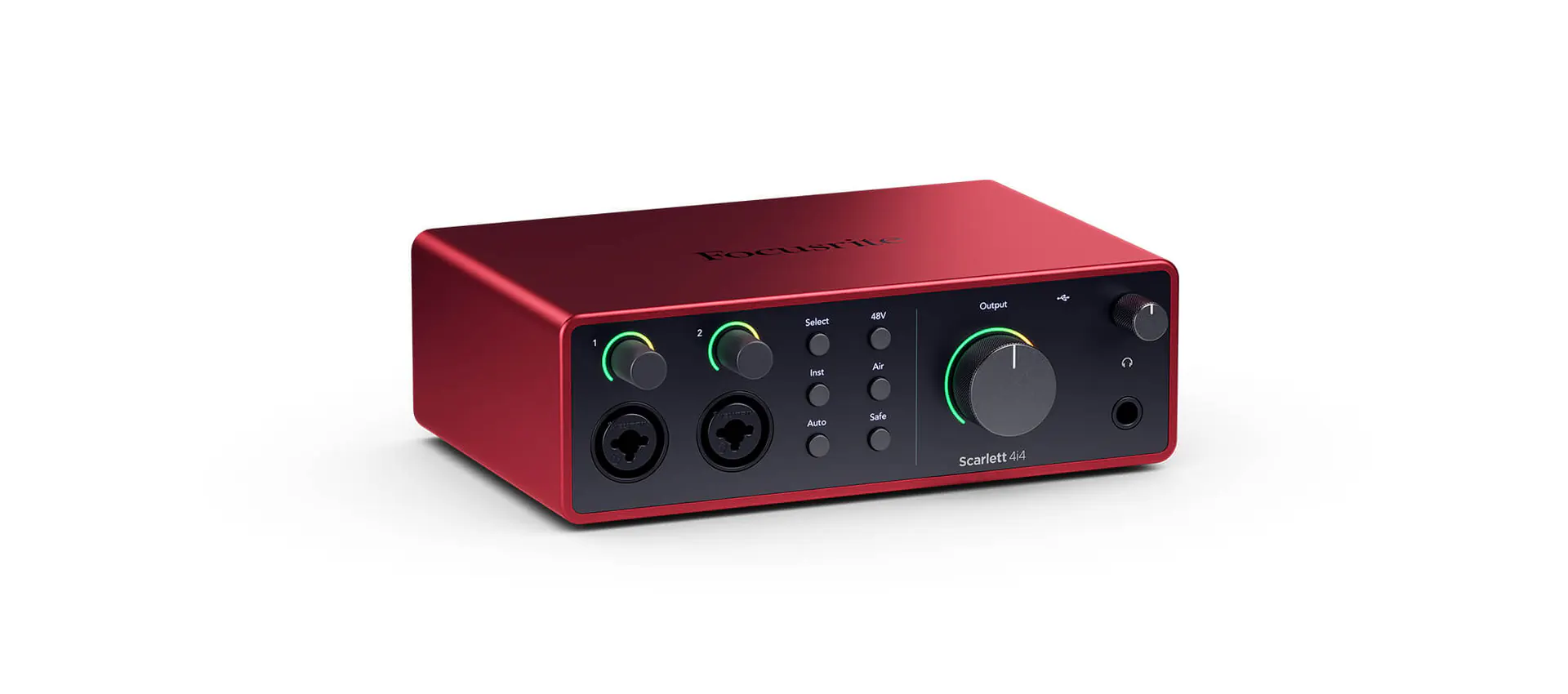
The best audio interface for a home studio is usually the one that does not force compromises on day one, and that is the Focusrite Scarlett 4i4 4th Gen— two mic preamps, four line outputs and 192 kHz conversion, plus Auto Gain and Clip Safe, so you can track vocals, feed your monitors and still keep a pair of outputs free for external gear without moving up to rack hardware.
Unless…
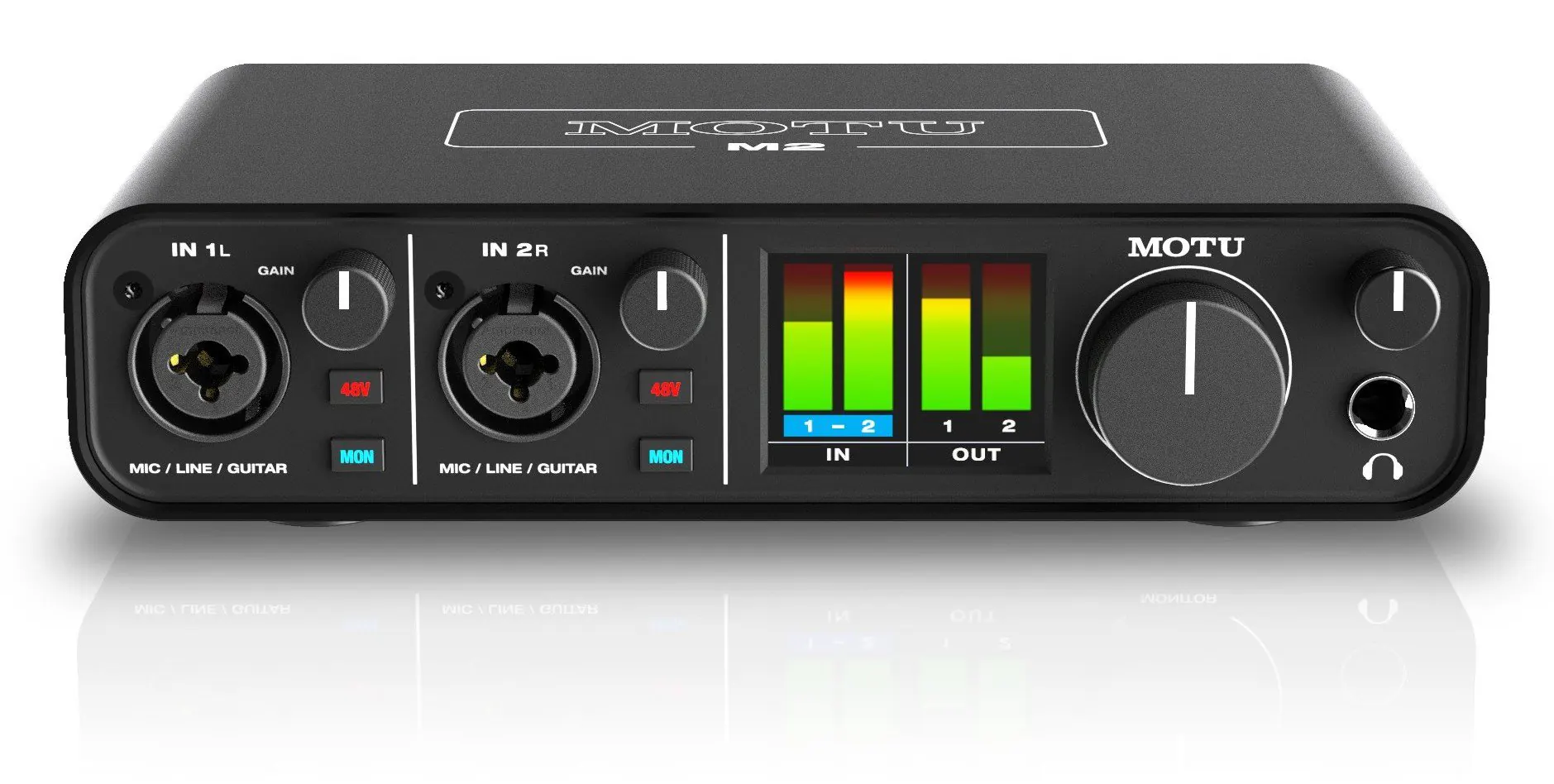
- You want front-panel LCD metering — get the MOTU M2.ESS Sabre32 conversion, metering you can gain-stage from without opening a DAW, and loopback for creator work.
- You know the studio will grow — get the Audient iD24.10-in / 14-out with ADAT expansion built in, so adding outboard or channels later does not mean replacing the interface.
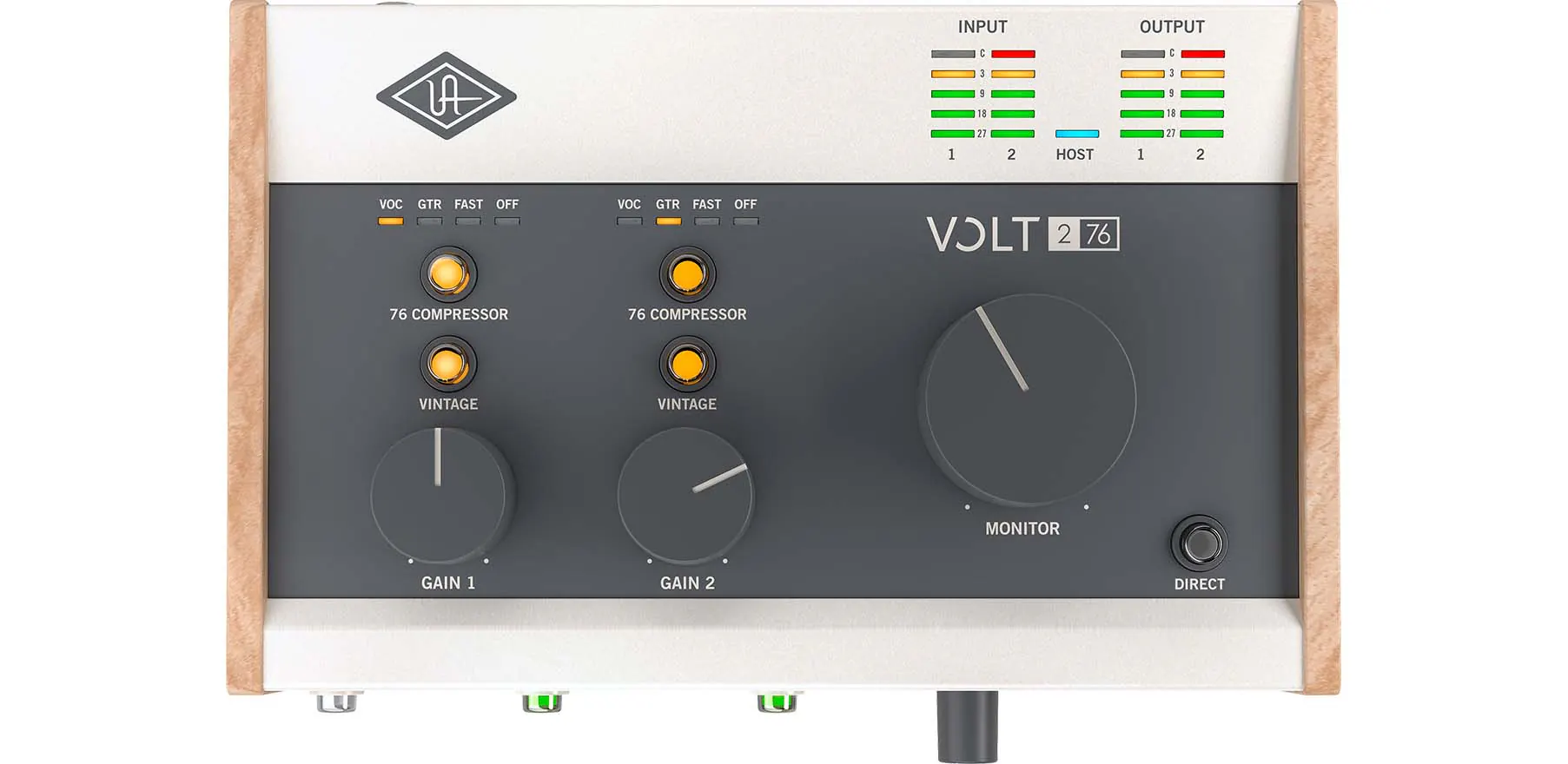
- Vocals are the whole job — get the Universal Audio Volt 276.Vintage 610 mode and a built-in 76 Compressor put character and control on the signal before it reaches your DAW.
The full ranking
- Best for most home studios:Focusrite Scarlett 4i4 4th Gen, two mic preamps and four line outputs at 192 kHz
- Best value and metering:MOTU M2, ESS Sabre32 conversion with front-panel LCD metering and loopback
- Best for vocal recording:Universal Audio Volt 276, Vintage 610 mode with a built-in 76 Compressor
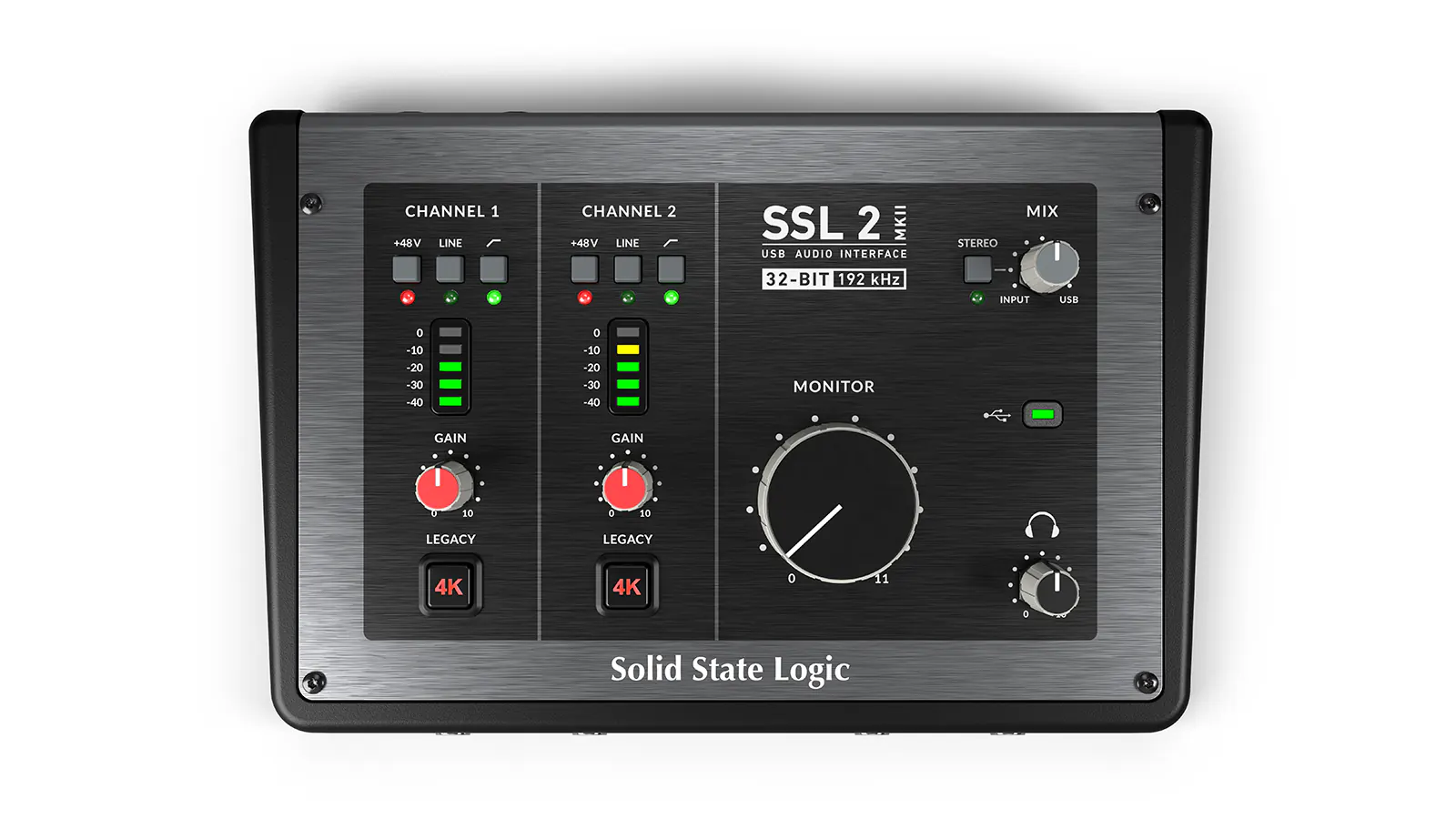
- Best monitoring workflow:SSL 2+, four outputs with Legacy 4K colour and loopback
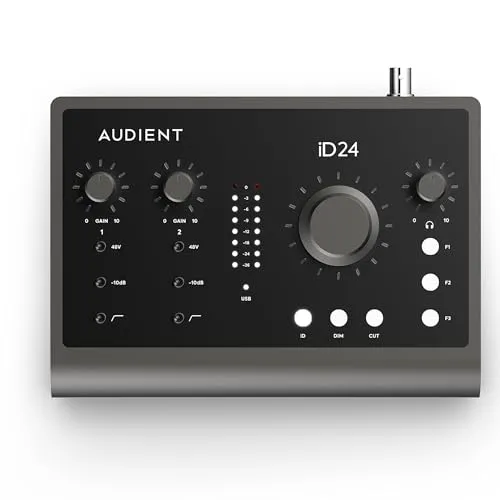
- Best for growing studios:Audient iD24, 10-in / 14-out with ADAT optical expansion
At a Glance
How the three real contenders compare
A home studio interface is bought once and lived with, so the axis that matters most is the one you cannot add later. The iD24 owns those — inputs, outputs, expansion — and pays for it in sample rate and in how much setup it asks of you. The 4i4 is the shape with no collapsed axis a working desk would notice; the M2 is the same argument with two fewer outputs and a screen on the front.
Each spoke runs 0 at the center to 10 at the outer ring.
- Focusrite Scarlett 4i4Our pick. No compromises on day one.
- MOTU M2Take it instead for metering and loopback.
- Audient iD24Take it instead if the studio will grow.
| Category | Focusrite Scarlett 4i4 | MOTU M2 | Audient iD24 |
|---|---|---|---|
| Mic Inputs | 5/10 | 4/10 | 10/10 |
| Output Routing | 7/10 | 3/10 | 10/10 |
| Expansion | 2/10 | 2/10 | 10/10 |
| Low Setup Friction | 10/10 | 8/10 | 4/10 |
| Sample Rate | 10/10 | 10/10 | 5/10 |
Quick Comparison: Best Home Studio Audio Interfaces
Focusrite Scarlett 4i4
Most Home Studios
MOTU M2
Value + Metering
UA Volt 276
Vocal Recording
SSL 2+
Monitoring Workflow
Audient iD24
Growing Studios
Focusrite Scarlett 4i4
(4th Gen)
Key Specifications
The best audio interface for a home studio is usually the one that does not force compromises on day one. That is why the Focusrite Scarlett 4i4 4th Gen lands at the top of this list. It gives you enough I/O for a real desktop studio, enough software support for a beginner, and enough headroom in the feature set that you do not outgrow it the second you add monitors, a second line source, or external hardware.
Focusrite positions the 4i4 as a step above the typical two-knob starter interface, and the spec sheet backs that up. You get two mic preamps, four line outputs, 24-bit / 192 kHz conversion, plus Auto Gain and Clip Safe on the fourth-generation Scarlett range. In a home studio, those features matter because they reduce setup friction. You can track vocals, send a separate feed to monitors, and still keep a pair of outputs free for external gear or alternate routing.
For recording singers, podcasters, voice actors, and content creators who also make music, the Scarlett 4i4 hits the sweet spot. It is less cramped than a Solo or 2i2, but it is still small enough to sit on a normal desk without becoming the entire desk. If you want one interface that can handle voice work, synths, direct guitar, and everyday monitoring without pushing you into rack gear, this is a strong all-around choice available.
Why it wins
- • Enough I/O for a real desktop studio setup
- • Auto Gain and Clip Safe reduce setup friction
- • Balanced size that fits any desk without taking over
Skip if
- • You only need a single mic input
- • You want front-panel LCD metering
- • You need ADAT expansion for more channels
MOTU M2
Key Specifications
If you care about conversion quality and useful visual feedback more than marketing extras, the MOTU M2 is one of the smartest home studio buys in your catalog. MOTU highlights ESS Sabre32 DAC technology, full color LCD metering on the front panel, loopback support, and 24-bit / 192 kHz operation. Those are not throwaway features. They solve real workflow problems in small studios where one interface may be handling recording, editing, streaming, and playback duties in the same afternoon.
The meter bridge is the headline feature for a reason. Most entry-level interfaces leave you guessing when setting gain, especially if your DAW window is buried behind plugins or a browser. The M2 gives you immediate front-panel confirmation, which makes gain staging faster and cleaner. That is valuable when recording vocals, acoustic instruments, or spoken word where clipping ruins the take and under-driving the preamp leaves you raising noise later.
The M2 is also one of the few interfaces in this price range that feels equally useful for music production and creator work. Loopback makes it easier to route desktop audio when needed, but the real reason to buy it for a home studio is that it sounds serious without demanding a serious budget. If the Scarlett 4i4 is the safest broad recommendation, the M2 is the best value choice for people who want better metering and very strong conversion in a compact box.
Why it wins
- • ESS Sabre32 DAC for excellent conversion
- • Front-panel LCD metering for fast gain staging
- • Loopback support for streaming and creator work
Skip if
- • You need more than two inputs
- • You want built-in sound shaping or compression
- • You need ADAT expansion for channel growth
Universal Audio Volt 276
Key Specifications
Some home studio buyers are not chasing the most outputs or the deepest routing. They want an interface that makes a vocal, guitar, or DI track feel a little more finished before it even touches a plugin chain. That is where the Universal Audio Volt 276 stands out. Universal Audio markets it around two specific studio-style features: Vintage Mic Preamp mode and the built-in 76 Compressor, both paired with 24-bit / 192 kHz conversion.
That combination makes the Volt 276 easy to recommend for singer-songwriters, solo producers, and creators who record a lot of spoken word. The compressor circuit is not a full replacement for mixing discipline, but it can help keep voice recordings more controlled on the way in. The Vintage mode is the other reason people buy Volt hardware. It gives you a faster path to a richer vocal tone when you want character without spending the entire session stacking plugins to get there.
As a home studio interface, the Volt 276 works best for people whose setup revolves around one or two sources at a time. You are choosing it for sound-shaping convenience, not raw expansion. If your work is mostly vocals, guitar, bass, or content creation where speed matters, it is one of the most appealing personality-driven options available.
Why it wins
- • Vintage 610 mode adds character on the way in
- • Built-in 76 Compressor tames vocals at the source
- • Fast path to polished tone without plugin stacking
Skip if
- • You need more than two inputs
- • You want neutral, uncolored preamps
- • You need multiple line outputs for routing
SSL 2+
Key Specifications
The SSL 2+ remains attractive because it feels like a bridge between a compact creator interface and a more traditional studio desktop box. Solid State Logic leans on the Legacy 4K mode, loopback support, headphone monitoring, and 24-bit / 192 kHz audio, but the broader appeal is workflow. This is the kind of interface that makes sense when your home studio handles recording, reference listening, and content capture from the same desk.
Legacy 4K is the feature most buyers care about, and for good reason. It adds a little edge and upper-mid presence that can flatter vocals, guitars, and spoken word. Used carefully, it can help a track feel more finished before the mix stage. The 2+ also has enough output flexibility to make a small monitor-and-headphone studio feel less cramped than the absolute entry level options.
If your sessions bounce between recording, editing, client playback, and occasional live routing, the SSL 2+ is a very practical home studio choice. It is not the most expandable interface here, and it is not the most feature-dense for pure value, but it is easy to understand why it stays popular with solo creators and small-room recordists who want a cleaner studio feel without moving to a larger desktop unit.
Why it wins
- • Legacy 4K mode adds upper-mid presence and edge
- • Flexible monitoring for recording and playback
- • Loopback support for content capture workflows
Skip if
- • You need ADAT or digital expansion
- • You want front-panel LCD metering
- • You need more than two mic inputs
Audient iD24
Key Specifications
If you already know your home studio will grow, buying the Audient iD24 first can save you a replacement later. Audient presents the iD24 as a 10-in / 14-out desktop interface with ADAT expandability and two Audient console mic preamps. That spec alone changes the buying conversation. Most interfaces at this desk-friendly size are aimed at solo creators. The iD24 is aimed at people who may start with vocals and one instrument but want room to add external preamps, more channels, or a more structured monitoring setup.
That makes it especially strong for project studios recording layered sessions. A singer-producer can track vocals today, add outboard or ADAT expansion tomorrow, and still keep the same interface at the center of the room. It also helps if you want a home studio that feels organized. Audient leans harder than most brands into monitor-control ergonomics, and the iD24 reflects that with a workflow that feels more studio-minded than content-first.
The tradeoff is simple. You are paying for growth and control, not for the cheapest route to two-channel recording. If that sounds like overkill, buy the Scarlett 4i4 or MOTU M2 instead. If you know you are building a real room around this interface, the iD24 is a compelling long-term desktop option.
Why it wins
- • 10-in / 14-out with ADAT expansion built in
- • Console-grade Audient mic preamps
- • Studio-minded monitor control ergonomics
Skip if
- • You only need simple two-channel recording
- • You are on a tight budget
- • You do not plan to expand beyond two inputs
How to Choose the Best Audio Interface for a Home Studio
The best home studio audio interface is not always the most expensive one. It is the model that matches how you actually record. A bedroom producer tracking one vocal at a time does not need the same interface as a songwriter with hardware synths, stereo monitors, and plans to expand into external preamps. Compare these interfaces side by side to see which one fits your studio setup and budget. Before buying, focus on the four things that matter most: I/O count, monitoring, expansion, and workflow.
1. Start With I/O, Not Marketing
The first question is how many things you need to connect at the same time. If you record one microphone and one instrument, a compact 2-in / 2-out interface can work. If your home studio includes stereo monitors, hardware synths, or a second performer, extra outputs and line inputs become useful very quickly. This is the biggest reason the Scarlett 4i4 and Audient iD24 sit so high in this guide. They leave room to grow.
2. Monitoring Shapes Daily Workflow
A lot of buyers obsess over converter specs and forget that monitoring is what they interact with all day. Can you switch easily between headphones and speakers? Do you have enough outputs for your monitors and other routing? Can you see your levels clearly without staring at a plugin window? Interfaces like the MOTU M2 and SSL 2+ stand out here because they make the basic tasks of gain setting and listening feel faster and more deliberate.
3. Expansion Matters More Than Most Beginners Realize
Most people buying their first home studio interface assume they will stay with a two-channel setup forever. That is often wrong. A few months later they want to mic a second source, add outboard gear, or bring in more outputs for monitor switching. If that sounds likely, buying a slightly more capable interface now is usually cheaper than replacing the whole unit later. The Audient iD24 is the clear winner if expandability is high on your list.
4. Character Features Are Useful, But Only If They Fit Your Work
Not every studio needs special color modes or onboard processing, but the right extras can speed up your recording process. UA's Volt 276 is a good example. If you cut a lot of vocal takes and want a little more control on the way in, its Vintage mode and 76 Compressor are genuinely useful. If you want a cleaner, measurement-first interface, the MOTU M2 or Scarlett 4i4 makes more sense.
If your home studio also doubles as a streaming or creator desk, it is worth comparing this list with our best audio interface for streaming guide. And if you are debating whether hands-on routing is more important than recording features, our best audio mixer for streaming guide covers that side of the workflow. If you are new to audio interfaces entirely, our how to use an audio interface guide explains inputs, gain staging, and monitoring in plain language.
Final Thoughts
If you want the best audio interface for home studio use with the least amount of regret, buy the Focusrite Scarlett 4i4 4th Gen. It is the most balanced option available for recording, monitoring, and future flexibility.
If you want the strongest value, get the MOTU M2. If vocals are your priority, the Universal Audio Volt 276 gives you the most studio-style color. If you want a more studio-minded desktop workflow, the SSL 2+ stays compelling. And if you know your room will grow, the Audient iD24 is the best long-term play.
Whatever you choose, keep the buying logic simple. Match the interface to the way you record today, then leave enough room for the next two upgrades you can already see coming. If you want to compare every compatible option in your catalog, head to the parts database or use the Creator builder tool to plan the rest of the studio around it.
For neutral technical references, see the Audio interface overview on Wikipedia and the Microphone overview on Wikipedia.