CreatorConfig is supported by its audience. We may earn commissions from qualifying purchases through affiliate links on this page. Full disclosure
What a USB microphone actually fixes
Audio is the thing viewers leave over, and a headset boom is the most common reason a stream sounds like a phone call. A USB microphone is the cheapest fix because the capsule, the preamp and the converter all live in one object that OBS sees the moment you plug it in. The catch is that a better microphone in the same position, at the same distance, in the same untreated room, is a much smaller upgrade than the marketing suggests. Here is what to buy, and what to do with it so it earns the money.
The Ruling
What is the best USB microphone for streaming?Get the Elgato Wave:3.
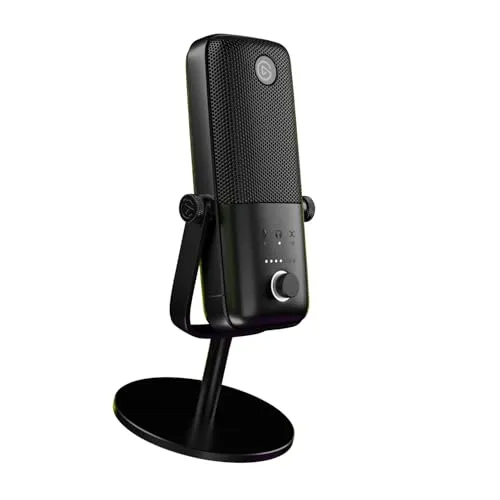
The Elgato Wave:3 is the best USB microphone for streaming for most people, because it is the only one here that arrives with a real software mixer, so your mic, game, music and Discord become separate faders with their own stream mix, and it does that at 24-bit with anti-clipping and a touch mute, for 129 dollars.

Unless…
- You mute constantly and type hard, get the HyperX QuadCast.Tap-to-mute on top and a shock mount already inside the body, same price.
- Someone else shares the microphone, get the Blue Yeti.Its extra pickup patterns are the only way here to record two people on one mic.
The full ranking
- Best overall for streaming:Elgato Wave:3, 24-bit with the Wave Link software mixer
- Best value:HyperX QuadCast, tap-to-mute and a built-in shock mount
- Most versatile:Blue Yeti, multiple pickup patterns for guests and interviews
- Best voice processing:Shure MV6, auto level and a real-time denoiser on board
- Cheapest way in:Amazon Basics USB condenser, under 45 dollars to find out if you stream
This guide covers desktop USB microphones that plug straight into a streaming PC and appear in OBS as an input. It is not about XLR microphones, which need an interface or a mixer, and it is not about headset booms or lavaliers.
At a Glance
How the three most-compared mics differ
These three sound closer to each other than any of them sounds to a headset boom, so the shape matters more than the size. The Wave:3 owns software control, the QuadCast owns everything your hands touch, and the Yeti trades both for the ability to cover more than one person. Nothing here is forgiving about an untreated room, which is why that axis is low across all three.
Each spoke runs 0 at the center to 10 at the outer ring.
- Elgato Wave:3Our pick. The only one with a real software mixer.
- HyperX QuadCastTake it instead for hardware mute and a loud desk.
- Blue YetiTake it instead if a second person shares the mic.
| Category | Elgato Wave:3 | HyperX QuadCast | Blue Yeti |
|---|---|---|---|
| Voice Quality | 9/10 | 7/10 | 8/10 |
| Software & Control | 10/10 | 5/10 | 4/10 |
| Mute & Ergonomics | 8/10 | 10/10 | 6/10 |
| Room Forgiveness | 6/10 | 7/10 | 4/10 |
| Value | 9/10 | 9/10 | 6/10 |
Quick Comparison: Best USB Microphones for Streaming
Elgato Wave:3
Best Overall
HyperX QuadCast
Best Value
Blue Yeti
Most Versatile
Shure MV6
Best Processing
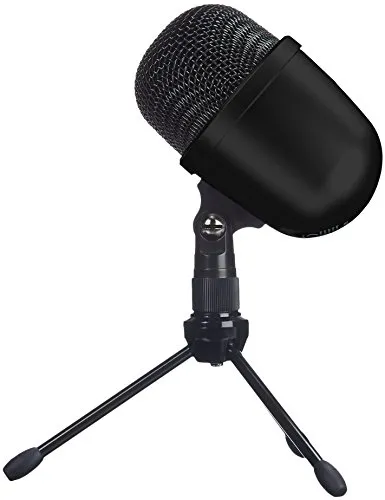
Amazon Basics USB Mic
Cheapest
The Reviews
Every pick in detail
Ranked in the order most streamers should consider them. Each microphone leads with what it wins on and what should send you elsewhere, so you can stop reading the moment one disqualifies itself.
Elgato Wave:3
Key Specifications
Why it wins
- Wave Link gives every source its own fader and a separate stream mix
- 24-bit capture with Clipguard catching the peaks you did not plan for
- Capacitive touch mute makes no noise on the way in or out
Skip if
- Two people need to share one microphone
- You want a shock mount included rather than bought
- You want the deepest low end on this page
The Wave:3 wins this guide on software rather than on sound. It ships with Wave Link, which turns your machine into a small mixing desk: microphone, game, browser, music and Discord each become their own fader, and each one gets a level for the stream and a separate level for your headphones. That single feature answers the complaint that fills streaming forums, which is not "my microphone sounds bad" but "the music was too loud in the VOD" or "chat could hear the trailer I was watching".
There is real hardware under the software. The capture is 24-bit at 48kHz across a published 70Hz to 20kHz, the top plate is a capacitive mute you touch rather than press, so muting does not put a click into the stream, and Elgato's Clipguard circuit catches the peak when a jump scare turns your normal speaking voice into a shout. On a stream that is the difference between a distorted second and a moment your clips channel can use.
The honest limits are physical. That 70Hz floor is higher than the QuadCast figure, so this is not the microphone to buy if you are chasing deep radio-voice weight, and it is a condenser on a short desk stand, which means it hears your room until you put it on a boom arm and get close to it. Budget for the arm at the same time as the microphone and the Wave:3 does everything a solo streamer needs.
HyperX QuadCast
Key Specifications
Why it wins
- Tap-to-mute top plate with a light that shows your mute state
- Shock mount built into the body, so desk knocks stay out
- Gain dial on the microphone itself, out of the way of your hands
Skip if
- You want 24-bit headroom for unpredictable levels
- You need software faders for game, music and Discord
- You want a microphone that disappears on camera
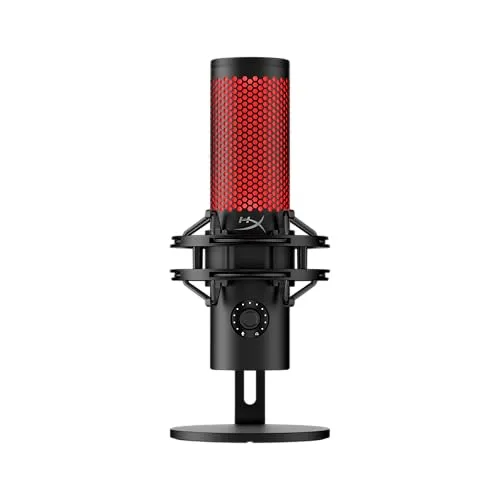
The QuadCast costs the same as the Wave:3 and spends the money in the opposite place: on the parts you touch. The whole top plate is the mute, so you flatten your palm on it mid-sentence instead of hunting for a hotkey, and the light goes out when you do, which means you can see at a glance whether you are live rather than trusting your memory. The gain dial lives underneath the body where a knock cannot move it.
The shock mount is the underrated part. It is built into the housing rather than sold separately, and it is the specific fix for the noise that ruins most desk setups, which is not the room at all but keyboard strikes and knocks travelling up through the desk into the microphone body. Add the red glow that reads clearly on a face camera and it is a microphone designed by people who had watched a stream.
The concession is the specification: this is the only microphone in the top tier here that captures at 16-bit rather than 24-bit, across a published 20Hz to 20kHz. In practice that costs you headroom rather than tone, so a level set slightly too hot has less room to survive, and the software is thinner than Elgato: you get device control, not a mixer that routes game and Discord separately. If your problem is muting and your desk, take this one anyway.
Blue Yeti
Key Specifications
Why it wins
- Multiple pickup patterns, the only guest-friendly mic in this guide
- 24-bit capture with physical mute and headphone monitoring on board
- The most documented USB microphone there is when something goes wrong
Skip if
- Your desk space or your camera framing is tight
- You will leave it far from your mouth in an untreated room
- You want software mixing for game and chat audio
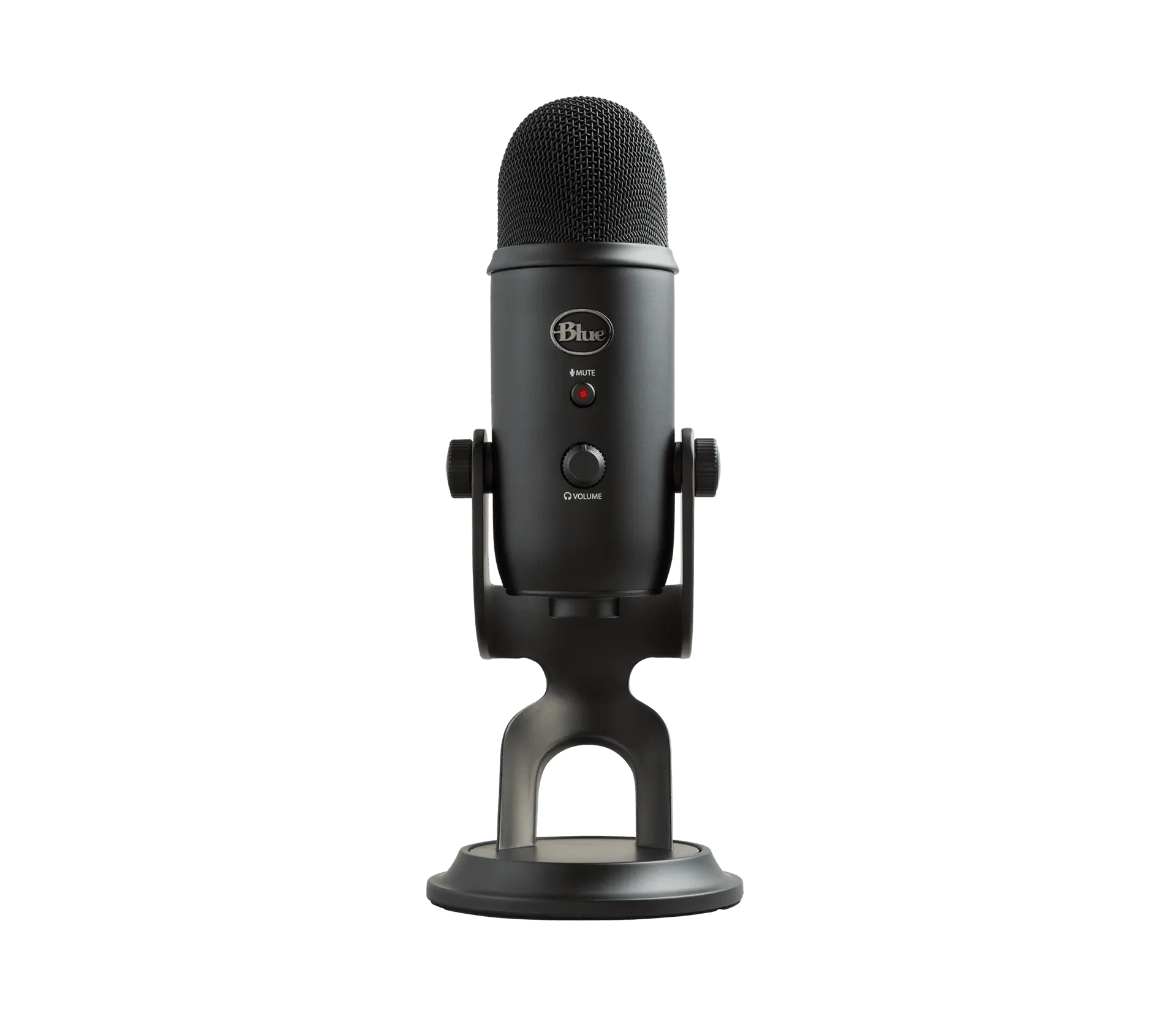
The Yeti is the microphone people mean when they say USB microphone, and its argument has always been flexibility: it offers several pickup patterns rather than cardioid alone, so one body covers a solo stream in cardioid, a two-person interview facing each other in bidirectional, a table of people in omni, and a stereo image when you want one. Nothing else in this guide can record the person sitting next to you without buying a second microphone.
The capture is 24-bit at 48kHz across a published 50Hz to 16kHz, so it starts lower than the Wave:3 and stops earlier at the top, which is a fair description of how it sounds: solid in the body of a voice, less air at the very top. The onboard controls are all physical, with a mute button and a headphone output on the microphone, and after more than a decade in the market it is the model every setup guide and every troubleshooting thread already knows.
The costs are size and discipline. It is a large object that takes real desk space and often ends up further from your mouth than it should, which is the single biggest cause of the roomy Yeti sound people complain about. The patterns that make it versatile also make it easy to misuse, because omni and bidirectional open up the sides and rear that cardioid was rejecting. Stream in cardioid, close, and it competes with anything here.
Shure MV6
Key Specifications
Why it wins
- Auto level keeps a drifting voice usable without you touching anything
- Digital popper stopper and real-time denoiser applied before OBS
- The most hands-off microphone in this guide, by design
Skip if
- You want to shape your own sound rather than inherit one
- You already own a mixer that does this in hardware
- You need software faders for game and chat audio
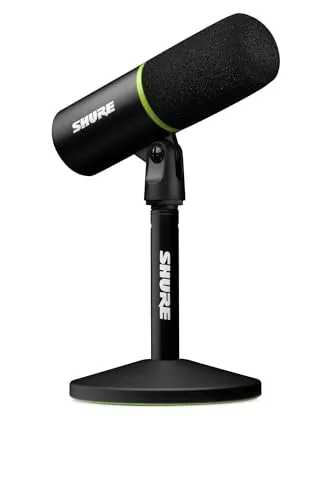
The MV6 is the newest microphone here and the one that assumes you do not want to learn audio. Its auto level feature watches how loud you are and rides the gain for you, which is aimed squarely at the streamer who leans back to think and then shouts at a boss fight. Shure also builds in a digital popper stopper for plosives and a real-time denoiser that works on the signal as it leaves the microphone, so the processing is applied before OBS ever sees it.
That combination makes it the set-and-forget pick. You plug it in, you speak, and the microphone handles the three things people most often get wrong: a level that drifts, a hard P that thumps the meter, and a fan or an air conditioner sitting under the voice. The capture is 24-bit at 48kHz over a published 50Hz to 15kHz, and the tuning is unmistakably a speech microphone rather than a general purpose one.
The trade is control. Processing applied on the way in is processing you cannot undo later, and if you already run a mixer or you enjoy tuning your own chain you are paying for features you will switch off. It also has no equivalent of Wave Link, so game and Discord routing remains your streaming software problem. Buy it because you want to stop thinking about audio, not because you want more of it.
Amazon Basics USB Mic
Key Specifications
Why it wins
- A working streaming microphone for under 45 dollars
- Plugs into USB-A and appears as an input with nothing to install
- Clearly better than the boom on a gaming headset
Skip if
- You already know you will stream regularly
- You care about how your voice sounds on a recording
- You want mute, gain or processing on the microphone
This one is here for a single job: finding out whether you stream enough to deserve a better microphone, for less than a third of what the top picks cost. It is a small desktop condenser that plugs into USB-A, appears as an input with no drivers, and will make you sound clearly better than a headset boom on day one. At 44.99 that is a real offer.
The honesty this price demands is the frequency response, because 100Hz to 10kHz is audibly narrow and you can hear both ends of that missing. Cutting off at 100Hz removes the weight from the bottom of a voice, and stopping at 10kHz removes the air at the top, so the overall effect is a voice that sounds slightly like a phone call next to any other microphone in this guide. Nothing in software puts back a range that was never captured.
Treat it as a trial run rather than a compromise. If you set it up, stream twice and lose interest, it saved you a hundred dollars. If you find yourself live every week, you will know exactly which limitation is annoying you, and the Wave:3 or the QuadCast will fix it with the confidence that you are buying for a habit you actually have.
Buying Guide
Which microphone for which streamer
| Your situation | What to get | Why it is the answer |
|---|---|---|
| You have never streamed | Amazon Basics USB condenser | Under 45 dollars to find out whether the habit sticks |
| Solo, juggling game, music and Discord | Elgato Wave:3 | Wave Link makes each source a fader with its own stream mix |
| Loud keyboard, hands on the desk, muting often | HyperX QuadCast | Tap-to-mute top and a shock mount already in the body |
| Guests, interviews, two people at one desk | Blue Yeti | The only pick here with patterns beyond cardioid |
| Noisy room, no interest in tuning levels | Shure MV6 | Auto level, popper stopper and denoiser run without you |
| Console chat and game audio in the same mix | Any pick here, plus a mixer | Routing is a hardware or software problem, not a microphone one |
Buying Guide
The two things that decide everything
Distance, which is worth more than the microphone. Every USB microphone on this page is a cardioid, and every cardioid captures your voice and your room in a ratio set almost entirely by how far away you are. Move closer and your voice gets dramatically louder while the room stays where it was, so you can pull the gain down and the fan, the keyboard and the reflections come down with it. Move away and you turn the gain up, which raises the room by exactly as much as it raises you. This is why a 129 dollar microphone on a boom arm at speaking distance beats a 149 dollar microphone parked behind a monitor, and why a boom arm is the accessory to buy first: it gets the body off the desk that transmits every keystroke and lets you sit close without the microphone taking over the camera shot.
Software control, which is what streaming adds. A podcaster needs one clean voice. A streamer needs a voice plus game audio plus music plus a Discord call, all at sane levels, with a stream mix that is not identical to what is in your headphones, because your viewers should not hear the alert that just fired at you and you should not have to mute yourself to duck the music. That is a routing problem, and it is the reason the Wave:3 leads this guide: Wave Link ships with the microphone and handles it. Every other pick here leaves you to solve it in your streaming software, in a dedicated audio mixer application, or in hardware. It is a solvable problem in all three cases, but it is worth deciding which one you are signing up for before you buy, rather than after your first stream where chat could hear your Spotify.
Setup
What cardioid means in an untreated room
Cardioid means the back of the microphone is doing work. All five picks here are cardioid, which describes a heart-shaped area of sensitivity: loudest straight ahead, quieter at the sides, quietest directly behind. That is a real tool, not a spec sheet line. Point the rejected rear at whatever is loudest in the room, usually your PC tower, an air conditioner or an open door, and speak into the front. Get this backwards and you have aimed the most sensitive part of the microphone at your own fans. The common mistake is direction rather than placement: side-address microphones like the Yeti and the Wave:3 listen through the front face of the body, not through the top grille, so talking down onto them from above is talking at the side of the pattern.
A condenser hears your room, and that is the design. Four of the five picks here are condensers, which are sensitive by construction, and sensitivity does not distinguish between your voice and your ceiling. Nothing you buy at this price makes a bare room sound treated. What actually changes the result is soft material in the path of the reflections, and a room with a bed, a rug, curtains and a bookshelf is already most of the way there. The exception on this page is the Shure MV6, which uses a dynamic capsule and a denoiser instead, and that combination is genuinely more forgiving of a hard, empty room than the condensers around it. If your room is bad and you will not fix it, that is the honest reason to choose it.
Mute is ergonomics, and it is the feature people regret skipping. Every streamer mutes: to cough, to answer someone, to yell at a delivery driver. A hotkey works until you need it while your hands are on WASD, and a mute buried in a settings panel does not work at all. A microphone you can silence with one palm, that then shows you it is muted, removes a whole category of accident. The QuadCast does this best in hardware, the Wave:3 does it silently with a capacitive touch, and the Yeti has a button on a body that is often behind your camera. Weigh that as heavily as any frequency response number, because you will use it every single stream.
Sanity Check
Before you spend anything
Make sure the microphone is solving your actual problem. If chat can hear your game over your voice, or your music is louder in the VOD than it was in your headphones, that is routing rather than hardware, and our audio mixer software guide fixes it for nothing. If your stream stutters or your audio drifts out of sync with your video, that is encoder and buffer settings, and our OBS settings guide costs nothing to apply either. Both are worth an hour before any new microphone arrives, because a new microphone changes neither one.
Know where the road ends, too. The upgrade past every microphone on this page is XLR, where the capsule and the electronics separate: Elgato sells the Wave DX as the XLR sibling of the Wave:3, and the comparison people search for between them is really a question about whether you want a mixer in your life. If the answer is yes, our best mixers for an XLR mic guide is the next step, and the endgame most streamers eventually land on is covered in our best audio interfaces for the Shure SM7B guide. None of that is necessary to stream well, and buying it early is the most common way to spend 400 dollars on a setup that sounds the same as a Wave:3 on a boom arm.
If you are still deciding between two of these by name, the comparison tool puts their catalog specs side by side, and if you are assembling a whole streaming setup at once, the setup builder checks that the parts you pick actually work together before you buy any of them.
FAQ
Frequently asked questions
Is the Blue Yeti or the HyperX QuadCast better for streaming?
For a solo streamer, the HyperX QuadCast is the better microphone, and for anyone recording two people the Blue Yeti is. The QuadCast is built around the things you touch during a live stream: a tap-to-mute top plate, a gain dial under the body and a shock mount already inside the housing, so desk knocks and keyboard strikes do not travel up into the capsule. The Yeti wins on flexibility instead, because it offers several pickup patterns rather than cardioid alone, which lets one microphone cover an interview, a two-person desk or a room. The Yeti is also physically large and tends to end up further from your mouth, which is exactly what makes an untreated room audible on a stream. Pick the QuadCast if you stream alone, the Yeti if guests sit down next to you.
Do USB microphones pick up keyboard and room noise?
Yes, all of them do, and the microphone you choose changes this far less than where you put it. Every microphone in this guide uses a cardioid pattern, which means it listens forward and rejects what is behind it, so it is quieter towards your monitor and your room but wide open towards your desk, your keyboard and your hands. The fix that actually works is distance: halve the gap between your mouth and the grille and your voice gets much louder relative to the room, so you can turn the gain down and the room falls away with it. A boom arm helps more than any specification, because it gets the microphone off the desk surface that transmits every keystroke and lets you put the capsule close to your face without it blocking the camera.
Do you need an audio interface or an XLR microphone to stream?
No. A USB microphone is a complete recording chain in one object, because the capsule, the preamp and the analogue to digital converter are all inside the housing, and it appears in OBS as an input the moment you plug it in. XLR becomes worth the money at the point where you want things a USB microphone structurally cannot do: swapping capsules without replacing the electronics, running more than one microphone into the same chain, using hardware processing, or feeding a mixer that also handles game audio and console chat. Most streamers reach that point through frustration with routing rather than with sound quality, and until you do, a good USB microphone and a boom arm beat a cheap XLR chain assembled to hit a price.
Why does my USB microphone sound quiet or distant on stream?
A quiet or distant sounding USB microphone is almost always a gain staging problem rather than a faulty microphone. The usual pattern is a microphone sitting too far away with the gain turned up to compensate, which lifts your voice and your room by exactly the same amount, so you arrive at a thin voice sitting on a bed of hiss and fan noise. Reverse the order: move the microphone close first, then set gain so that your loudest normal speech sits well below the top of the meter with headroom to spare for a shout. Check that the operating system has not applied its own microphone boost on top, and confirm you are speaking into the correct side of the microphone, because side-address models listen through the front face of the body rather than through the top.
Is 24-bit better than 16-bit for a streaming microphone?
For a live stream, 24-bit is a real advantage but a small one, and it is not a reason to reject an otherwise better microphone. Bit depth buys headroom rather than tone: a 24-bit capture holds far more usable range between a whisper and a shout, so a level set slightly wrong survives instead of distorting, which matters most for people who get loud unpredictably during gameplay. What it does not do is change how your voice sounds when levels are set correctly, and your audience receives a compressed stream where the difference is smaller again. The HyperX QuadCast is 16-bit and remains one of the two best streaming microphones here, which is the fairest summary of how much this specification is worth.