CreatorConfig is supported by its audience. We may earn commissions from qualifying purchases through affiliate links on this page. Full disclosure
Why this guide exists
1080p at 60fps remains the streaming standard for Twitch, YouTube Live, and most content platforms. It delivers smooth motion and sharp detail without the bandwidth demands of 4K, which means more viewers can watch without buffering. A dedicated capture card is the cleanest way to get console or dual-PC gameplay into OBS at that resolution and framerate. This guide covers the best capture cards for 1080p 60fps streaming, chosen for their capture quality, passthrough performance, connection reliability, and value. Every pick works with CreatorConfig so you can compare parts, check prices, and build your full streaming setup.
The Ruling
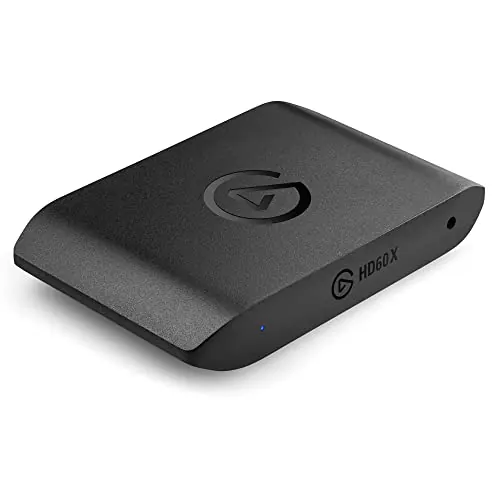
What is the best capture card for 1080p 60fps?Get the Elgato 4K S.
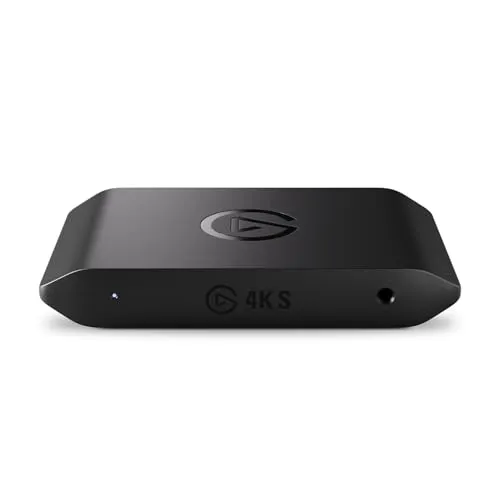
The Elgato 4K S is the best external capture card for 1080p 60fps streaming right now, because it captures uncompressed 1080p60 over USB-C, passes 4K60 HDR through to your gaming monitor with near-zero latency, and works with any console or PC that outputs HDMI — set the source to 1080p60, plug it in, and OBS sees it immediately.
Unless…
- You need VRR passthrough or HDMI 2.1 — get the AVerMedia Live Gamer ULTRA 2.1.Its HDMI 2.1 ports keep your monitor’s adaptive sync alive with the card in the chain, which the 4K S cannot do.
- Desk space is the constraint — get the Elgato Game Capture Neo.It is the smallest card in this guide and the plug-and-play experience is identical, as long as you do not need 4K passthrough.
The full ranking
- Best for most streamers:Elgato 4K S, uncompressed 1080p60 capture with 4K60 HDR passthrough over USB-C
- Best for 4K gaming with VRR:AVerMedia Live Gamer ULTRA 2.1, HDMI 2.1 in and out with 4K144 HDR + VRR passthrough
- Best high-refresh passthrough:AVerMedia Live Gamer Ultra S, 4K60 and 1080p240 capture with 4K60 HDR passthrough
- Best budget 1080p60:Elgato Game Capture Neo, 1080p60 capture in the smallest body in this guide
- Best compact 1080p60:Razer Ripsaw HD, uncompressed 1080p60 over HDMI 2.0 with 4K30 passthrough
At a Glance
How the three real contenders compare
At 1080p60 every card here captures what your viewers will actually see, so the shape is decided by everything around the capture. The 4K S is the balanced polygon. The ULTRA 2.1 buys a perfect passthrough and gives up nothing but size; the Neo trades the passthrough away entirely to fit in a pocket.
Each spoke runs 0 at the center to 10 at the outer ring.
- Elgato 4K SOur pick. The cleanest path from source to stream.
- AVerMedia ULTRA 2.1Take it instead if you need VRR and HDMI 2.1.
- Elgato Game Capture NeoTake it instead if desk space is the constraint.
| Category | Elgato 4K S | AVerMedia ULTRA 2.1 | Elgato Game Capture Neo |
|---|---|---|---|
| Capture Quality | 9/10 | 10/10 | 5/10 |
| Passthrough | 8/10 | 10/10 | 4/10 |
| VRR & HDMI 2.1 | 2/10 | 10/10 | 1/10 |
| Portability | 5/10 | 4/10 | 10/10 |
| Ease of Use | 10/10 | 8/10 | 9/10 |
Quick Comparison: Best Capture Cards for 1080p 60fps Streaming
Elgato 4K S
Most Streamers
AVerMedia ULTRA 2.1
4K Gaming + VRR
AVerMedia Ultra S
High-Refresh Passthrough
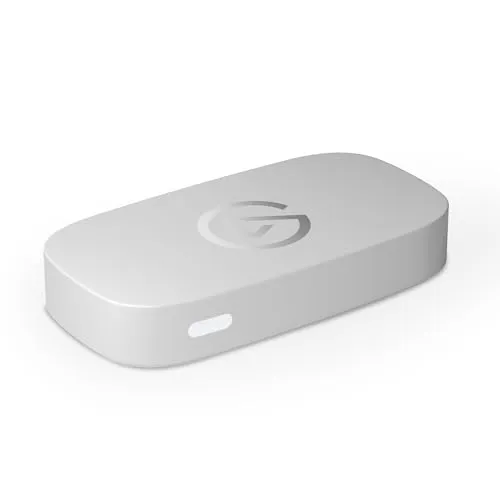
Elgato Game Capture Neo
Budget 1080p60
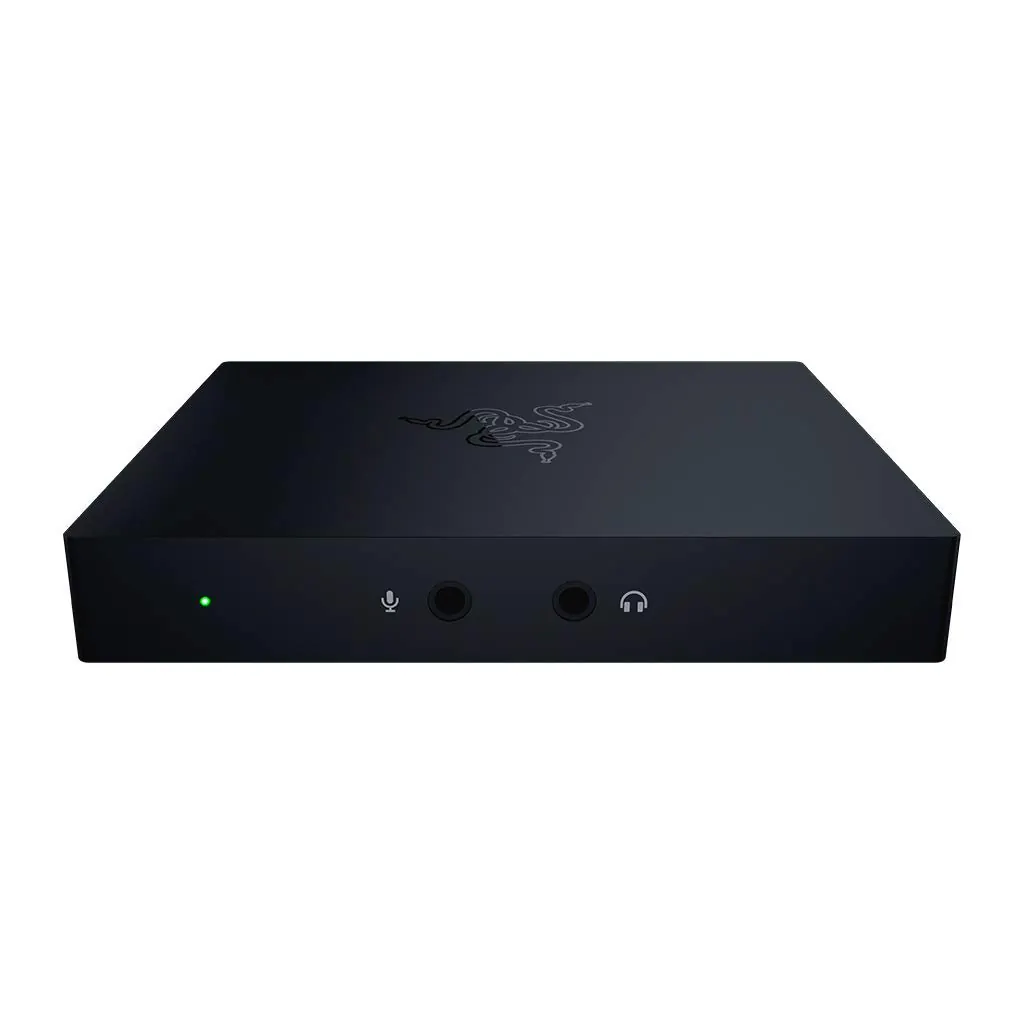
Razer Ripsaw HD
Compact 1080p60
Elgato 4K S
Key Specifications
The Elgato 4K S is the best external capture card for 1080p 60fps streaming right now. It captures uncompressed 1080p60 video over USB-C, passes a 4K60 signal through to your gaming monitor with near-zero latency, and works with any console or PC that outputs HDMI. If you are streaming PS5, Xbox Series X, or a gaming PC at 1080p60, this is the cleanest path from source to stream.
The USB-C connection is the first thing that sets the 4K S apart from cheaper cards that still use USB 3.0 Micro-B. USB-C delivers more bandwidth and a more reliable physical connection, which matters during long streams where a loose cable can drop your feed. Elgato also includes their Signal Boost technology, which automatically optimizes the capture signal to reduce visual artifacts and keep colors accurate.
Latency is the other standout. The passthrough delay is low enough that you can play competitive games on your primary display while capturing at the same time. For 1080p 60fps streaming specifically, you do not need to think about the 4K capture modes at all. Just set your console to 1080p60 output, plug in the card, and OBS will see it immediately. Elgato's Camera Hub software lets you adjust brightness, contrast, saturation, and sharpness without touching OBS filters.
The 4K S is compatible with OBS, Streamlabs, XSplit, and every major streaming platform. It also works as a webcam source for video calls and recording, which makes it useful beyond gaming. If you want one capture card that handles 1080p 60fps streaming reliably without configuration headaches, this is the one to buy.
Why it wins
- • Uncompressed 1080p60 with near-zero latency
- • 4K60 HDR passthrough for your gaming monitor
- • USB-C reliability and Elgato software support
Skip if
- • You need HDMI 2.1 for 4K120+ passthrough
- • You want VRR passthrough support
- • You are on a tight budget
AVerMedia ULTRA 2.1
Key Specifications
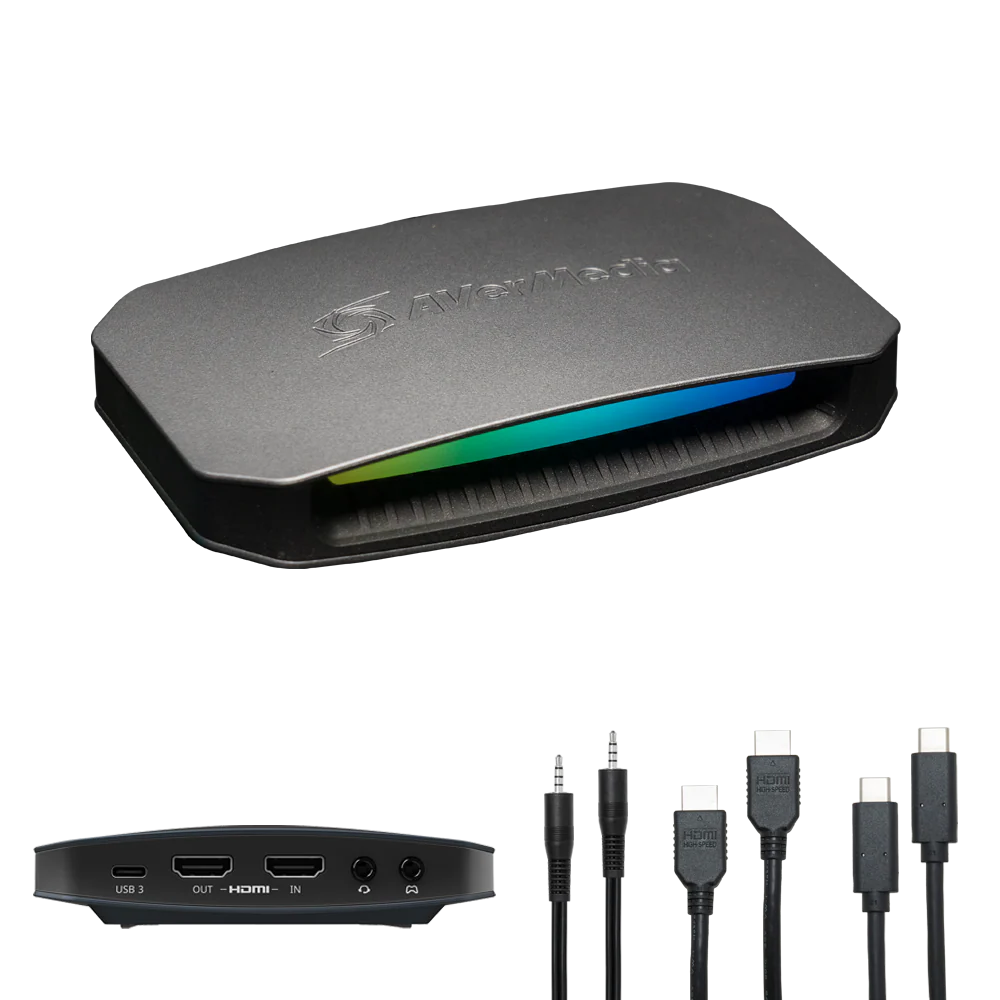
The AVerMedia Live Gamer ULTRA 2.1 captures uncompressed 1080p60 video over USB-C and passes a 4K60 signal through to your display. It competes directly with the Elgato 4K S on specs but typically costs less, making it the best value option if you want reliable 1080p 60fps capture without paying a premium for the Elgato name.
The HDMI 2.1 input is the ULTRA 2.1's biggest technical advantage. While you are capturing at 1080p60, the HDMI 2.1 port means the card can handle next-gen console signals at full bandwidth without downscaling issues. That future-proofs your setup if you eventually want to capture at higher resolutions. The passthrough also supports VRR (Variable Refresh Rate), so your gaming monitor retains its adaptive sync features even with the card in the chain.
AVerMedia's RECentral software is straightforward and lets you adjust capture settings, record directly to disk, and apply basic color corrections. Like the Elgato, it works as a standard UVC device in OBS, so you do not need to run AVerMedia's software while streaming if you prefer to manage everything inside OBS.
Build quality is solid. The aluminum housing dissipates heat well during long capture sessions, and the card stays cool to the touch even after several hours. If you want 1080p 60fps capture with HDMI 2.1 support and VRR passthrough at a lower price than the Elgato 4K S, the ULTRA 2.1 is a strong value pick.
Why it wins
- • HDMI 2.1 with VRR passthrough
- • Strong value versus the Elgato 4K S
- • Solid aluminum build that stays cool
Skip if
- • You prefer Elgato's software ecosystem
- • You do not need HDMI 2.1 or VRR
- • You want the smallest form factor possible
AVerMedia Ultra S
Key Specifications
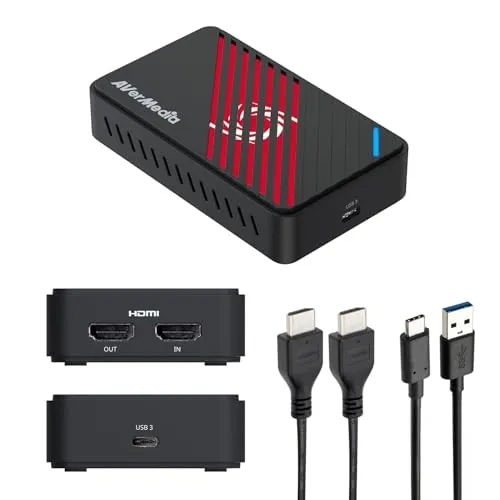
The AVerMedia Live Gamer ULTRA S is the cheapest name-brand capture card that reliably handles 1080p 60fps. It uses USB 3.0 Micro-B instead of USB-C and HDMI 2.0 instead of HDMI 2.1, but neither of those compromises matters for 1080p60 capture. You still get uncompressed video, low-latency passthrough, and full OBS compatibility.
The HDMI 2.0 passthrough caps at 4K30, which is worth knowing if you play at 4K on your monitor. If your gaming display is 1080p or 1440p, the passthrough limitation is irrelevant. But if you want to play at 4K60 on your primary monitor while capturing at 1080p60, you should step up to the ULTRA 2.1 or the Elgato 4K S instead.
What makes the ULTRA S appealing is simplicity. Plug in your console or PC via HDMI, connect the USB cable to your streaming PC, open OBS, and select the device. There is no driver installation on Windows 10 or 11. AVerMedia's RECentral software is available if you want it, but OBS handles everything you need for streaming. The aluminum housing stays cool, and the compact size means it fits easily on a crowded desk.
If your budget is tight and you only need 1080p 60fps capture for Twitch or YouTube streaming, the ULTRA S gets the job done without unnecessary features. It is the cheapest reputable option available that you can rely on mid-stream.
Why it wins
- • Cheapest name-brand 1080p60 capture
- • Plug-and-play with no driver install
- • Compact aluminum housing stays cool
Skip if
- • You need 4K60 passthrough to your monitor
- • You want USB-C instead of Micro-B
- • You need HDMI 2.1 features
Elgato Game Capture Neo
Key Specifications
The Elgato Game Capture Neo is the smallest capture card in this guide, and it is designed for streamers who need something portable or who have limited desk space. Despite its tiny size, it still captures 1080p 60fps video over USB-C and includes HDMI passthrough so you can play on your primary display while capturing.
The Neo uses the same UVC standard as the larger Elgato cards, which means it works with OBS, Streamlabs, and every other major capture tool without proprietary drivers. Elgato's Camera Hub software is available for color and exposure adjustments, but you can manage everything inside OBS if you prefer. The plug-and-play experience is identical to the 4K S, just in a smaller package.
The trade-off is that the Neo does not support 4K passthrough. It passes through at 1080p60 or lower resolutions, which is fine if your gaming monitor is 1080p. If you play at 1440p or 4K on your primary display, the passthrough will downscale the signal. For most 1080p 60fps streaming setups, this is not an issue at all, but it is worth understanding before you buy.
The Neo also doubles as a webcam input for video calls, Discord, and recording software. If you want a capture card that fits in your pocket, works with any HDMI source, and delivers clean 1080p 60fps without taking up desk space, the Game Capture Neo is a strong choice.
Why it wins
- • Smallest form factor in the guide
- • Plug-and-play with full OBS support
- • Affordable and portable
Skip if
- • You need 4K passthrough to your monitor
- • You want uncompressed capture
- • You need advanced color format support
Razer Ripsaw HD
Key Specifications
The Razer Ripsaw HD is a premium external capture card that captures uncompressed 1080p 60fps video with 4K60 passthrough. It uses a USB-C connection and HDMI 2.0, and it is built around Razer's focus on low-latency gaming performance. If you want a capture card that feels like a gaming peripheral rather than a generic video device, the Ripsaw HD delivers.
The 4K60 passthrough is the headline feature. You can play your console or PC games at full 4K60 on your primary monitor while the card captures at 1080p60 simultaneously. The passthrough latency is low enough for competitive play, and Razer specifically markets this card toward gamers who do not want their capture hardware to affect their gameplay experience.
The Ripsaw HD works as a standard UVC device, so OBS, Streamlabs, and XSplit all detect it automatically. Razer does not bundle dedicated capture software, which some users prefer because it means fewer background processes. The aluminum body is compact and matches the aesthetic of other Razer peripherals, which matters if you care about desk coordination.
At its price point, the Ripsaw HD sits above the budget options but below the Elgato 4K S. The main reason to choose it over the 4K S is if you prefer Razer's ecosystem or if you find it on sale. Both cards deliver the same 1080p 60fps capture quality, so the decision comes down to price, brand preference, and passthrough needs.
Why it wins
- • Uncompressed 1080p60 with 4K60 passthrough
- • Low-latency gaming-focused design
- • Premium aluminum build quality
Skip if
- • The Elgato 4K S is available at a similar price
- • You need HDMI 2.1 features
- • You want bundled capture software
How to Set Up a Capture Card for 1080p 60fps Streaming
Setting up a capture card for 1080p 60fps streaming is straightforward, but there are a few configuration steps that make the difference between a sharp stream and a blurry one. Compare these capture cards side by side to see which one matches your setup. Here is how to get the best results from any card in this guide.
1. Set Your Console or PC to 1080p60 Output
Your source device needs to output 1080p at 60Hz for the capture card to receive the correct signal. On PS5, go to Settings, Screen and Video, and set Resolution to 1080p and Refresh Rate to 60 Hz. On Xbox Series X, use the 1080p display override in settings. On a gaming PC, set your GPU output to 1920x1080 at 60Hz in Windows Display Settings. If your console is set to 4K, the capture card will still work but may downscale the image, which can introduce slight softness.
2. Use the Correct USB Port
Capture cards require USB 3.0 or higher to handle uncompressed 1080p 60fps video. If you plug into a USB 2.0 port, the stream will drop frames or fail to connect entirely. On a desktop PC, plug directly into a motherboard USB 3.0 or USB-C port. Avoid USB hubs unless they are externally powered USB 3.0 hubs. On a laptop, use a USB-C port that supports USB 3.2 Gen 1 or higher for the best bandwidth.
3. Configure OBS Correctly
In OBS, add your capture card as a Video Capture Device. Set the resolution to 1920x1080 and the framerate to 60 FPS. Use the YUV 4:2:2 color format if your card supports it, as it preserves more color data than YUV 4:2:0. For the output, set your encoder to x264 or NVENC at 6000 Kbps for 1080p60 streaming on Twitch, or 8000 to 10000 Kbps for YouTube. Use the CBR rate control method for the most consistent stream quality. For a complete breakdown of encoder settings, bitrate ladders, and scene optimization, check our OBS Studio settings guide.
4. Use High-Quality HDMI Cables
A cheap or damaged HDMI cable can introduce visual artifacts like sparkles, color banding, or signal drops. Use a certified High Speed HDMI cable (HDMI 2.0) for 1080p60, or an Ultra High Speed cable (HDMI 2.1) if you are using the AVerMedia ULTRA 2.1 with 4K passthrough. Keep cable runs under three meters for the best signal integrity. If you are running cables through a wall or across a room, consider an active HDMI cable or fiber optic HDMI to maintain signal quality.
If you are building a full streaming setup around your capture card, use our Creator builder tool to find compatible cameras, microphones, and lighting.
Final Thoughts
The best capture card for 1080p 60fps streaming depends on your budget and what you play on. The Elgato 4K S is our top pick because it delivers reliable uncompressed 1080p60 capture with 4K60 passthrough, USB-C connectivity, and excellent software support in one compact device.
If you want HDMI 2.1 and VRR passthrough at a lower price, the AVerMedia Live Gamer ULTRA 2.1 is the best value. For tight budgets, the AVerMedia Live Gamer ULTRA S handles 1080p60 capture reliably without unnecessary extras. If desk space is your priority, the Elgato Game Capture Neo packs full 1080p60 capture into the smallest form factor available. And if you want a premium option with 4K60 passthrough, the Razer Ripsaw HD delivers low-latency capture in a solid aluminum body.
All five cards work with OBS, Streamlabs, and every major streaming platform. Pick the one that matches your budget and monitor resolution, and you will have a clean 1080p 60fps stream up and running in minutes. If you are streaming from an Xbox Series X specifically, see our best capture card for Xbox Series X guide for console-specific recommendations. Nintendo Switch streamers should read our best capture cards for Nintendo Switch guide, which covers the dock and Switch 2 details. To build a complete streaming setup around your new capture card, browse the parts database or check out completed setups from other creators for inspiration.
For neutral technical references, see the Video capture overview on Wikipedia and the official OBS Studio site.