CreatorConfig is supported by its audience. We may earn commissions from qualifying purchases through affiliate links on this page. Full disclosure
What budget actually buys
The good news about cheap mixers is that the gap between a 100 dollar desk and a 700 dollar one is much smaller than the price suggests, at least for the narrow job of getting one or two microphones into a stream. What you give up at the bottom of the market is headroom, build quality and per channel recording, not basic usability. This guide covers what to look for under 250 dollars, which corners are safe to cut, and the two specifications that quietly decide whether a bargain mixer will work with your microphone at all.
The Ruling
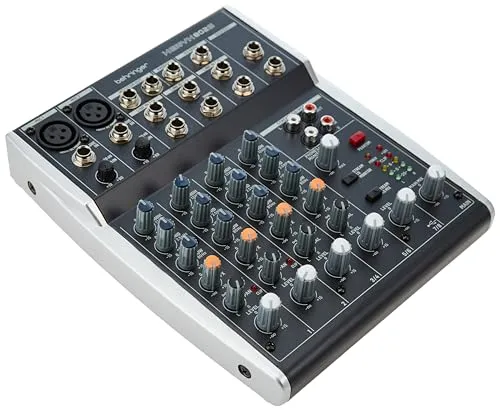
What is the best budget audio mixer for streaming?Get the Behringer 802S.
The Behringer 802S is the best budget audio mixer for streaming for most people, because it is one of the few genuinely cheap mixers built for streaming rather than adapted to it: real two-in / two-out USB audio that OBS sees as one clean source, and two XLR inputs with 48V phantom power, at well under 100 dollars.
Unless…
- You run a low-output dynamic without a booster — get the ART TubeMix.Its valve stage drives an SM7B on its own, and skipping a Cloudlifter can make it the cheaper total build despite the higher sticker.
- You need multitrack recording of each channel — get the Zoom PodTrak P4.Four XLR inputs, four headphone outputs, and every channel recorded separately.
- You already own an interface — get the Mackie Mix8.Quieter preamps and a metal chassis for the same money, as long as you understand it has no USB and cannot reach your PC alone.
The full ranking
- Best overall on a budget:Behringer 802S, real USB audio and two XLR inputs under 100
- Cleanest signal:Mackie Mix8, quieter preamps and a metal chassis, but no USB
- Most gain for a dynamic mic:ART TubeMix, drives an SM7B without an inline booster
- Best for multiple mics:Zoom PodTrak P4, four XLR inputs and multitrack recording
- Best preamps under 250:Mackie ProFX6v3+, Onyx preamps and a lower noise floor
This guide covers hardware mixers under 250 dollars, meaning physical desks with real faders that sit in front of you and connect to a PC over USB. It is not about mixing software such as VoiceMeeter, and it is not about audio interfaces.
At a Glance
How the three real contenders compare
On a budget nothing is well-rounded, so read these shapes as three different sacrifices. The 802S wins value and USB and gives up gain and multitrack. The TubeMix spends everything on one axis, gain, and has one microphone input to show for it. The P4 is the widest shape here and charges twice the 802S for it.
Each spoke runs 0 at the center to 10 at the outer ring.
- Behringer 802SOur pick. Real USB audio under 100 dollars.
- ART TubeMixTake it instead for a low-output dynamic mic.
- Zoom PodTrak P4Take it instead if you need multiple mics.
| Category | Behringer 802S | ART TubeMix | Zoom PodTrak P4 |
|---|---|---|---|
| Mic Inputs | 4/10 | 2/10 | 10/10 |
| Preamp Gain | 5/10 | 10/10 | 5/10 |
| USB Audio | 8/10 | 6/10 | 8/10 |
| Multitrack Recording | 1/10 | 1/10 | 10/10 |
| Value | 10/10 | 7/10 | 4/10 |
Quick Comparison: Best Budget Audio Mixers for Streaming
Behringer 802S
Budget Setup
Mackie Mix8
Cleanest Signal
ART TubeMix
Most Gain
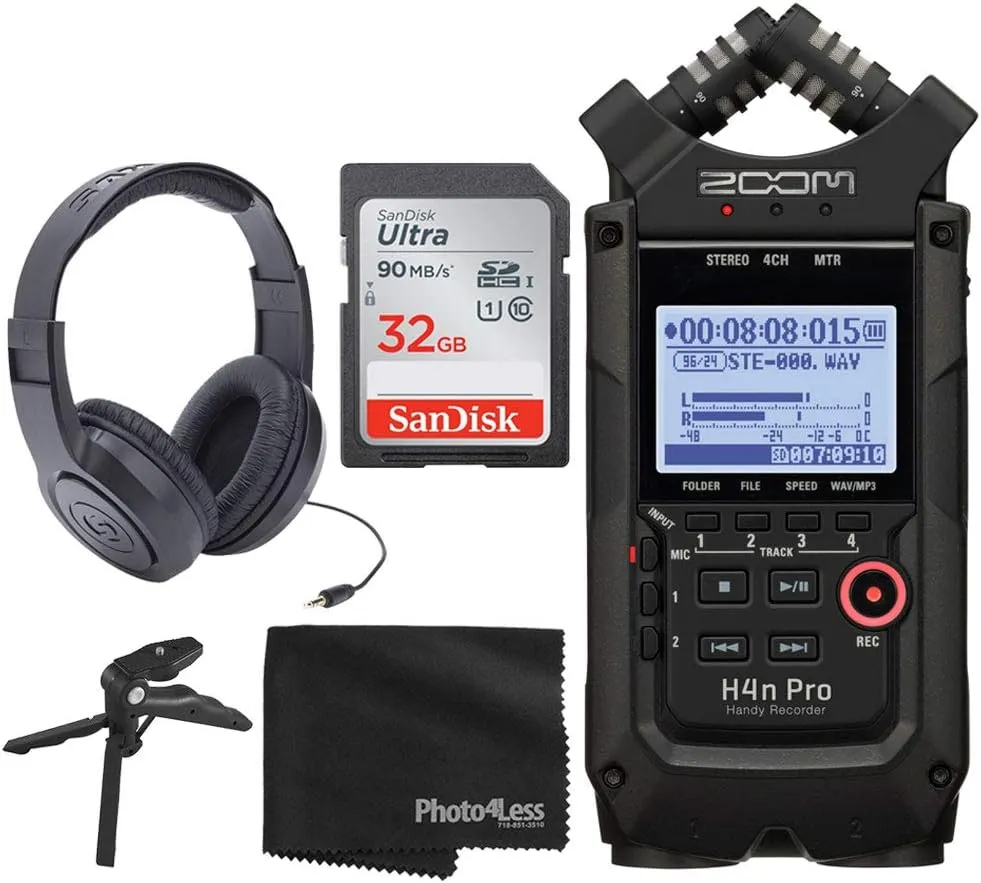
Zoom PodTrak P4
Multiple Mics
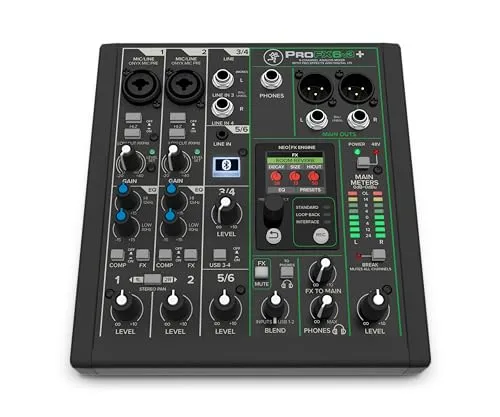
Mackie ProFX6v3+
Best Preamps
Behringer 802S
Key Specifications
The 802S is the mixer to beat under 100 dollars because it was designed for streaming rather than adapted to it. Behringer built it around the assumption that a computer is on the other end, so the USB audio is a real two in two out interface rather than an afterthought, and the layout puts the controls a streamer actually touches within reach.
That USB implementation is the reason it beats otherwise similar analogue desks at this price. It appears to your computer as a proper recording device, so OBS sees the blended mix as one clean source with no extra hardware in the chain. Buying an analogue mixer plus a separate interface to achieve the same thing costs noticeably more.
Two XLR inputs with 48V phantom power cover a host and one guest, which is where most budget setups stop. The preamps are honest rather than exceptional, and they have enough gain for condensers and louder dynamics. A Shure SM7B will want an inline booster, which is true of almost everything at this price.
Why it wins
- Real two in two out USB audio, not a token port
- Two XLR inputs with phantom power at well under 100
- Designed around a streaming workflow rather than a band
Skip if
- You need multitrack recording of each channel
- You are running a low output dynamic without a booster
- You want built in effects or scene recall
Mackie Mix8
Key Specifications
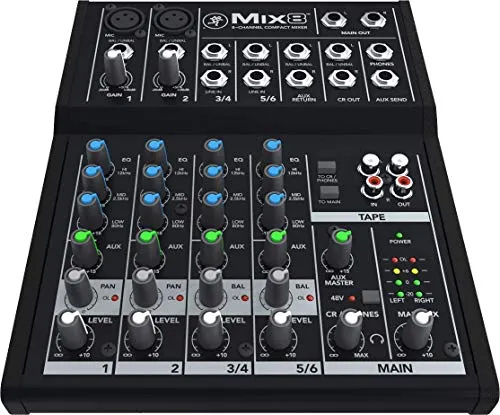
The Mix8 is the pick if you already own an audio interface, because Mackie put the money into the analogue signal path instead of a USB chip. The preamps are quieter than most things at this price, and the build is the sturdier metal chassis Mackie is known for rather than the plastic that dominates the sub 100 category.
The catch is unavoidable and worth stating plainly: there is no USB, so this mixer cannot get audio into your computer on its own. It needs an interface, or a line input, to be useful for streaming at all. Buy it as an expansion for a setup you already have, not as a first purchase.
Where it makes sense is a desk that already has an interface handling the microphone and needs somewhere to blend extra sources such as a phone, a second computer or a hardware instrument. In that role it is quieter and better built than any USB mixer you could buy for the same money.
Why it wins
- Quieter preamps than most sub 100 mixers
- Metal chassis rather than the usual plastic
- Excellent value as a second stage blender
Skip if
- This is your only piece of audio hardware
- You need a single cable path into your computer
- You want the mixer to be your sound card
ART TubeMix
Key Specifications
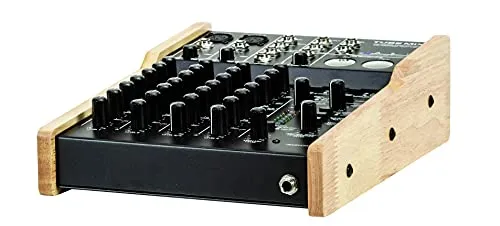
The TubeMix exists to solve the single most common budget problem, which is not having enough clean gain for a dynamic microphone. Its valve preamp stage delivers noticeably more headroom than the solid state preamps in most mixers around this price, which makes it one of the few desks here that can drive a low output dynamic without an inline booster.
That matters financially as well as sonically. A Cloudlifter or FetHead adds meaningfully to a budget build, so a mixer that removes the need for one can be the cheaper total even though its sticker price is higher. If you already own an SM7B or an MV7X, this is the first mixer on the list worth costing out properly.
The tradeoff is channel count and character. Five inputs with one XLR is fine for a solo streamer and limiting for anyone else, and the valve stage colours the sound rather than staying neutral. Most people find that flattering on voice, but it is a choice rather than a transparent one.
Why it wins
- Genuinely more gain than its price class
- Can drive a low output dynamic without a booster
- Valve stage is flattering on spoken voice
Skip if
- You need more than one microphone input
- You want a completely neutral signal path
- You are recording quiet acoustic sources
Zoom PodTrak P4
Key Specifications
The PodTrak P4 is the outlier here because it is not really a mixer, it is a four input recorder with a mixer attached. For interviews, co hosted shows or anything with guests in the room, that distinction makes it the most capable option on this list by a wide margin.
Four XLR inputs each with their own phantom power and their own headphone output means four people can be miked and monitored properly, which no other unit under 250 dollars here manages. It also records each input to an SD card as a separate track, so a guest who was too quiet can be fixed in editing rather than written off.
It runs on batteries and needs no computer, which makes it genuinely portable. The compromise is that it is optimised for spoken word rather than gaming, so there are no dedicated game and chat controls, and the build is light plastic that feels less solid than the Mackie desks.
Why it wins
- Four XLR inputs with four headphone outputs
- Multitrack recording to SD card, no computer needed
- Battery powered and genuinely portable
Skip if
- You stream games and want game or chat knobs
- You want a solid metal build
- You only ever use one microphone
Mackie ProFX6v3+
Key Specifications
At the top of what counts as budget, the ProFX6v3+ is where preamp quality stops being a compromise. Mackie fits its Onyx preamps here, and the difference against the sub 100 tier is audible as a lower noise floor when you push the gain, which is exactly the condition budget mixers struggle with.
The USB audio runs at up to 24-bit 192kHz, well beyond what streaming needs, but the useful part is that the implementation is solid and the drivers are stable. It also includes a built in effects engine with reverb and delay, which the cheaper options omit entirely.
Whether it is worth more than double the 802S depends on your microphone. With a condenser at moderate gain the difference is modest. With a demanding dynamic, or if you also record music, the extra headroom and the sturdier controls justify the gap. It is the one on this list most likely to still be in your setup in five years.
Why it wins
- Onyx preamps with a genuinely lower noise floor
- Stable USB audio and built in effects
- Build quality that outlasts the cheaper tier
Skip if
- Your microphone is easy to drive anyway
- You need more than two XLR inputs
- You want the absolute lowest outlay
Budget bands and what changes
| Price band | What you get | What is missing |
|---|---|---|
| Under 100 | Basic analogue mixing, some with USB | Clean gain, reliable build, multitrack |
| 100 to 150 | USB audio, phantom power, usable preamps | Per channel recording, effects |
| 150 to 250 | Better preamps, effects, sturdier controls | Digital recall, higher channel counts |
| Above 250 | Multitrack USB, scene recall, more channels | Little, but rarely needed for solo streams |
The two specs that decide everything
Available gain. This is the specification budget listings almost never print, and the one most likely to ruin the purchase. Preamp gain is measured in decibels, and a mixer offering 40 to 50 dB is fine for a condenser microphone or a loud dynamic. It is not enough for a low output dynamic like the Shure SM7B or the Shure MV7X, which want closer to 60 dB. Run one of those on an underpowered preamp and you will hear hiss behind everything you say, because you had to run the gain wide open. Either buy a mixer with more gain, or budget for an inline booster.
Real USB audio. A mixer that connects to your computer as a class compliant audio device replaces a separate interface and saves you both money and a cable run. Some cheap mixers advertise USB but only implement playback in one direction, or expose a stereo mix at a fixed sample rate. Check that the mixer is listed as a recording device, not just a playback one, before ordering. If you already own an interface, this matters much less and you can shop analogue only, which stretches the budget noticeably further.
Where cheap mixers cut corners
Preamp noise. Every preamp adds a small amount of hiss, and cheaper components add more. It only becomes audible when you run the gain high, which is why microphone choice and mixer choice are linked. A loud condenser at moderate gain will sound clean through a budget preamp. A quiet dynamic at maximum gain will not.
Faders and pots. This is where the money most visibly goes. Budget controls use lighter plastic and simpler wipers, so after a year of daily use they can develop crackle when moved. It is rarely fatal, and contact cleaner buys more time, but it is the most common reason a cheap mixer feels worn out while still working electrically.
Stereo only USB. Most mixers under 250 dollars send a single stereo mix to the computer. Everything is already blended, so if a guest was too quiet you cannot separate them afterwards. Multitrack USB, where each channel arrives as its own input, is the single feature most worth paying to move up a price band for if you edit your recordings.
Phantom power that is all or nothing. Cheaper desks apply 48 volt phantom power to every channel with one switch rather than per channel. Condenser microphones need it and dynamics ignore it, so this is harmless in most home setups, but it matters if you ever connect ribbon microphones, which can be damaged by it.
Stretching the budget further
Mixers hold up well used, better than most audio gear, because there is little inside to degrade beyond the controls and the power supply. A three year old mid range desk from a reputable brand is often a better buy than a brand new budget one at the same price, since you are getting better preamps and metal controls for the same outlay. Test every fader and knob through its full travel before committing, and confirm phantom power actually engages if you plan to use a condenser microphone.
Be wary of very cheap unbranded mixers on marketplace listings. The savings are real but so is the failure rate, and the specification sheets frequently claim gain figures the hardware does not deliver. If a four channel USB mixer with phantom power is listed well below the established brands, the compromise is usually in the preamp, and preamp quality is the one thing you cannot upgrade later without replacing the unit.
Before you spend anything
Check that a mixer is the right category first, because it frequently is not. If your reason for wanting one is separating game audio, music and Discord into different channels, no hardware mixer can do that. It cannot see inside your computer. That is a software job, and it is free. Read our audio mixer software guide before buying hardware for a routing problem.
If you are not sure which category you need at all, our guide on whether you need a mixer works through it in a couple of minutes. And if the deciding factor is an XLR microphone you already own, the best mixer for an XLR mic guide narrows the field faster than a general budget roundup can. For the full range without a price ceiling, see our best audio mixers for streaming.
Frequently asked questions
How much should I spend on a mixer for streaming?
Around 100 dollars buys a capable four to eight channel mixer with USB output, which is all a solo or two person stream needs. Between 150 and 250 dollars you get noticeably better preamps, more headroom and built in effects. Above 250 dollars you are paying for channel count, digital recall and multitrack recording rather than better sound on one or two microphones. If your budget is under 100 dollars, an audio interface will serve you better than a mixer at the same price.
Does a budget mixer need to have USB?
For streaming, yes, unless you already own an audio interface. USB lets the mixer act as its own sound card and send the blended mix straight into OBS with one cable. A mixer without USB only has analogue outputs, so you would need a separate interface or a line input to get that audio into your computer, which usually costs more than the saving on the mixer. Check that the USB output is a real audio class device rather than only a firmware update port, which catches people out on some cheap models.
Are cheap Behringer and Mackie mixers good enough for streaming?
Yes, for the job most streamers ask of them. The preamps in the sub 150 dollar range are noisier than professional units, which matters if you are recording quiet acoustic sources at high gain. For a dynamic broadcast microphone at normal speaking distance, the noise floor sits well below what stream compression will reveal. Build quality is the more realistic concern, since plastic faders and pots wear faster than the metal ones on pricier desks.
Can a budget mixer power a Shure SM7B?
It can pass the signal, but most budget mixers cannot supply enough clean gain on their own. The SM7B is a low output dynamic microphone that needs roughly 60 dB of gain, and mixers under 200 dollars typically offer between 40 and 50 dB before the preamp noise becomes audible. The usual fix is an inline gain booster such as a Cloudlifter or FetHead, which adds around 25 dB using the mixer phantom power. Budget for that accessory alongside the mixer rather than discovering it afterwards.
What is the cheapest way to get two microphones into a stream?
A four to eight channel USB mixer at around 100 dollars is normally the cheapest route, because two channel audio interfaces with two decent XLR preamps tend to start higher. The compromise is that a basic mixer sends both microphones down one combined stereo channel, so you cannot separate the voices when editing later. If separate tracks matter, look for a mixer that advertises multitrack or multichannel USB, which starts higher but saves a lot of editing pain.