Gigabyte M32Q 32" 4K 144Hz Monitor vs ASUS ROG Swift OLED PG27AQDP
Gigabyte M32Q vs ASUS ROG Swift OLED PG27AQDP: It is a toss-up, take the Gigabyte M32Q 32" 4K 144Hz Monitor. Neither one leads on more specs than the...
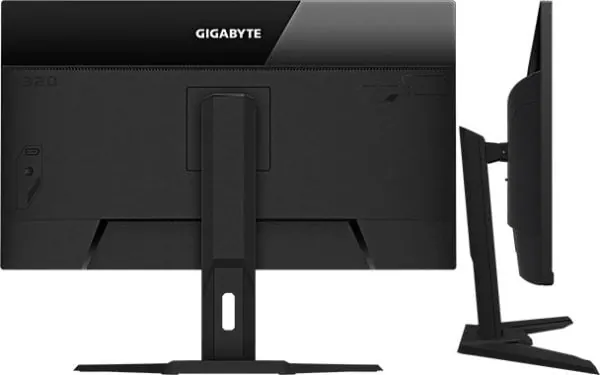
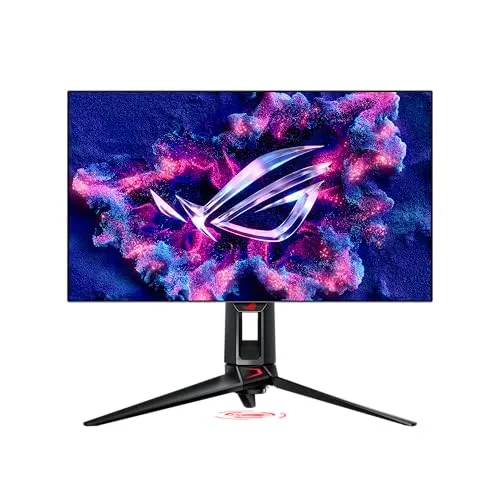
The Ruling
Gigabyte M32Q 32" 4K 144Hz Monitor or ASUS ROG Swift OLED PG27AQDP? It is a toss-up — take the Gigabyte M32Q 32" 4K 144Hz Monitor.
Neither one leads on more of the chart than the other: the Gigabyte M32Q 32" 4K 144Hz Monitor takes Screen Space, the ASUS ROG Swift OLED PG27AQDP takes Refresh Rate. With the trade even, $395 is the tiebreaker, and the Gigabyte M32Q 32" 4K 144Hz Monitor is the cheaper side of it.
Unless…
- You need refresh rate — get the ASUS ROG Swift OLED PG27AQDP.
At a Glance
Where each one actually leads
Every axis is scored out of 10 from the catalog specs below. The scores are relative to the products on this page, so a 10 means “best of these”, not “perfect”, and two identical columns mean the catalog genuinely cannot separate them. Axes the catalog holds no figure for on both sides are left off entirely rather than guessed at.
| Category | Gigabyte M32Q 32" 4K 144Hz Monitor | ASUS ROG Swift OLED PG27AQDP |
|---|---|---|
| Screen Space | 10/10 | 4.4/10 |
| Refresh Rate | 3/10 | 10/10 |
| Value | 10/10 | 4.8/10 |
The Split
What each one wins
Gigabyte M32Q 32" 4K 144Hz Monitor
Display option aimed at creator desks, gameplay viewing, and multi-purpose editing or streaming setups.
On paper the Gigabyte M32Q 32" 4K 144Hz Monitor takes resolution (4K). It gives up refresh rate to the ASUS ROG Swift OLED PG27AQDP. It is the cheaper of the two, by $395.00.
Leads on
-
Resolution4K2560x1440
Higher resolution means more screen space for OBS, chat, and alerts.
ASUS ROG Swift OLED PG27AQDP
High-end 27-inch QHD OLED esports monitor with ultra-high refresh performance.
On paper the ASUS ROG Swift OLED PG27AQDP takes refresh rate (480Hz, +336Hz). It gives up resolution to the Gigabyte M32Q 32" 4K 144Hz Monitor. That costs $395.00 more than the Gigabyte M32Q 32" 4K 144Hz Monitor.
Leads on
-
Refresh Rate +336Hz480Hz144Hz
Higher refresh rate makes gameplay smoother on your gaming monitor.
The Record
7 specs, grouped by area
A group is won by whoever takes more of its rows outright. Specs the catalog cannot rank are shown but never decide a group.
Bottom Line
Who each one is for
The Gigabyte M32Q 32" 4K 144Hz Monitor is the pick on the specs the catalog holds, but “better on paper” and “right for you” are different questions. Each case below names what the product is actually good at and who that suits.
Frequently Asked Questions
What is the main difference between Gigabyte M32Q 32" 4K 144Hz Monitor and ASUS ROG Swift OLED PG27AQDP?
The largest gap is refresh rate, where the ASUS ROG Swift OLED PG27AQDP leads — 480Hz against 144Hz. Across the catalog's specification sheet the two differ on 2 specs. Two monitors from Gigabyte and ASUS, each taking a different approach to color accuracy and screen real estate.
Which is better for streaming, Gigabyte M32Q 32" 4K 144Hz Monitor or ASUS ROG Swift OLED PG27AQDP?
It is a toss-up — take the Gigabyte M32Q 32" 4K 144Hz Monitor. Neither one leads on more of the chart than the other: the Gigabyte M32Q 32" 4K 144Hz Monitor takes Screen Space, the ASUS ROG Swift OLED PG27AQDP takes Refresh Rate. With the trade even, $395 is the tiebreaker, and the Gigabyte M32Q 32" 4K 144Hz Monitor is the cheaper side of it.
Is the ASUS ROG Swift OLED PG27AQDP worth the extra $395 over the Gigabyte M32Q 32" 4K 144Hz Monitor?
The ASUS ROG Swift OLED PG27AQDP costs $765.00 against $370.00, a difference of $395. The premium buys refresh rate (480Hz). Whether that is worth it depends on which of those you would actually use.